AI image-to-video tools have become a practical way to turn product photos, portraits, concept art, and campaign visuals into short motion clips. In 2026, the market craves more. The real differences among AI image-to-video generators lie in the value of free credits, watermark policy, video duration, generation speed, and whether the free plan is useful enough for real workflow. With all said, we prepared this ultimate guide for you, covering the best 8 free AI image-to-video tools in 2026. Each free AI image-to-video generator shares its own highlights and focuses. Let’s take a peek.
- PicLumen – Best Overall Free AI Image-to-Video Generator
- HeyGen – Best Free AI Image-to-Video Tool for Business
- Luma AI – Best Cinematic AI Image-to-Video Tool with Fast Speed
- Veo 3 – Free AI Image-to-Video Tool with Best Video Quality
- Kling 3.0 – Best Free Motion Control Image-to-Video Generator
- Seedance 2.0 Fast – Fastest Image-to-Video Generator
- Runway – Best Professional Image-to-Video Generation Tool
- Hailuo AI – Top AI Image-to-Video Generator with Maximum Free Usage
Best Overall Free AI Image to Video Generator - PicLumen
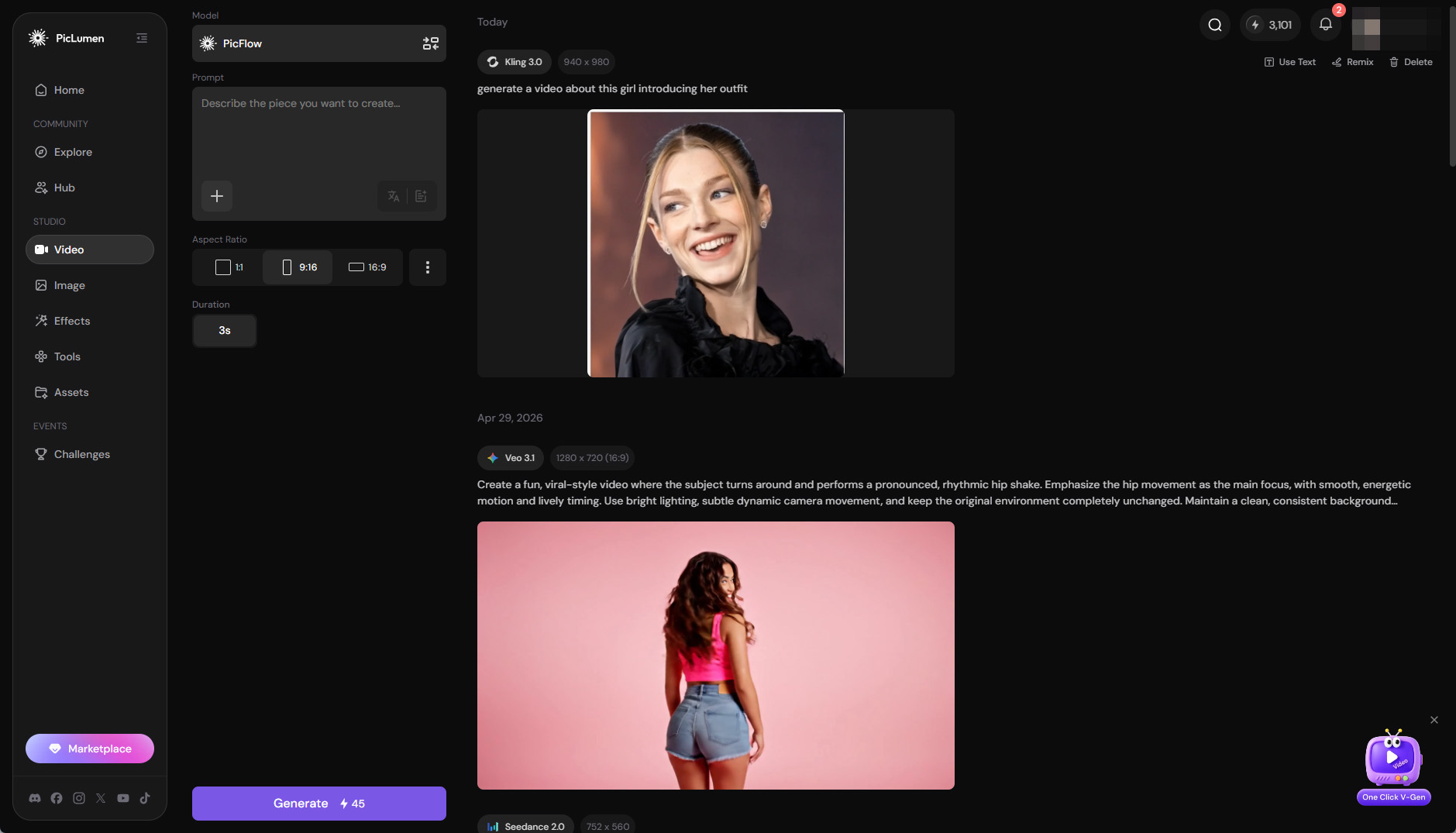
As the best all-in-one free image-to-video generator in 2026, PicLumen integrates multiple popular AI video models into a single platform, including leading models such as Kling 3.0, Seedance 2.0, Veo 3.1, and more. If you want to free test different image-to-video models on one single platform, PicLumen is the workspace for experimentation, comparison, and production.
The workflow is simple as well. You can upload an image, enter a motion prompt, and choose from different video models depending on the desired style, motion quality, video duration, speed, and PicLumen will do the task for you.
Free Quota and Value: Every user gets 10 free Lumens(credits) every day. In addition to the free credit pool, you can also earn Lumens through PicLumen’s task center. For example, users who publish high-quality articles in the Hub may receive 100 free Lumens as a reward. Moreover, PicLumen runs community challenges regularly, where participants can win up to thousands of Lumens. Anyone who is willing to stay active in the community and join platform events has the chance to earn free lumens for image-to-video creation.
Vivid Image to Animation: PicLumen is especially strong at turning still images into vivid animated videos. As one of the best free AI image-to-video animation tools, it excels in character motion, illustrated scene animation, product image animation, and stylized short-form visual storytelling. Instead of simply adding basic motion effects, PicLumen can bring static images to life with more natural movement, richer scene depth, dynamic lighting, and a stronger sense of atmosphere.
No Watermark: PicLumen currently generates image-to-video outputs without watermarks, whether users are on the free plan or a paid membership. Combined with its daily free Lumens and access to multiple popular video models, PicLumen is especially practical for users who want to test free AI image-to-video animation while still getting clean, ready-to-share results.
Commercial Use Allowed: PicLumen allows users to use their self-created images and image-to-video outputs for commercial purposes, making it suitable for marketing visuals, social media campaigns, e-commerce product showcases, and other business-related use cases.
Best Free AI Image to Video Tools for Business - HeyGen
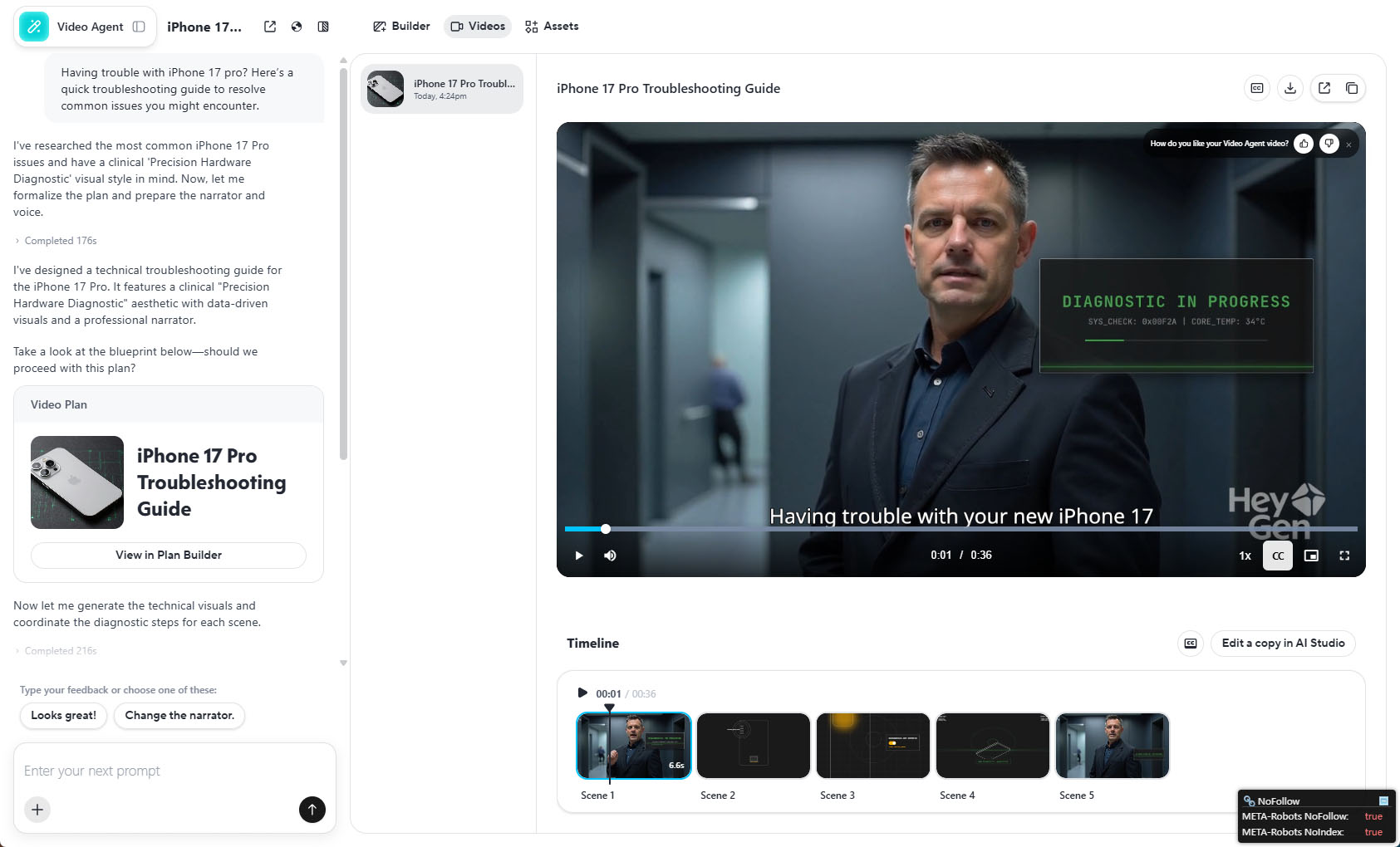
HeyGen is one of the best free AI image-to-video tools for business users, especially for teams that need presenter-led videos, product explainers, and multilingual marketing content. Unlike many free AI video generators that simply turn a prompt or image into a short animated clip, HeyGen works more like a lightweight AI production studio. It combines avatars, scripts, voiceovers, translation, video editing, collaboration, and business-oriented templates into one platform.
Free Quota and Free-plan Value: HeyGen’s official free plan currently includes 3 videos per month, with each video capped at up to 1 minute. Free users also get 720p video export, standard video processing, 500+ stock photo avatars, 1 Custom Digital Twin, and video sharing and commenting. However, free exports include HeyGen branding or watermark, so the free plan is best treated as a testing plan rather than a production plan.
Free Features: HeyGen’s free plan is useful for testing the full business video workflow. Users can create short avatar-led videos, test stock presenters, try a custom digital twin, evaluate voice and lip-sync quality, and explore AI-assisted video creation. The trial access to Video Agent is especially important because it lets users experience HeyGen’s more automated workflow, where a prompt or brief can be transformed into a more complete video structure.
Video Quality: HeyGen’s video quality is polished, clean, and business-ready. Avatar motion, lip sync, and voice delivery are generally more convincing than what most basic free AI video tools can provide. However, if the goal is to generate cinematic image-to-video animation from a still image, tools like PicLumen, Luma AI, Kling, Seedance, Runway, or Veo-style models may be a better fit.
Best Cinematic AI Image to Video Tool With Fast Speed - Luma AI
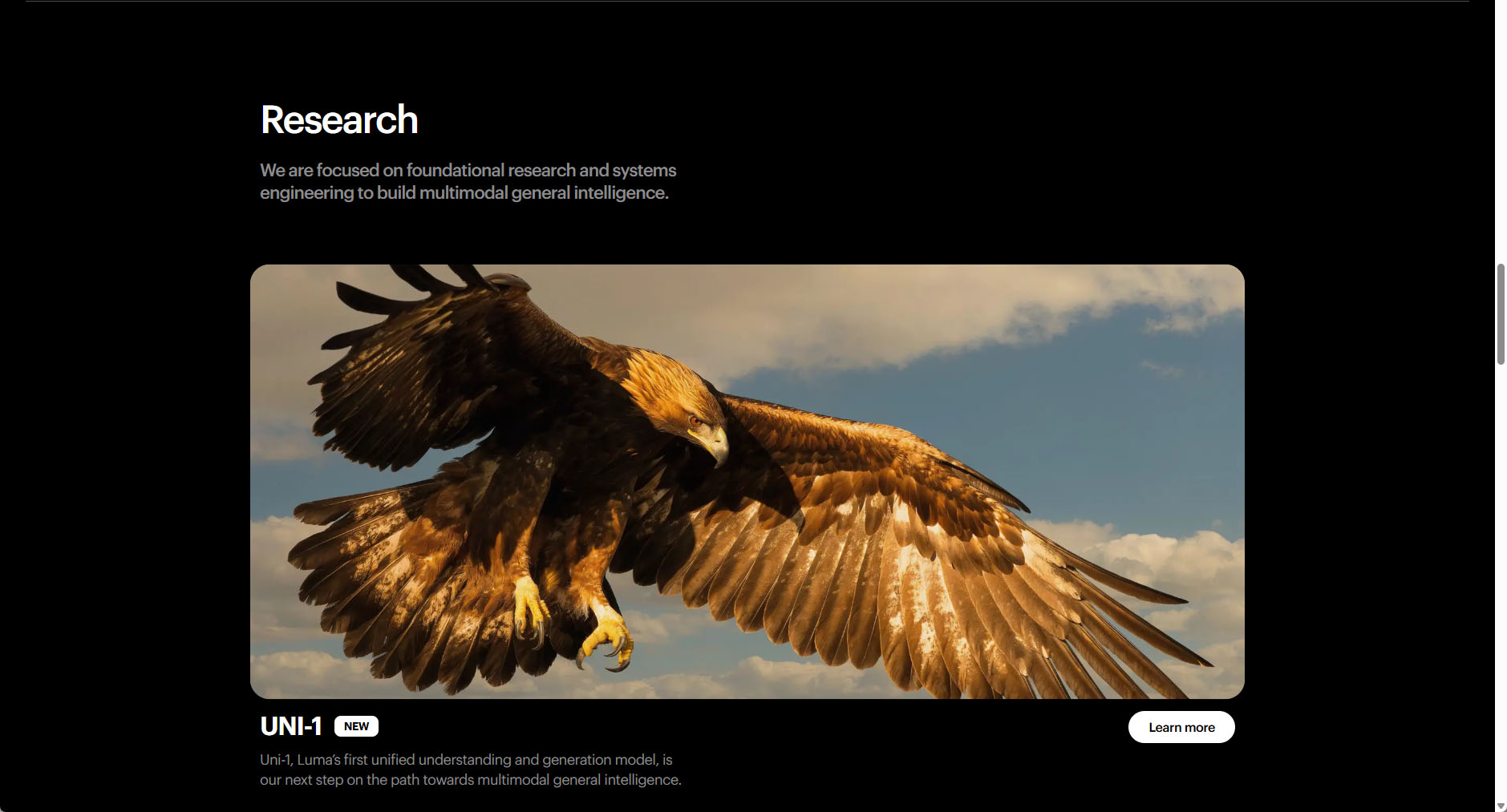
Luma AI is one of the best choices for users who want cinematic image-to-video generation rather than simple photo animation. Compared with many free AI video tools, Luma Dream Machine stands out for its ability to create videos with a more film-like look, including smooth camera movement, natural lighting, atmospheric depth, and visually polished motion. Fast Generation Speed: Many users note that Luma can generate clips much faster than a lot of competing AI video tools. Dream Machine has been widely described as being able to generate around 120 frames in about 120 seconds, which usually translates into a short 5-second AI video in roughly 2 minutes. Amazing speed, right?
Free Quota and Free-plan Value: Luma’s free plan is useful for testing cinematic image-to-video generation, but its quota is relatively limited. The free plan offers around 8 video generations per month in draft mode. These free outputs are usually limited in resolution and include a watermark, so they are better suited for previewing Luma’s cinematic style than for publishing final commercial content.
Video Quality: With no doubt, Luma is strongest when used for cinematic image-to-video content. It performs particularly well for landscape flyovers, mood shots, artistic visuals, and fantasy scenes. Its outputs often feature smooth motion, good depth, and a more immersive atmosphere, which makes static images feel more alive and film-like. This makes Luma one of the best free AI image-to-video tools for users who care about visual aesthetics and cinematic motion.
Free AI Image to Video Tool with Best Video Quality - Veo 3
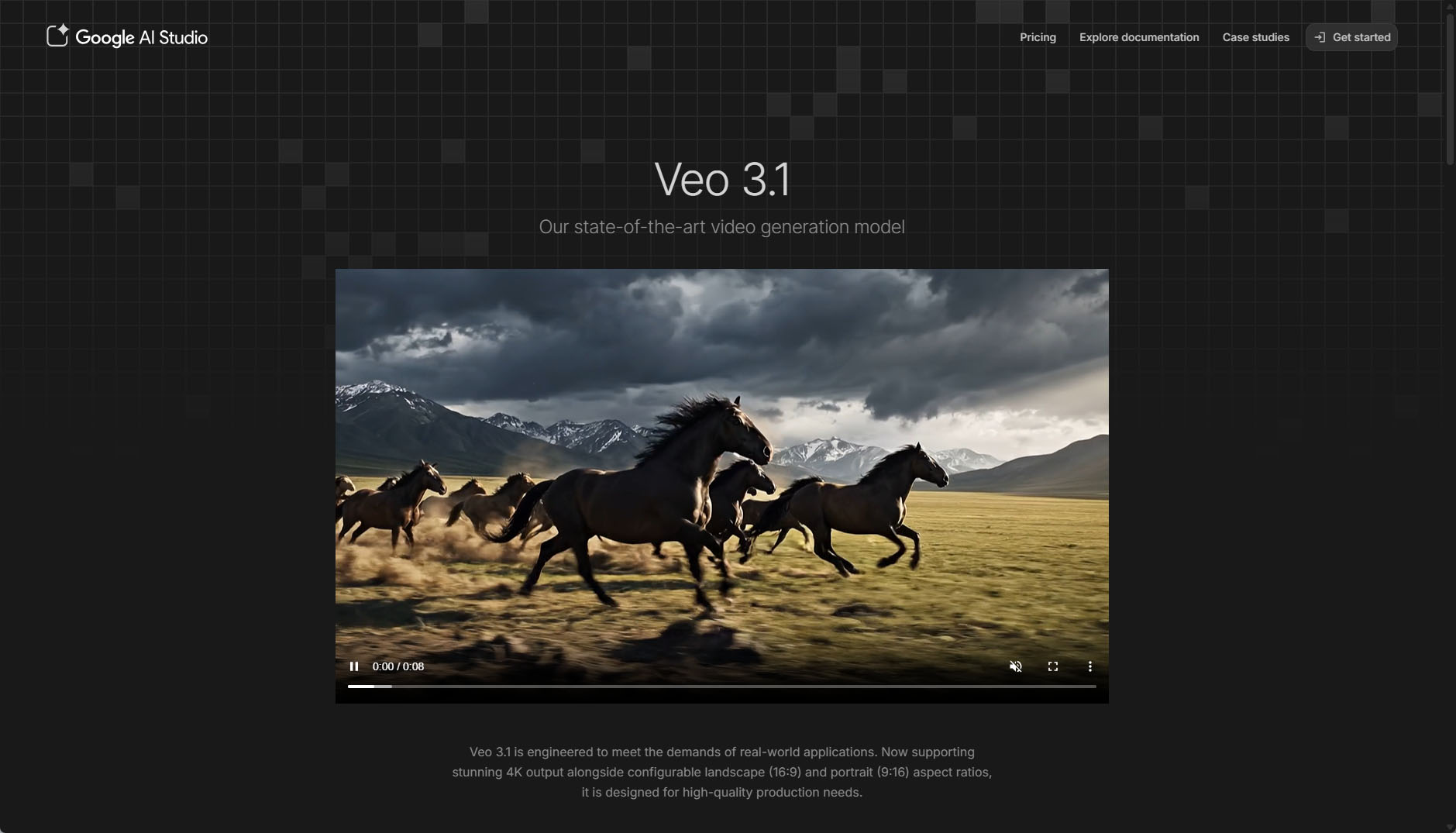
Veo 3 is the best choice for pure video quality, but it comes with an important caveat: it is not a conventional always-free tool. Google’s current Gemini and Veo pages show that video generation is generally unlocked through paid Google AI plans, Flow, Whisk, Gemini,etc, though trials, free credits, and promotional access may appear by region or account type.
Free Quota and Free-plan Value: Veo 3’s free access is different from typical credit-based AI video tools. Instead of a fixed monthly credit bundle, availability depends on account eligibility, model access, billing tier, and rate limits. New Gemini API users may start on a Free Tier, but Google says this only applies to certain models, so Veo 3 should be described as a premium video model that may be testable through Google AI Studio, Gemini API, Flow, trials, or promotional access, not as an unlimited free image-to-video tool.
Free Features: When available, Veo 3.1 can generate 8-second high-fidelity videos with 720p, 1080p, or 4K output and native audio. It is excellent for realistic image-to-video tests, cinematic social clips, product shots, and creative concepting. However, Veo is mainly a generation engine, not a full production suite: there is no built-in editor, avatar system, or template workflow, so users need to finish editing, captions, and publishing elsewhere.
Best Free Motion Control Image to Video Generator - Kling 3.0
Kling 3.0 is the latest AI video model behind Kling’s advanced image-to-video generation, while Kling Motion Control is the feature that makes its motion more controllable. With Motion Control, users can upload a still image and guide the subject’s movement, facial expression, or camera motion using a reference video or motion library.
Free Quota and Free-plan Value: Kling’s free plan is credit-based and currently provides 66 free monthly credits. These credits are mainly suitable for testing Kling’s image-to-video generation, especially standard mode, short clips, and motion-control experiments. On average, you can generate up to 3 1080/4k videos with monthly free credits.
Video Quality: Kling Motion Control is one of Kling’s most important image-to-video features. Instead of relying only on a text prompt, it lets users control a character’s movement and facial expression by combining a reference image with a motion source. Compared with standard image-to-video generation, it gives creators more direction over the final movement, reducing the randomness that often appears when a tool has to infer motion from a prompt alone.
Fastest Image to Video Generator - Seedance 2.0 Fast
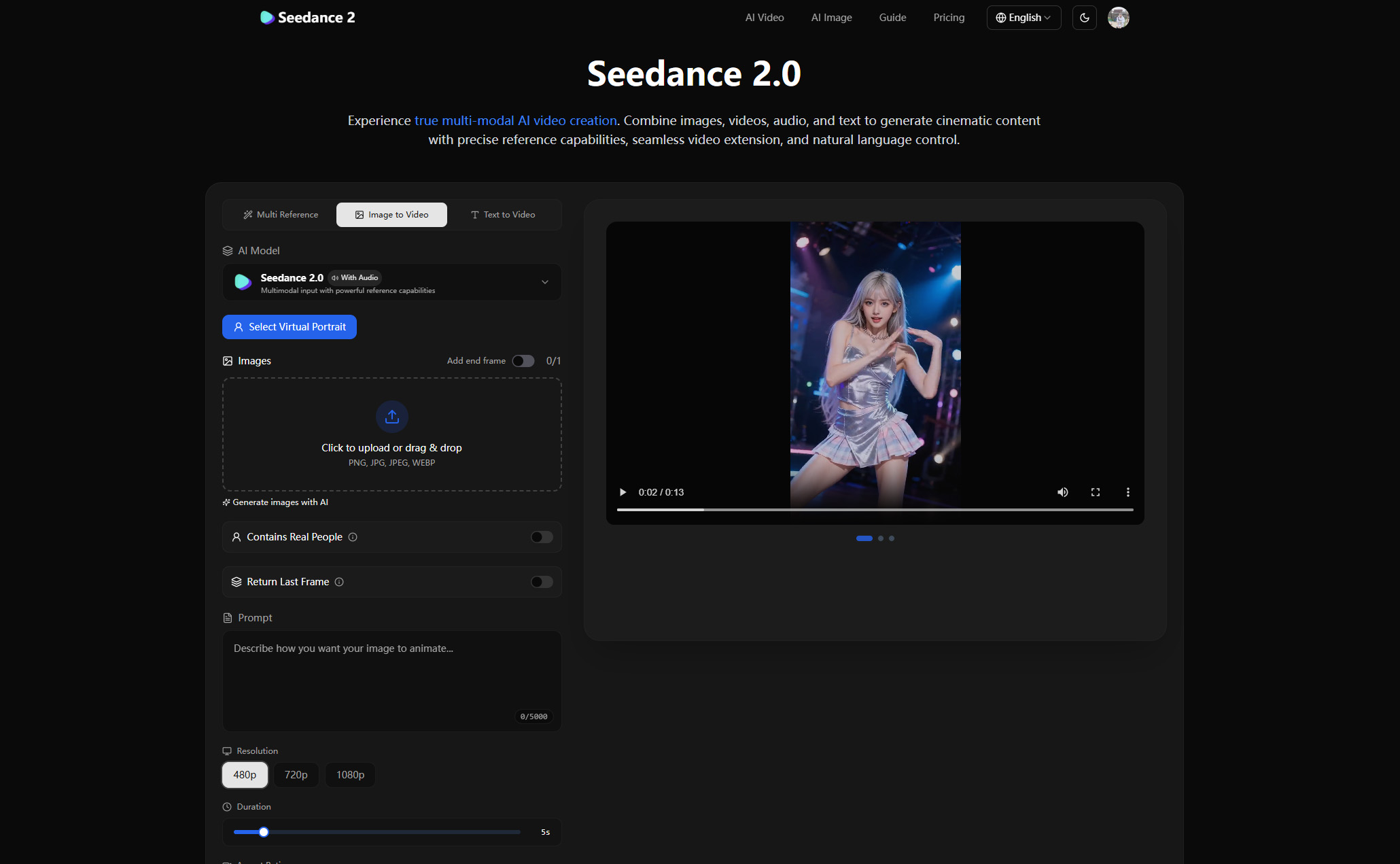
Seedance 2.0 Fast is best positioned as the fastest image-to-video generator for creators who need rapid iteration. In user tests and third-party reviews, Seedance 2.0 Fast has been described as generating a 10-second video in roughly 30 seconds, while many competing tools may take around 60–120 seconds for a similar duration.
ByteDance’s official Seedance 2.0 page also highlights multimodal input support, including text, image, audio, and video inputs, along with motion stability and audio-video generation capabilities.
As for the free quota, Seedance 2.0 Fast had free access or free credits during its early launch period. Unfortunately, at present, Seedance 2.0 Fast should not be described as a tool with a stable, ongoing, free plan. Users have to purchase credits before turning images into stunning videos.
Video Quality: Seedance 2.0 Fast is optimized for speed while still maintaining strong visual quality. It performs well for short social videos, product teasers, character scenes, fast ad concepts, and multi-shot storyboards.
Best Professional Image to Video Generation Tool - Runway
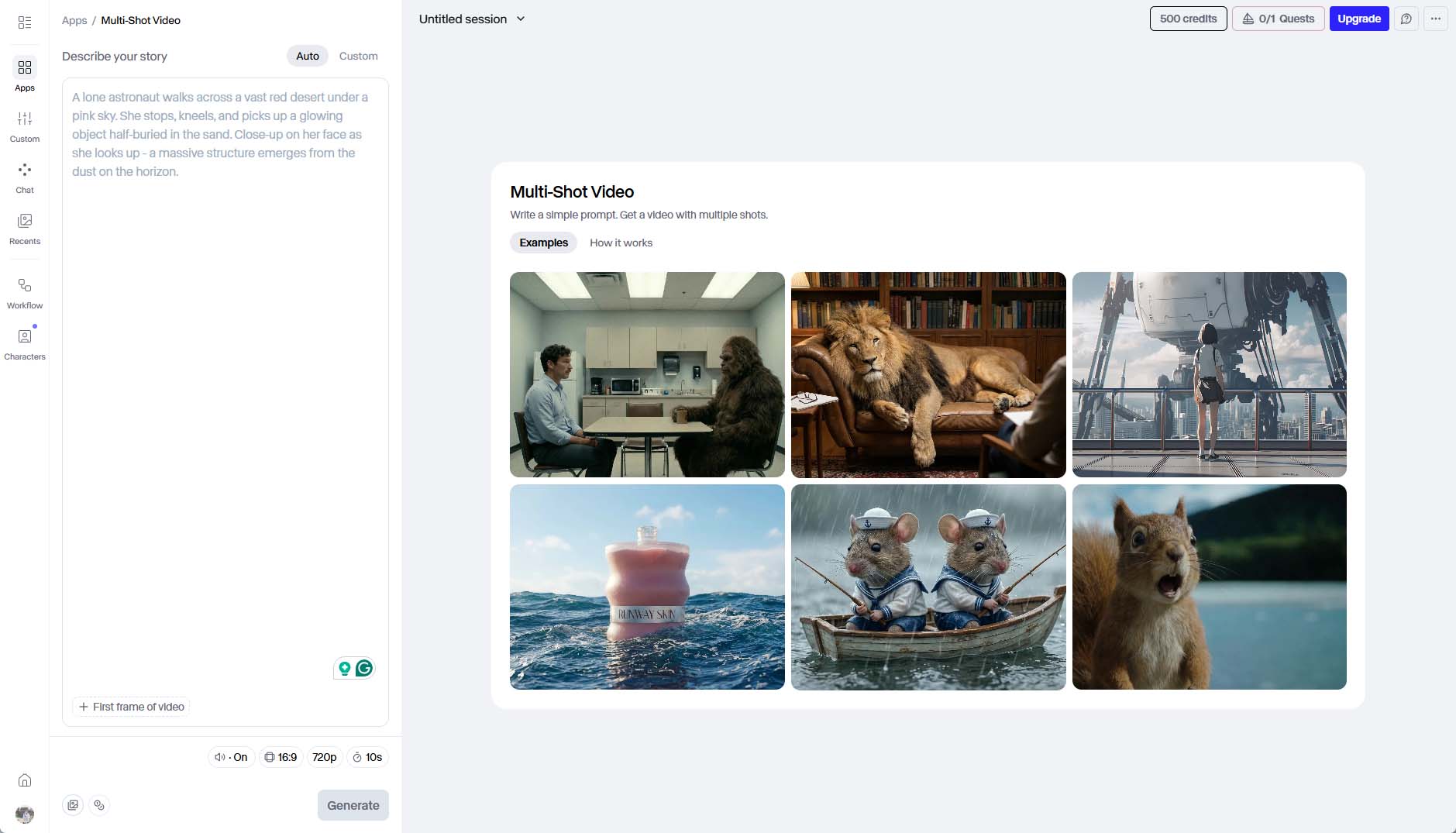
Runway is the best professional image-to-video tool because it combines high-quality generative video with editing, projects, creative control, and a production-oriented interface. Its homepage describes Gen-4.5 as a top-rated video model with high visual fidelity, realism, and creative control.
The official free trial includes a one-time deposit of 125 credits that do not expire and do not renew after they are spent. Surprisingly, after I first signed in, I got 500 credits in the account. And that’s enough to try its core video creation and editing tools. For example, I could do a 12-second 720p image-to-video generation using Veo 3, or a 41-second text-to-video creation with the model Gen-4.5.
Plus, Gemini image tools, text-to-speech, audio apps, and up to three video editor projects are also included in the free trial. However, Runway states that free generations all include watermarks.
Top AI Image-to-Video Generator with Maximum Free Usage - Hailuo AI
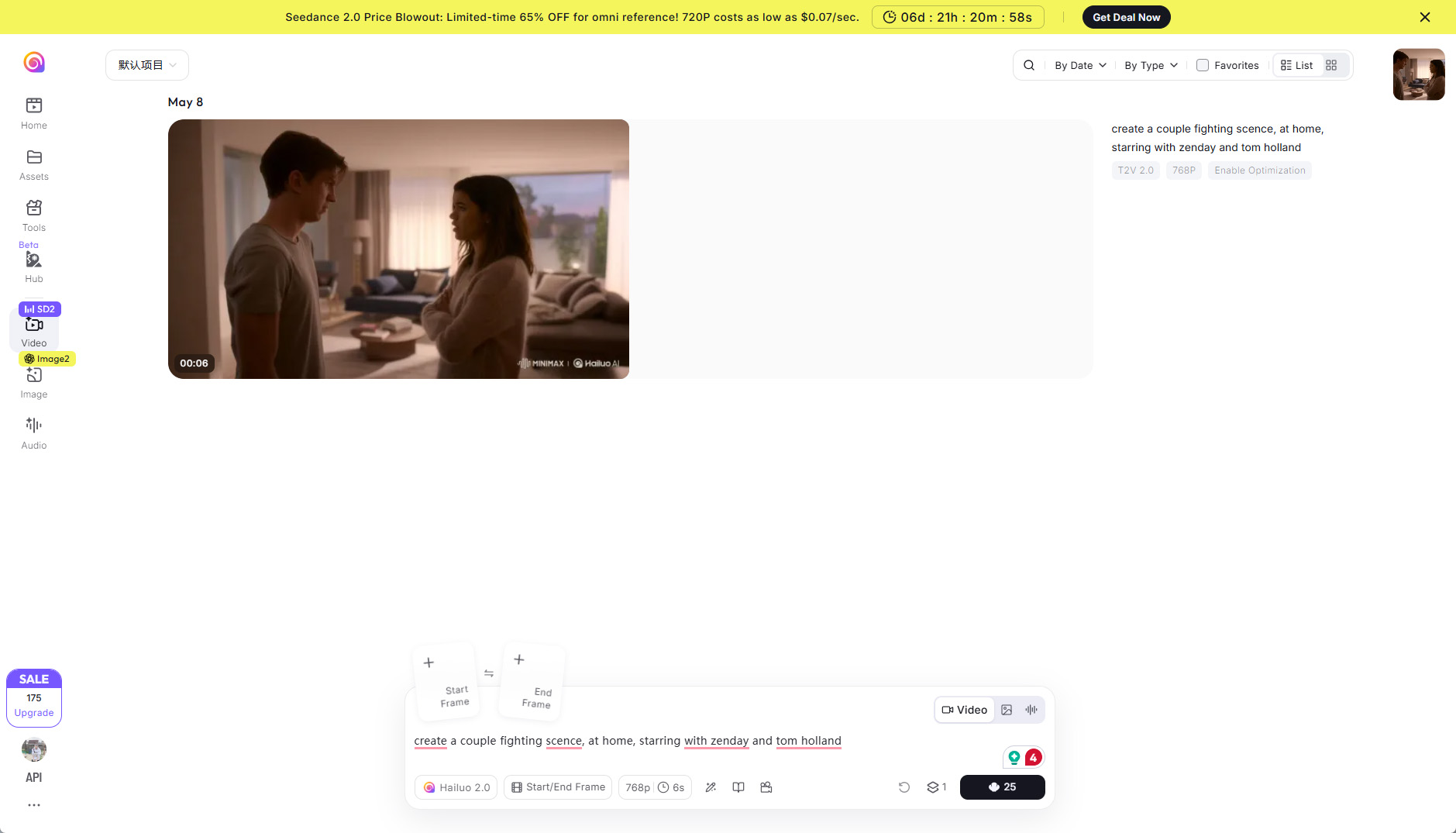
Hailuo AI is the best choice for users who want frequent free experimentation. By offering a one-time free trial, users get 200 credits to test Hailuo’s own video generation model, with each video costing only 15-25 credits. That means you can at least turn 8 still images into 720p exports, 6-second clips with plots and fun ideas.
Hailuo’s quality is strong for short, energetic clips, social media tests, and quick creative drafts. It may not match Veo or Runway for premium realism, but its generous free access makes it useful for learning prompt structure and producing many variations. If you are new to AI video generators and just want to have some fun, Hailuo is a good start.
Best Free AI Image to Video Tool Comparison Chart
| Tool | Free Plan / Credits | Best for | Pros | Cons |
|---|---|---|---|---|
| PicLumen | 10 Lumens/day + earnable Lumens via tasks & challenges | Users who want to test multiple models and animate images vividly | Multiple AI models; No watermark; Commercial use allowed; Vivid animations | Daily credits limited; Best for experimentation rather than high-volume production |
| HeyGen | 3 videos/month, up to 1 min each, 720p, includes HeyGen watermark | Business videos, avatar-led content, explainer videos | Full business workflow; Avatars, voiceover, translation; Polished video quality | Free exports include watermark; Limited to short clips; Not ideal for cinematic animation |
| Luma AI | ~8 video generations/month (draft mode), includes watermark | Cinematic, visually polished videos | Fast generation; Cinematic quality; Smooth motion | Limited quota; Watermarked; Drafts only; Not suitable for final commercial content |
| Veo 3 | 8-second videos, depending on account eligibility, model access, rate limits | High-quality video generation, realistic or cinematic clips | High-fidelity 720p/1080p/4K; Native audio; Realistic outputs | Free access not stable; Limited control; No built-in editor or templates |
| Kling 3.0 | 66 free monthly credits (~3 videos 1080/4K) | Motion-controlled image-to-video generation | Precise motion control; Facial expression & camera guidance | Limited free credits; Standard mode only; Short clips best |
| Seedance 2.0 Fast | Early launch free credits; currently requires purchase | Rapid iteration, short social clips, fast ad concepts | Fastest generation; Multi-modal input; Good visual quality | No stable free plan; Credits must be purchased; Limited for free users |
| Runway | 125–500 free credits one-time, includes text-to-video, Veo 3, video editing | Professional AI video production | High visual fidelity; Multiple tools included; Production-oriented interface | Free generations include watermarks; Premium realism limited by free quota |
| Hailuo AI | 200 free credits (15–25 per video) | Frequent experimentation, learning prompt structure, social media drafts | Generous free credits; Quick, energetic clips; Good for learning & variations | Quality lower than Veo or Runway; Best for short, casual videos |
Which Free AI Image-to-Video Tool Should You Pick
The best free AI image-to-video tool depends on what you want to create.
- If you want an all-in-one free workspace to test different video models, start with PicLumen.
- If you need business videos, avatar-led explainers, training clips, or multilingual marketing content, HeyGen is the most practical option.
- If your priority is cinematic motion and polished visual style, Luma AI is a good fit for mood shots, fantasy scenes, landscape clips, and artistic image-to-video experiments. For the highest pure video quality, Veo 3 is worth testing when access is available.
- If you need better control over character movement, facial expressions, or camera motion, Kling 3.0 is the best option for motion-controlled image-to-video generation.
- If you want to test many ideas quickly, Seedance 2.0 Fast is ideal for rapid iteration, short social clips, product teasers, and ad concepts, although it no longer has a stable, ongoing free plan.
- If you need a more professional AI video production environment, Runway is the better choice. It is suitable for creators who care about advanced models, editing tools, and a production-oriented workflow.
- If you want the most generous free usage for frequent experiments, Hailuo AI is the easiest starting point. Its free credits make it especially useful for beginners, social media creators, and users who want to generate multiple short 720p clips without paying first.
FAQs about Free AI Image to Video Tools in 2026
1. What is the best free AI image-to-video tool in 2026?
The best free AI image-to-video tool depends on your needs. PicLumen is a strong all-in-one option for testing multiple video models. HeyGen is best for business and avatar videos, while Luma AI is great for cinematic clips, Runway is better for professional workflows, and Hailuo AI offers one of the most generous free credit packages.
2. Which free AI image-to-video generator gives the most free credits?
Hailuo AI is a strong choice for users who want more free generations. It offers 200 free credits, and each short video usually costs around 15–25 credits, making it useful for frequent testing and prompt experimentation.
3. Are free AI image-to-video tools really free?
Yes, but most free AI video tools come with limits. These may include monthly credits, daily credits, watermarks, lower resolution, shorter video duration, slower processing, or limited access to premium models.
4. Which free AI image-to-video tool has no watermark?
PicLumen currently supports watermark-free image-to-video outputs, making it a practical choice for users who want clean videos for sharing, testing, or creative projects.
5. Can I use free AI-generated videos commercially?
It depends on the platform. Some tools, such as PicLumen, allow commercial use, while others restrict free-plan outputs or require a paid plan. Always check each tool’s latest license terms before using AI-generated videos for ads, client work, product pages, or paid campaigns.
6. Which free AI image-to-video tool is best for beginners?
Hailuo AI and PicLumen are beginner-friendly choices. Hailuo AI gives users enough free credits to test multiple short clips, while PicLumen offers a simple workflow where users can upload an image, enter a motion prompt, and generate a video.

.png)