Scrolling through TikTok, I've often wondered what tools creators use to produce such polished AI images and eye-catching videos. That's what led me to Dreamina AI, ByteDance's AI creative platform. Curious whether it could actually deliver the quality I kept seeing online, I spent about two hours testing its image generation and video generation. After two hours of testing, I'd say Dreamina is one of the better AI creation platforms I've used for image and short video generation, although it still struggles with occasional realism issues and generation speed.
What Is Dreamina AI and What Can It Do?
Dreamina AI is an AI-powered creative platform developed by ByteDance, the parent company of TikTok and CapCut.
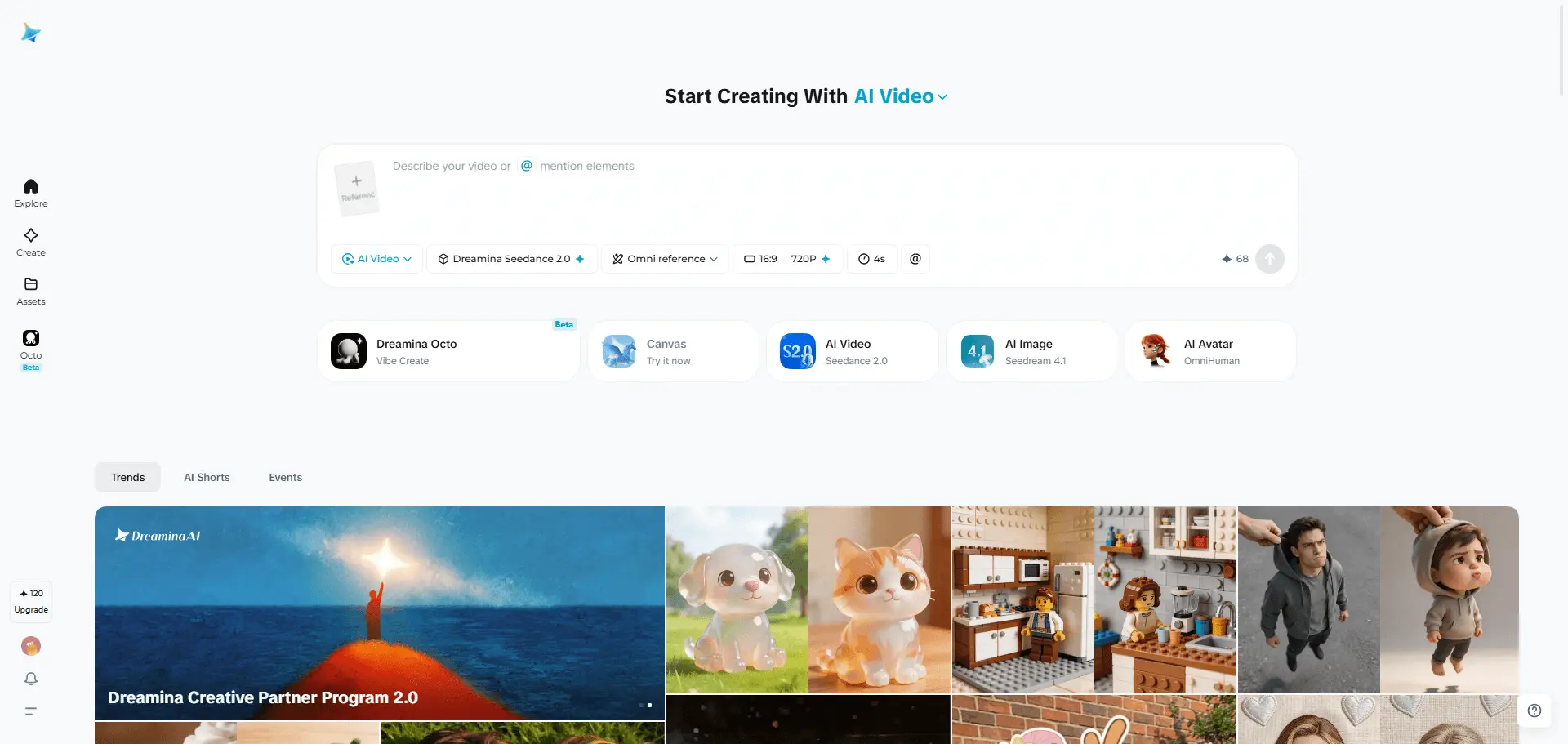
As you can see, the homepage is clean and well-organized. Instead of overwhelming users with too many options, Dreamina clearly separates its AI image generation, video creation, and canvas tools, making it easy to understand what each feature does at a glance. I didn't have to spend time figuring out where to start, which made the overall experience feel smooth and beginner-friendly.
AI Image Generation Dreamina lets you create images from text prompts or reference images. It supports multiple image models, making it suitable for everything from realistic photography to illustrations and concept art. AI Video Generation You can animate either a text prompt or a static image to create short AI-generated videos. Beyond simple prompts, it also offers features such as Omni Reference, First and Last Frames, and MultiFrames, giving users more control over character consistency, scene transitions, and video composition.
Canvas Feature Dreamina AI includes a built-in Canvas Editor that allows users to refine their creations without switching to external editing tools. It supports features such as Inpaint for removing or replacing unwanted elements, Upscale for enhancing image details, and Expand for extending images beyond their original borders. This makes the editing process faster and more convenient, especially when fine-tuning AI-generated visuals.
Hands-On Testing: How Well Does Dreamina Perform?
I began by testing Dreamina's two core creation tools: Text-to-Image and Text-to-Video. Rather than using simple prompts, I chose scenes with dynamic human and animal interactions to see how well the model handled realism, motion, and prompt accuracy.
Can Dreamina AI Generate Realistic Action Scenes?
To evaluate Dreamina's prompt understanding and image quality, I used the following prompt and model: Prompt: A sporty young woman throwing a frisbee to a golden retriever on a green grass field, the dog running to catch the frisbee, sunny day, natural outdoor park, realistic photography, dynamic action. Model: Image 4.1 The generation took longer than I expected, around 5 minutes before the results appeared. Dreamina produced 2 images, and my first impression was positive. Both images were sharp, realistic, and had impressive lighting, making them look close to real photographs at first glance. However, after zooming in, I noticed several telltale signs of AI generation.
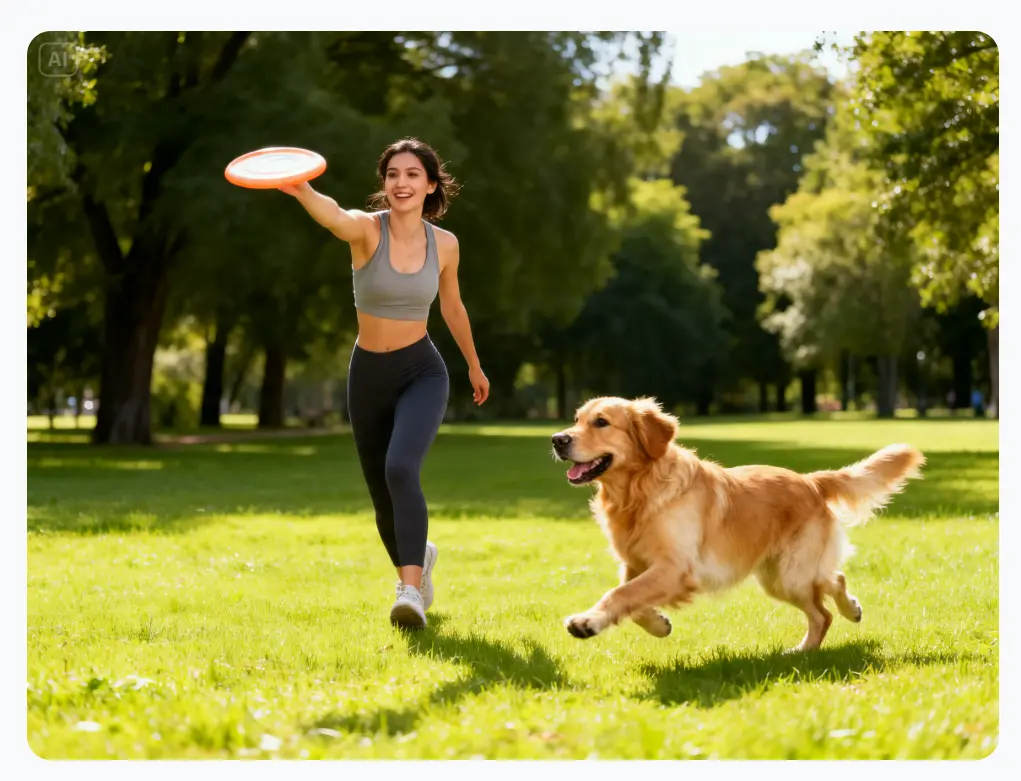
In the first image, the woman's throwing pose looked slightly awkward, with her hand partially hidden behind the frisbee, making the motion feel unnatural. The golden retriever also didn't seem fully engaged with the action. In a real frisbee game, a dog would typically keep its eyes on either the owner or the flying disc, but here the interaction felt disconnected.
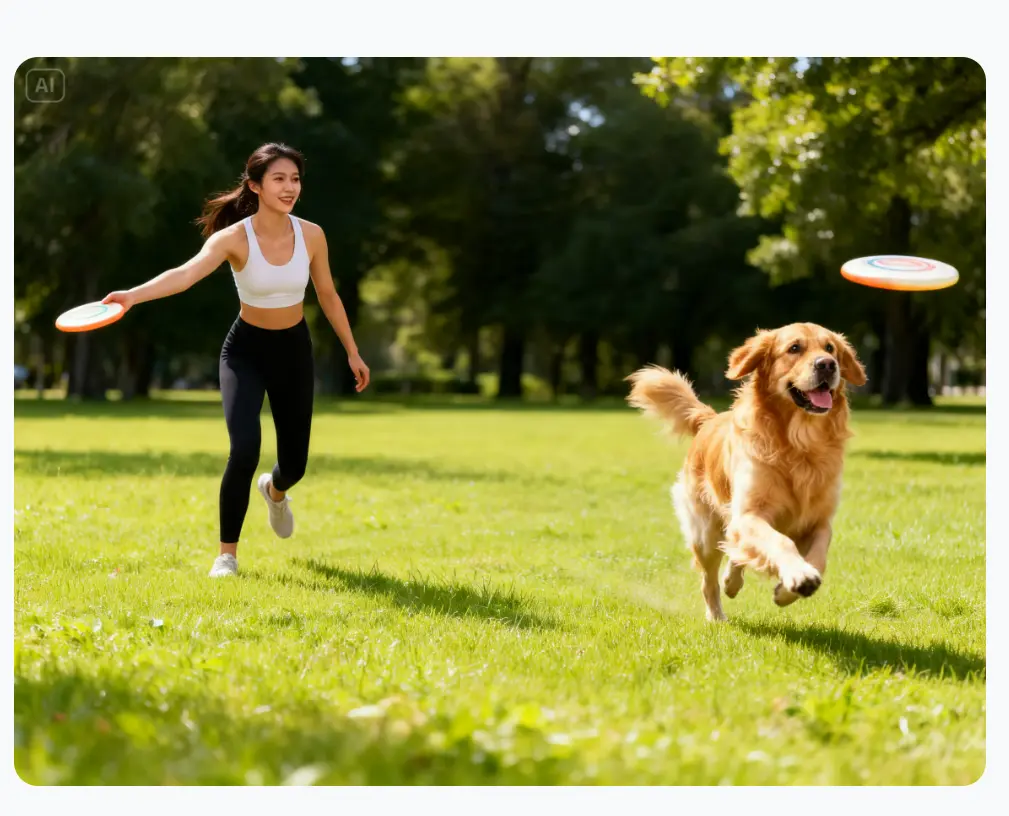
The second image had a more natural composition and overall looked more convincing. However, it introduced a different inconsistency: the woman was still holding a frisbee while the dog appeared to be chasing another one. It's a small detail, but it immediately breaks the realism and reminds you that the scene was AI-generated.
Can Dreamina AI Generate Realistic Motion in AI Videos?
After testing its image generation, I moved on to Dreamina's Text-to-Video feature. I generated a 6-second video with the following prompt: Prompt: A sporty woman throws a frisbee across a sunny grass field. A golden retriever watches the frisbee, runs quickly toward it, jumps into the air, catches it in its mouth, then happily runs back toward the woman. Smooth natural movement, realistic body mechanics, accurate physics, cinematic outdoor photography. Model: Seedance 2.0
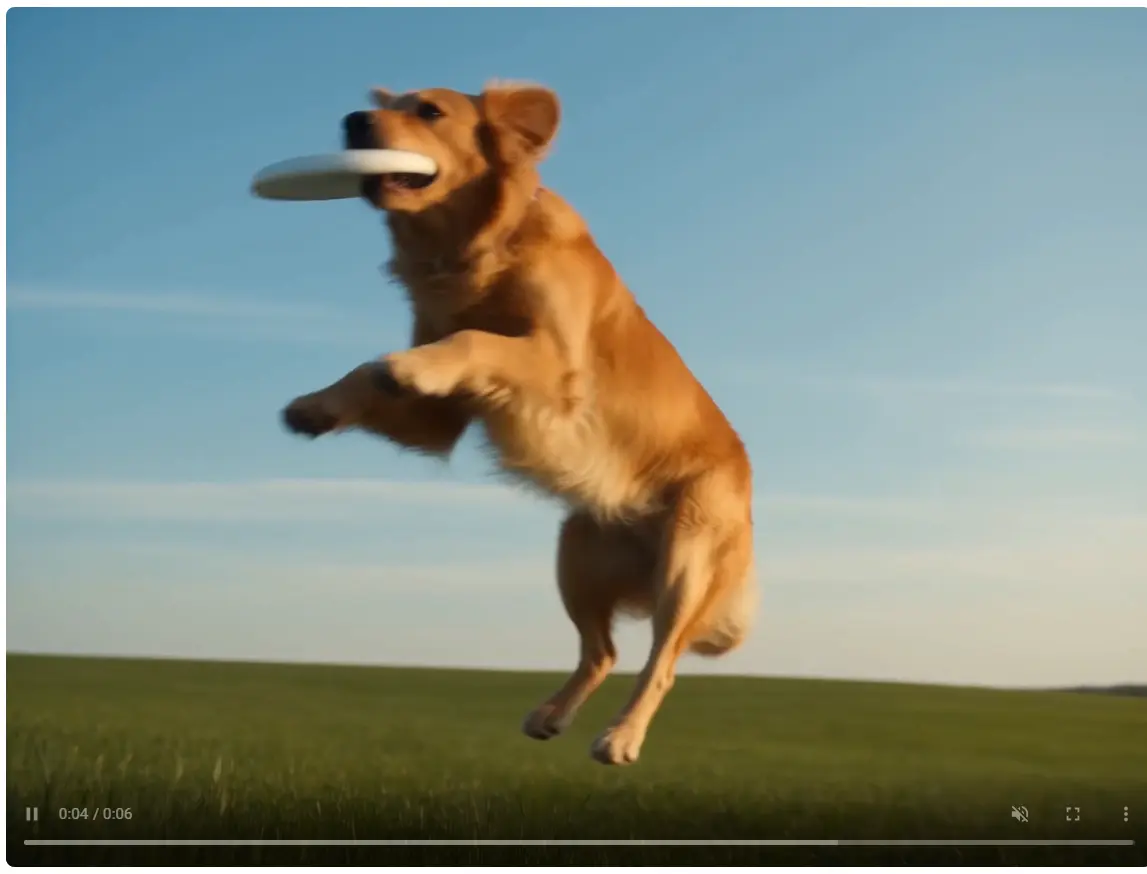
The result exceeded my expectations. The dog's movements were smooth and natural, especially when running and catching the frisbee, making the animation feel surprisingly realistic. However, a few AI artifacts were still noticeable. After throwing the frisbee, the woman stayed completely still instead of reacting naturally, and the frisbee appeared to be thrown with an exaggerated amount of force. These issues don't ruin the video, but they do make the scene feel slightly less realistic.
Can Dreamina Maintain Reference Consistency in Image-to-Video?
To evaluate Dreamina's Image-to-Video capability, I uploaded a reference image of a golden retriever and tested whether the model could preserve the dog's appearance while generating natural motion.

I used the Seedance 2.0 model with the following prompt: Prompt: The golden retriever runs happily across a sunny grass field toward the camera, wagging its tail naturally. Keep the dog's appearance, fur color, facial features, and body proportions fully consistent with the reference image. Realistic movement, smooth camera tracking, natural lighting, cinematic photography.
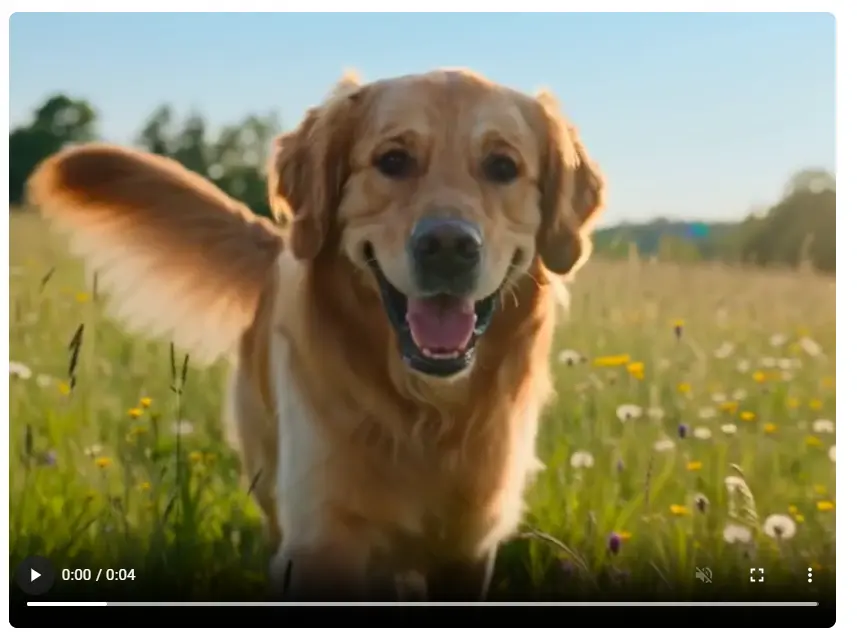
The result was better than I expected. At first glance, the video looked quite realistic, and the dog's appearance remained highly consistent with the reference image. Its fur color, facial features, and body proportions were all well preserved, while the flowing fur added to the sense of realism. The only noticeable drawback was the pacing. Although the animation was smooth, the dog's running speed felt slower than it should be, making the movement look slightly less natural for an energetic golden retriever. Overall, Dreamina did a solid job maintaining reference consistency, with only minor room for improvement in motion realism.
What I Liked and Where Dreamina Can Improve
Overall, I found Dreamina to be a polished and capable AI creation platform. Its biggest strengths are image quality, smooth AI video generation, and surprisingly strong reference consistency when creating videos from existing images. While it still has room to improve in generation speed and motion realism, it delivers a solid experience for creators who want to produce high-quality visual content with minimal effort.
What I Liked | Where Dreamina Can Improve |
|---|---|
High-quality visual output. | Image generation can be slow. |
Smooth AI video generation. The Seedance 2.0 model produced fluid motion, especially for the golden retriever's running and catching actions. | Minor AI artifacts remain. Close inspection revealed awkward poses, inconsistent object logic, and occasional unnatural interactions. |
Reliable reference consistency. In my Image-to-Video test, the dog's fur color, facial features, and body proportions remained highly consistent with the uploaded reference image. | Motion realism could be improved. Some movements, such as the woman's lack of reaction or the dog's slow running pace, felt less natural than in real life. |
Clean and intuitive interface. Dreamina's homepage is well organized. | Physical realism isn't always convincing. Certain actions, like the frisbee being thrown with excessive force, didn't fully match real-world physics. |
Dreamina AI Pricing
Dreamina offers both monthly and annual subscription options, with pricing varying depending on the billing cycle. For monthly plans, the Basic plan starts at $18/month, while the Standard and Advanced plans cost $42/month and $84/month, respectively. Paid users can also expect faster generation speeds compared with free users. Since pricing and available credits may change over time, it's best to check Dreamina's official pricing page for the latest information.
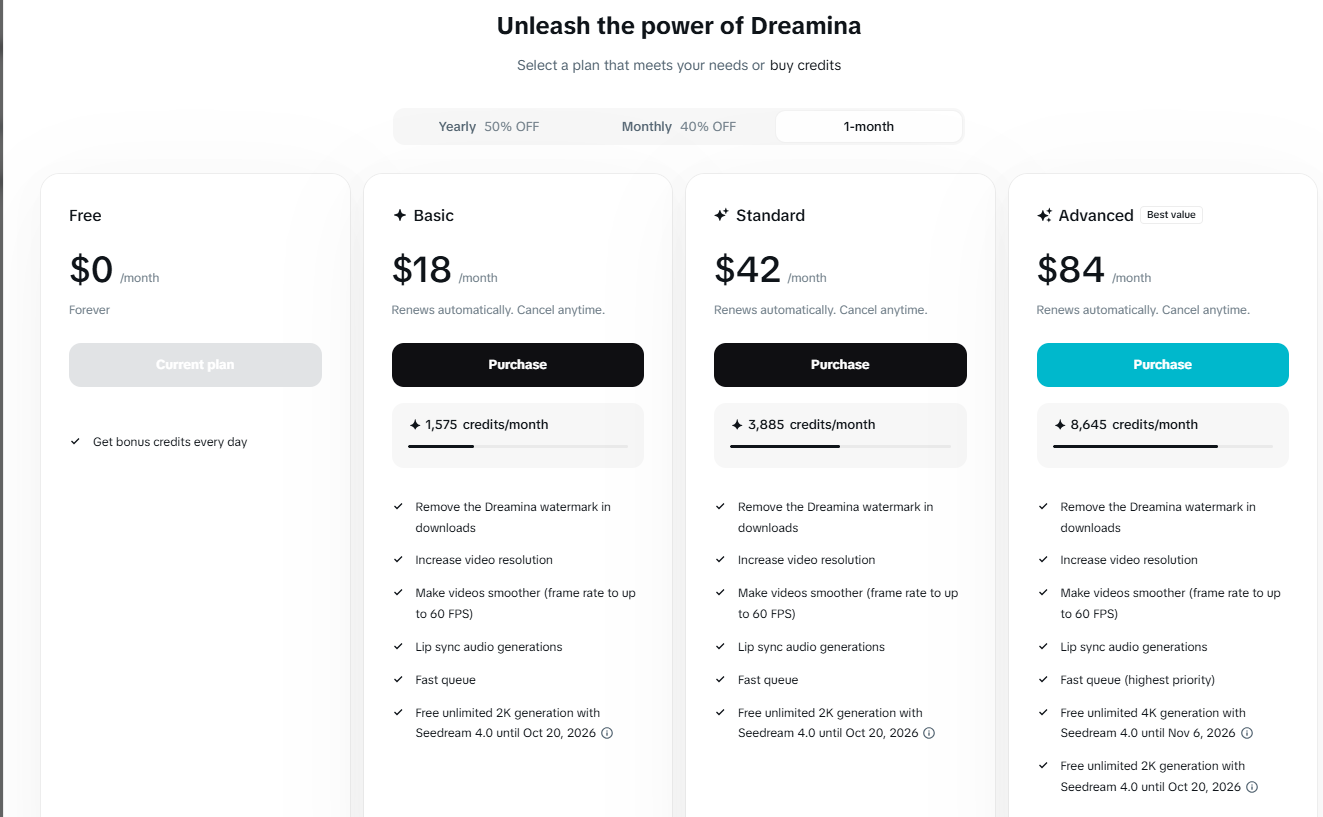
As a new user, I received free credits to test the platform, but they were used up quickly after generating a few images and videos. While the free credits are enough to explore the basic features, users who create content regularly may need to upgrade to a paid plan for continued use.
Who Should Use Dreamina AI?
Dreamina AI is a good fit for: ● Content creators : creating AI images, short videos, and social media visuals quickly. ● Designers and marketers : generating creative concepts, promotional materials, and visual assets. ● Beginners exploring AI creation : the simple interface makes it easy to start without advanced skills. ● Creators who need both image and video generation : Dreamina provides multiple creative tools in one platform. Dreamina AI may not be the best choice for: ● Users who need fast bulk generation : longer generation times can be inconvenient for frequent content production. ● Creators looking for perfect realism : AI artifacts and motion inconsistencies can still appear in complex scenes. ● Professional video creators requiring precise control : advanced editing and detailed motion control may still require dedicated tools.
Dreamina AI vs PicLumen: Which AI Creation Tool Fits Your Needs?
After testing Dreamina, I found that it works well for creators who want an all-in-one platform. However, the best choice depends on what kind of content you want to create and which part of the workflow matters most to you. To give a clearer comparison, I also looked at how Dreamina differs from PicLumen in terms of image generation, video creation, and overall creative experience.
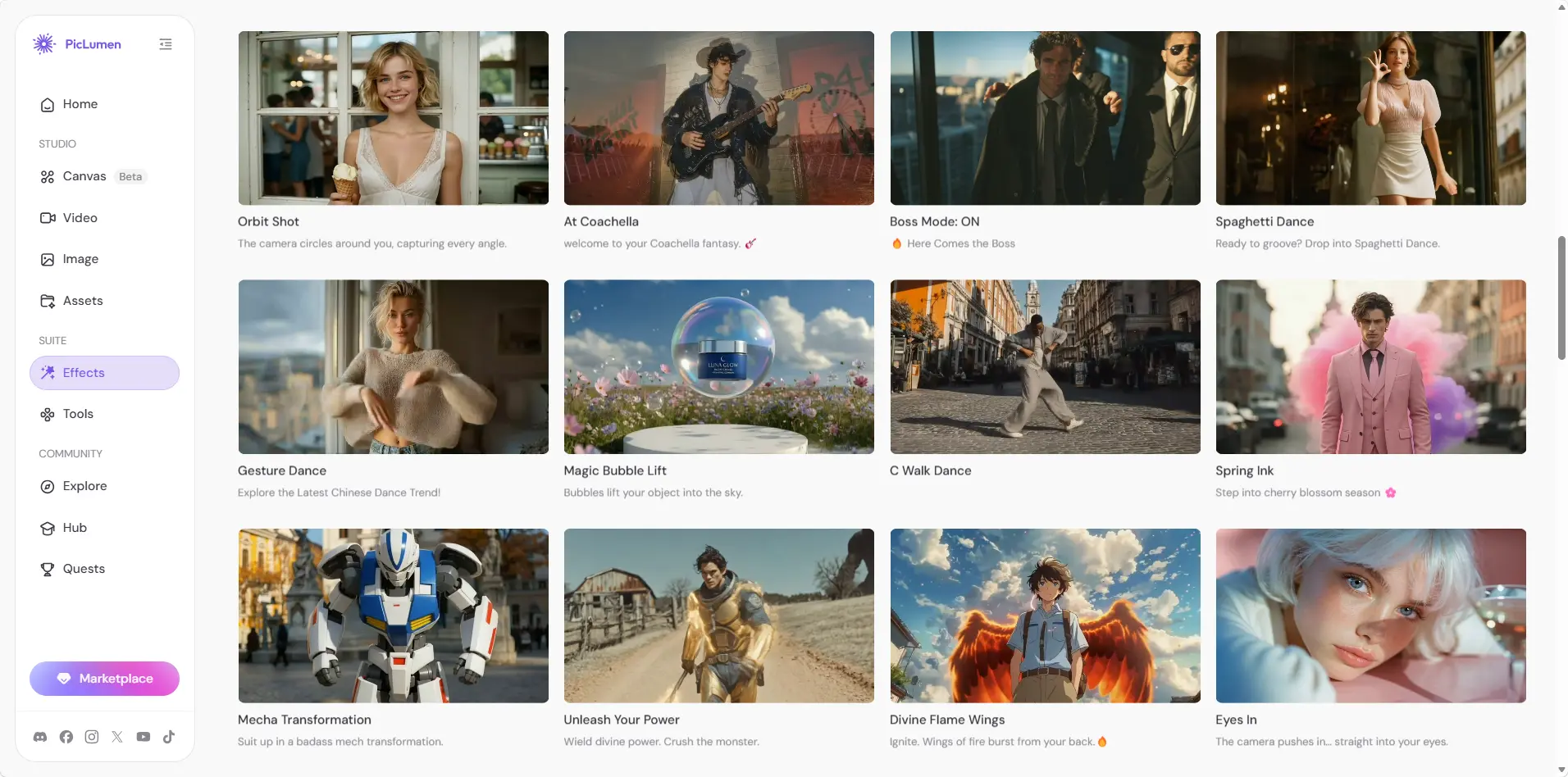
Feature | Dreamina AI | PicLumen |
|---|---|---|
AI Models | Uses ByteDance's SeedDream and Seedance models. | Supports SeedDream, Seedance, and other leading AI models in one platform. |
AI Image Generation | High-quality image generation with built-in editing tools. | Multiple image models with flexible style options. |
AI Video Generation | Text-to-Video and Image-to-Video. | Image and video generation in one connected workflow. |
Ease of Use | Clean, beginner-friendly interface. | Simple workflow with an Infinite Canvas. |
Best For | Users who prefer the ByteDance ecosystem. | Users who want more model choices and creative flexibility. |
In short, Dreamina is a strong option for users who want quick access to AI image and video creation tools in one place. PicLumen may be a better fit for creators who prefer a more connected workflow that combines image generation, editing, and video creation. The right choice depends on whether you prioritize individual generation features or a complete creative process.
FAQ
Can I use my Dreamina creations for sale?
It depends on Dreamina's current terms of use and the type of content you generate.
How much does Dreamina AI cost?
Dreamina AI offers both free access and paid subscription plans. The final cost depends on the selected plan, billing cycle, and available credits. Since pricing and features may change over time, it is best to check Dreamina’s official pricing page for the most up-to-date information.
Is Dreamina AI owned by ByteDance?
Yes. Dreamina AI is developed by ByteDance, the company behind TikTok and CapCut.
What is a free alternative to Dreamina AI?
For users looking for AI image and video generation in one workflow, PicLumen is one alternative worth exploring with free credits available for new users.