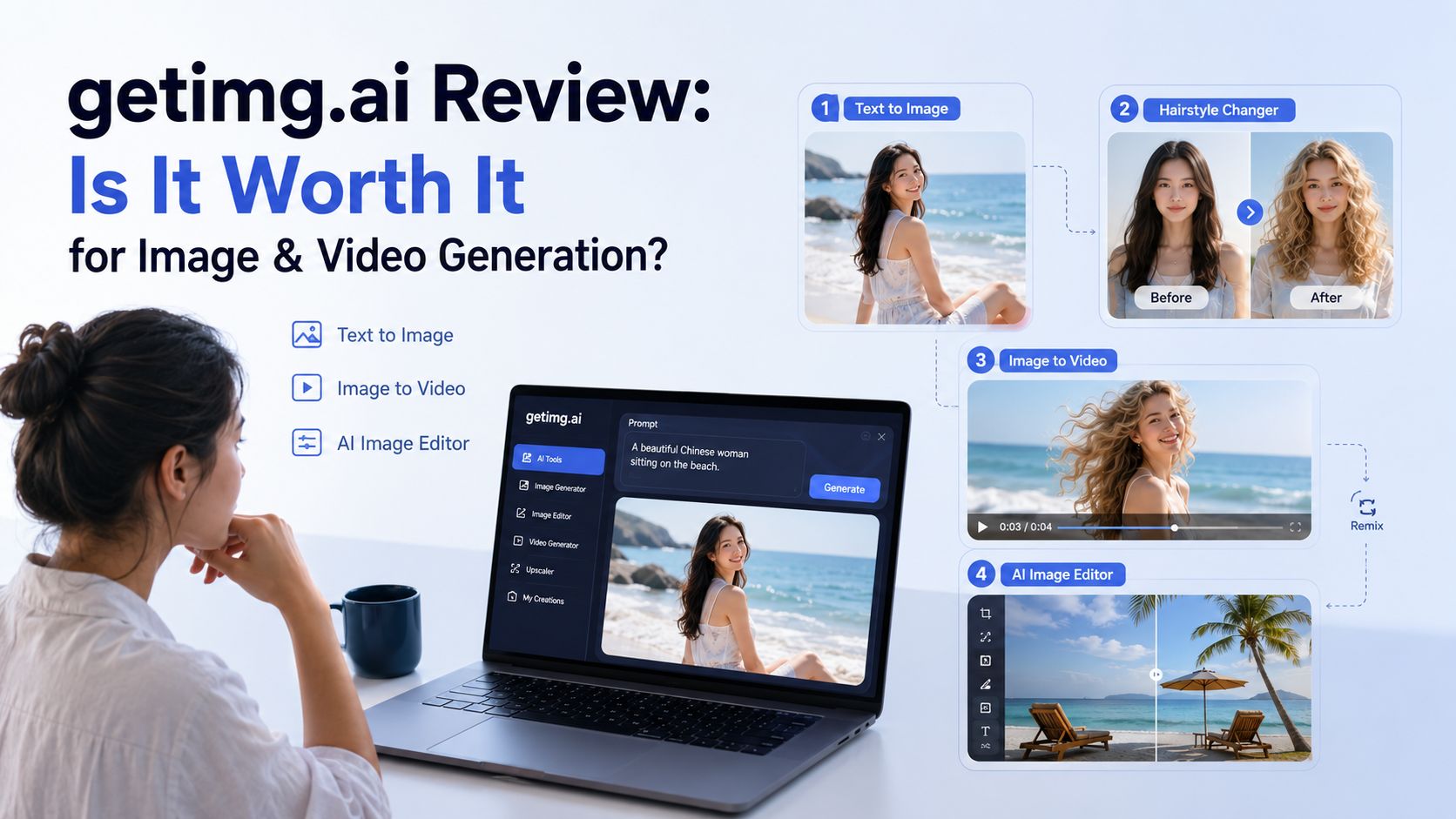
If you are a travel creator, you may run into the same problems all the time. You need a cover image that makes people want to click, or you realize you are missing a few shots after you start editing. Going back to film everything again isn't always possible. Recently I saw that getimg.ai had a big update, so I wanted to see if it could help with these everyday tasks. I spent the whole afternoon testing it at my desk, trying different ideas and workflows. Some results honestly surprised me and saved me time. But a few things didn't work as well as I expected. Here's what I found after putting it to the test.
What Is Getimg.ai, and What Does It Actually Do?
Getimg.ai was launched in 2022 by a team based in Europe. It started as an AI image generator but has grown into an all-in-one platform for creating and editing both images and videos. Today, you can generate images from text, turn images into videos, edit photos with simple prompts, swap hairstyles, remove or change backgrounds, upscale images, and even create music and speech—all in one place. The platform also brings together many popular AI models, so you don't have to switch between different tools for different tasks. On paper, getimg.ai looks like a complete AI content creation tool. But the real question is whether it can actually handle everyday creator workflows. That's exactly what I wanted to find out.
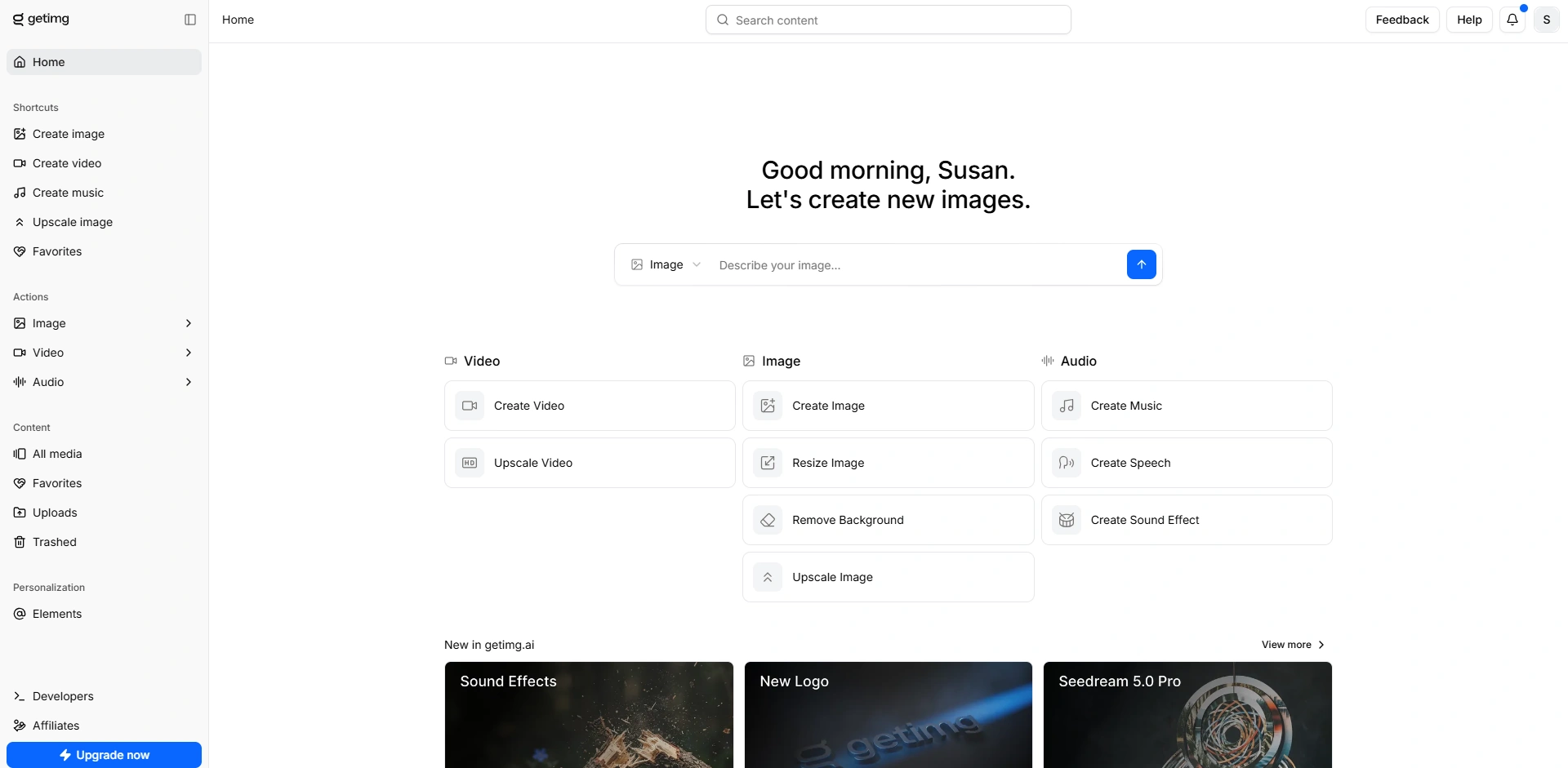
Getimg.ai Review: Text to Image Test
For my first test, I wanted to see how well the getimg.ai image generator actually works. After updating, getimg.ai says it can understand simple prompts and prompts in multiple languages to create whatever you want, so instead of searching for an AI image prompts library, I used everyday language to test its AI image generator.
The prompt I used:
A travel creator sitting on a quiet beach at sunrise, wearing a white linen shirt, looking toward the camera with a relaxed smile, natural skin texture, soft coastal light, realistic travel photography, wide composition with space for a title.
What I Saw in the Result
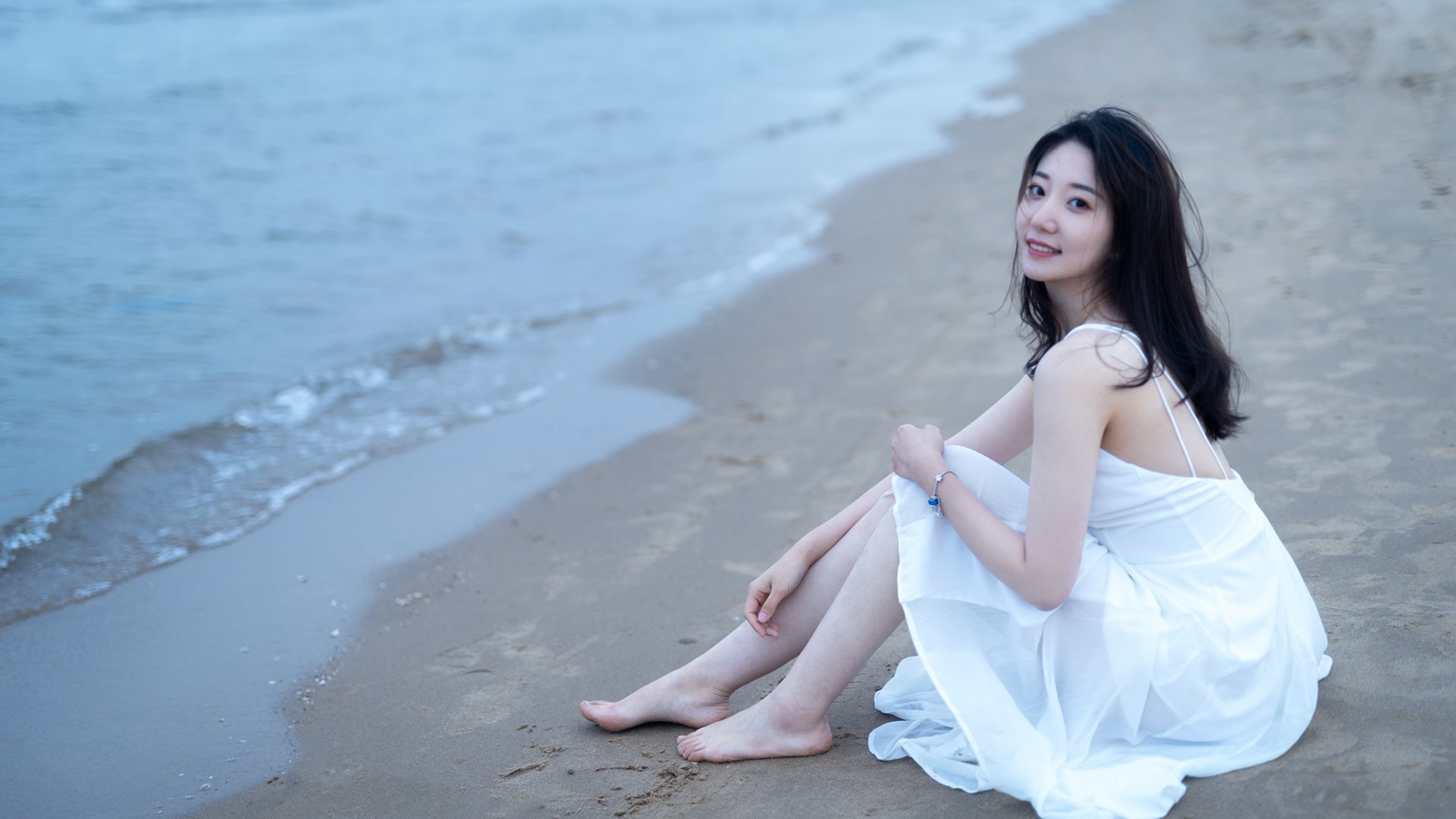
I expected the result to be a little generic, but the first image was surprisingly close to what I had in mind. The background, the girl's pose and smile looked really natural and genuine, and for me, it was perfect to be a travel-style cover image. After that, it hit me that one feature getimg.ai talks about a lot is its hairstyle changer tool, so I decided to put that to the test. Instead of changing the whole image, I only wanted to change one thing—the hairstyle. My goal was to turn my straight hair into soft curly hair while keeping everything else the same, including my face, clothes, background, and lighting.
The prompt I used:
Change my hairstyle to blonde curly hair. I didn't add any extra instructions to see how well the getimg.ai could understand a basic request without a detailed prompt. That's probably how ordinary people would use it in real life, so I thought it would be a fair test.
Hair Changer Result
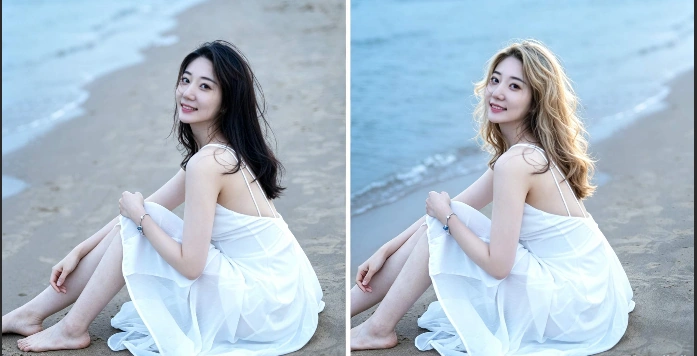
I have to say, this test gave me a better result than I expected. The hairstyle looks realistic, and the identity of the person is preserved well. It didn't feel like someone simply pasted a new hairstyle onto the photo. If you want a more specific hairstyle, I think adding more details to the prompt will help you get better results. However, I did notice a few problems, though they are not big ones. The biggest one is that this AI hairstyle changer works best when your face is clearly visible. Side profiles, back views, or photos where the hair covers most of the face were much less reliable. Another thing is that the AI mage editor didn't just change the hair. The overall lighting became brighter, and the beach in the background also looks a bit different. Just keep in mind that getimg.ai may make small changes to the lighting and background at the same time. For social media posts, I don't think most people would notice. But for professional projects where every detail matters, you may need a little extra editing afterward.
Getimg.ai Test 2: Turning a Photo into Video
After changing the hairstyle, I wanted to see if I could take the same image one step further. As a travel creator, sometimes I don't have enough footage, or I forget to film a simple scene while I'm traveling. If the getimg.ai image-to-video can create those missing shots, it could save me a lot of time. So for my second test, I used the edited photo from the first step and turned it into a short video. I kept the prompt simple again because I wanted to test how well the AI understood us without any prompt engineering knowledge.
The prompt I used:
The woman is sitting by the beach. Her curly hair is blowing in the sea breeze. The camera slowly moves forward. My goal wasn't to create an action scene or a dramatic effect. I wanted something that could actually fit into a real travel vlog. The hair should move with the wind, and the camera motion should feel like it was filmed by a real person. Most importantly, I wanted the character to stay consistent with the edited image instead of changing into someone else halfway through the clip.
What I Saw in the Result
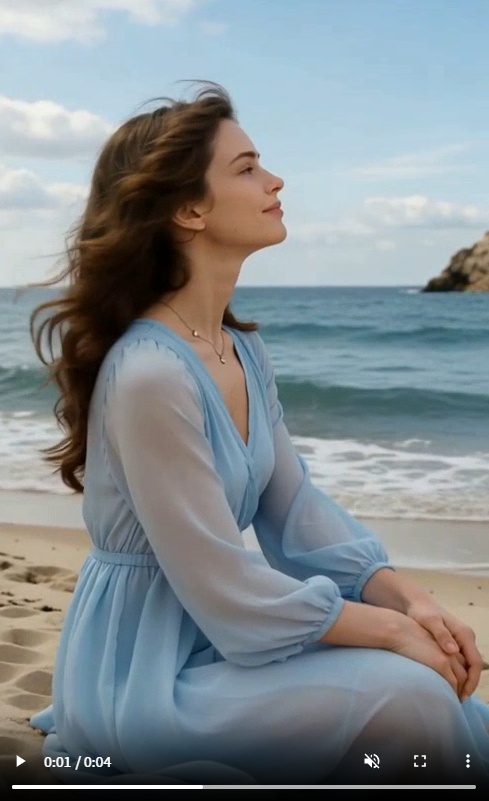
This was probably the most challenging part of my testing. The video you see here was actually my very first result, generated with the simple prompt I mentioned earlier. The person in the video no longer looked like the woman in my edited image. Her face, hairstyle, and even her overall appearance had changed quite a bit. Instead of creating a moving version of the same photo, it felt like the AI had generated a completely different person. I wasn't ready to give up, so I kept experimenting. After about seven or eight rounds of remixing and refining prompts, I finally got a version that I was quite happy with. It was better, but it definitely took much more work than I expected. One thing I found interesting is that getimg.ai says its upgraded video model can understand simple prompts in multiple languages. In my experience, that wasn't quite enough. Basic prompts usually gave very generic or inaccurate results. I had much better results only after adding more details or looking through the prompt library for ideas. That means there's a learning curve, especially if you've never used AI video tools before. The generation time also adds up. Generating a four-second video took over two minutes each time. When you need several rounds of testing, it's easy to spend twenty or thirty minutes on just one short clip. I also found that turning an AI-generated image into a video seems harder than using a real photo. Small details, like facial features or hair, were more likely to change during the animation. Keeping the same character from start to finish was the biggest challenge in my test.
Is Getimg AI Worth Paying For?
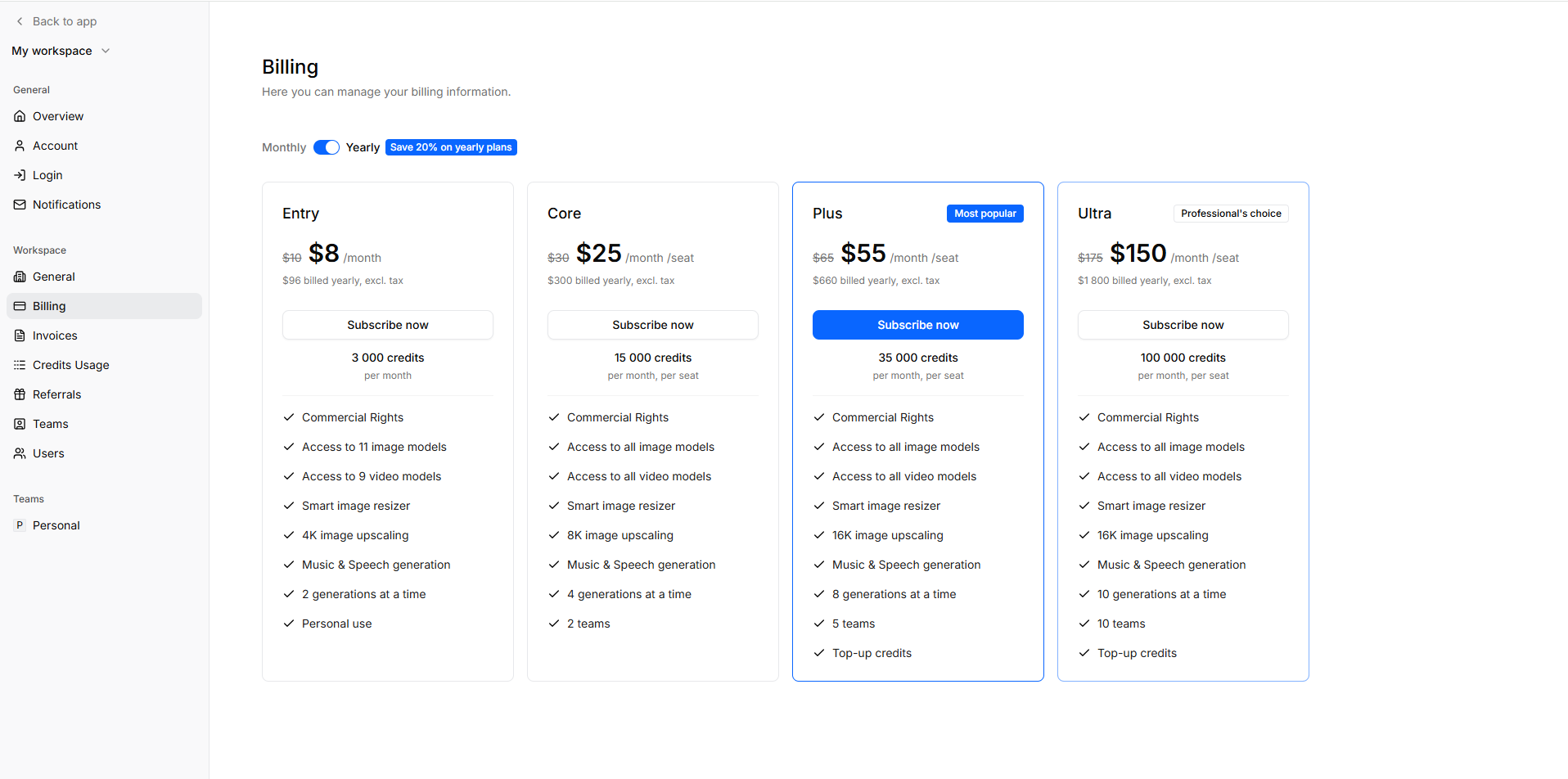
Getimg.ai uses four paid plans: Entry ($8/month, 3,000 credits), Core ($25/month, 15,000 credits), Plus ($55/month, 35,000 credits), and Ultra ($150/month, 100,000 credits) when billed yearly. The higher plans also unlock all image and video models, larger upscaling limits, more concurrent generations, and team features. After actually using it, I don't think the Entry plan is the best value unless you're just experimenting. During my testing, the Image to Video feature often needed several retries before I got a result I was happy with, and those retries consume credits surprisingly fast. For anyone creating content every week, I'd probably skip straight to the Core plan. The Plus plan only starts to make sense if AI is already part of your daily workflow, since 35,000 credits and the option to buy extra credits reduce the stress of constantly watching your balance. What you're really paying for isn't just more credits—it's the convenience of having image generation, editing, upscaling, and video creation in one place. That said, if your goal is only to generate a few AI images every month, there are cheaper alternatives. I think Getimg.ai becomes worth the price only if you'll actually use several of its tools instead of treating it as a simple AI image generator.
Who Should Use getimg.ai?
After testing Getimg.ai, I think it's a great fit for some creators, but not everyone.
A good fit if you... | Probably not if you... |
|---|---|
Mainly create AI images, thumbnails, ads, or social media visuals | Need AI video as your primary creative tool |
Want one platform for image generation, editing, upscaling, and occasional video creation | Expect high-quality videos with minimal prompting |
Prefer simple prompts instead of learning different AI models | Need to generate lots of videos quickly every day |
Often edit portraits with features like hairstyle changes, background replacement, or object removal | Require strict character consistency across video scenes |
Value convenience over having the absolute best tool for every task | Want the fastest AI video workflow with few retries |
My takeaway: If I mainly needed AI images, I'd happily recommend Getimg.ai. The image generation and editing tools are easy to use and deliver solid results with simple prompts. For AI video, though, I'd treat it as a useful extra rather than the main reason to subscribe—it often takes several rounds of remixing before the results feel polished.
Getimg.ai vs PicLumen: Which Fits Your Creative Workflow Better?
After testing Getimg AI, I realized that choosing an AI creative tool is not always about finding the “best” platform. It is more about finding the one that matches the way you create. For my workflow, a travel Reel may start with a cover image, continue with several B-roll scenes, and eventually become a short video. Getimg.ai impressed me with its simple and efficient image creation experience. If I need a polished visual quickly, especially from a short prompt, it does a great job of removing unnecessary complexity. Its strength is helping creators turn ideas into images without spending too much time thinking about models or complicated settings. However, when my workflow moves beyond a single image, I start looking for a platform that can support the entire creative journey. That's why I started looking for some getimg.ai alternatives to better fit my daily workflow, one of which is PicLumen.
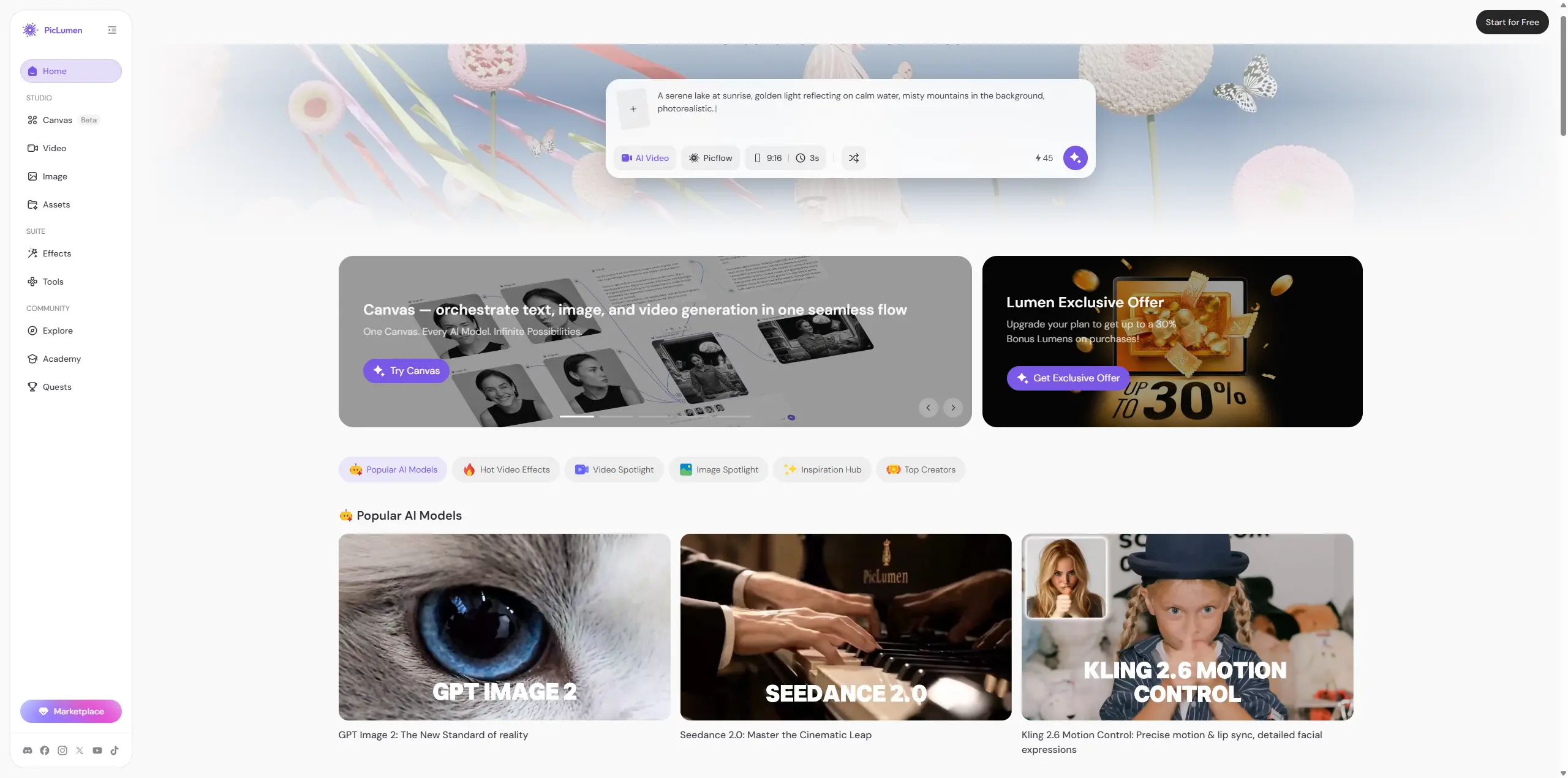
PicLumen is designed as an AI creative platform that combines image generation, AI video creation, editing tools, and a creator community in one place. Instead of treating images and videos as separate tasks, it focuses on helping creators develop ideas across different formats. Here is how I see the difference:
Getimg.ai | PicLumen | |
|---|---|---|
Main focus | Fast and simple AI image creation | Complete image and video creative workflow |
Best strength | Turning short prompts into usable images | Expanding ideas from images into videos and more visual content |
Prompt experience | Beginner-friendly, less prompt engineering needed | Simple creation workflow with multiple creative options |
Image generation | Strong choice for quick visual assets | Supports image creation with broader content possibilities |
Video workflow | Available, but image generation remains the stronger experience | More focused on connecting image and video creation |
Best for | Creators who mainly need images, thumbnails, marketing visuals | Creators producing social content, campaigns, and multimedia projects |
Final Thoughts
After spending time creating travel visuals with Getimg AI, I think its biggest strength is surprisingly simple: it makes AI image creation feel less technical. I didn't need to spend hours learning prompt formulas or testing endless combinations. Short, natural descriptions were often enough to create visuals that worked for my social media workflow. That said, Getimg.ai is not perfect. While the image generation experience feels polished and beginner-friendly, the video side usually takes multiple rounds of prompt refinement and workflow retries to achieve the best output.
Getimg.ai Review FAQs
1. How to use getimg.ai 2.0?
Sign up for a getimg.ai account, choose a tool like Text to Image or Image to Video, enter your prompt, adjust the settings if needed, and click Generate. You can then edit, remix, or download the final result.
2. How to use getimg.ai image editor
Upload your image, describe the changes you want in a prompt, and click Generate. You can use it to change hairstyles, replace backgrounds, remove objects, or make other edits with AI.
3. How to use getimg.ai hairstyle changer?
Upload a clear front-facing photo, enter a prompt describing your desired hairstyle or hair color, then click Generate. You can edit and regenerate the result until you're happy with the new look.
4. How to download the getimg.ai app?
Getimg.ai currently works primarily as a browser-based platform. I could not find an official desktop or mobile app listed on its website when I reviewed it, so the safest way to access the service is through the official web platform.
5. What is the best getimg.ai alternative?
PicLumen, if you want AI image generation, AI video generation, multiple models, and community sharing under one roof. Getimg.ai remains more focused on image generation and editing.