MagicLight AI is an AI video generator designed to turn ideas and scripts into complete videos. It combines story generation, character creation, animation, and voiceovers in one workflow.
But is it worth using? In this MagicLight AI review, we'll explore its key features, pricing, pros and cons, and real-world use cases. We'll also introduce PicLumen as an alternative for creators who want more flexibility in AI image and video generation.
MagicLight AI Review: TL;DR
MagicLight AI is an AI video creation platform designed primarily for story-driven and long-form content. Its biggest selling point is its integrated workflow, which helps users turn scripts into videos with characters, scenes, narration, music, and subtitles.
Review Criteria | Our Assessment |
Main Purpose | Story-to-video and long-form video creation |
Ease of Use | Beginner-friendly guided workflow |
Key Features | Script generation, storyboarding, character consistency, animation, and voiceovers |
Video Quality | Depends on the selected model, prompts, and revisions |
Pricing | Free entry point and multiple paid plans |
Best For | Storytellers, educators, and faceless YouTube creators |
Main Limitation | Less precise control over individual shots and potentially unpredictable credit consumption |
Is MagicLight AI worth trying?
If you want to create animated stories, educational videos, or narrated YouTube content without learning traditional animation software, MagicLight AI is worth exploring. However, creators who prioritize visual experimentation, customized image creation, or flexible image-to-video workflows may want to consider other tools.
What Is MagicLight AI?
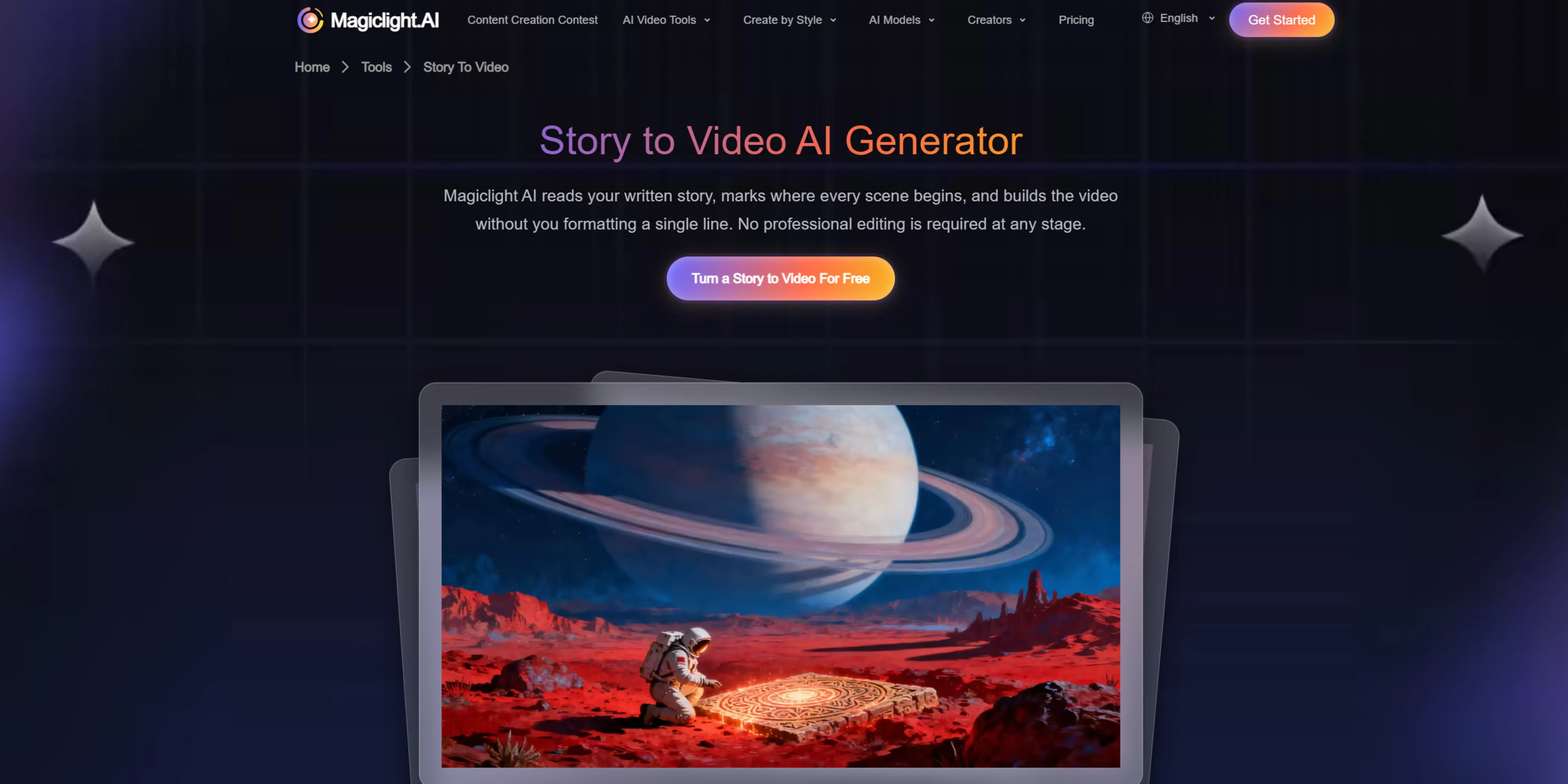
MagicLight AI is a cloud-based AI video generator that helps users transform text prompts, scripts, and images into videos.
Unlike conventional text-to-video generators that focus on producing individual clips, MagicLight AI offers a more complete production workflow. Users can develop a story, generate characters, organize scenes, add voiceovers, and create an animated video within one platform.
Its main audience includes content creators, educators, storytellers, and people running faceless YouTube channels.
MagicLight AI also supports multiple video creation approaches, including text-to-video, story-to-video, script-to-video, and image-to-video.
How I Tested MagicLight AI: Real-World Performance
I ran one short story through MagicLight AI's script-first workflow, from a one-line idea to the finished video. Here is what each step looked like.
Test 1: Generating a Video From a Text Prompt
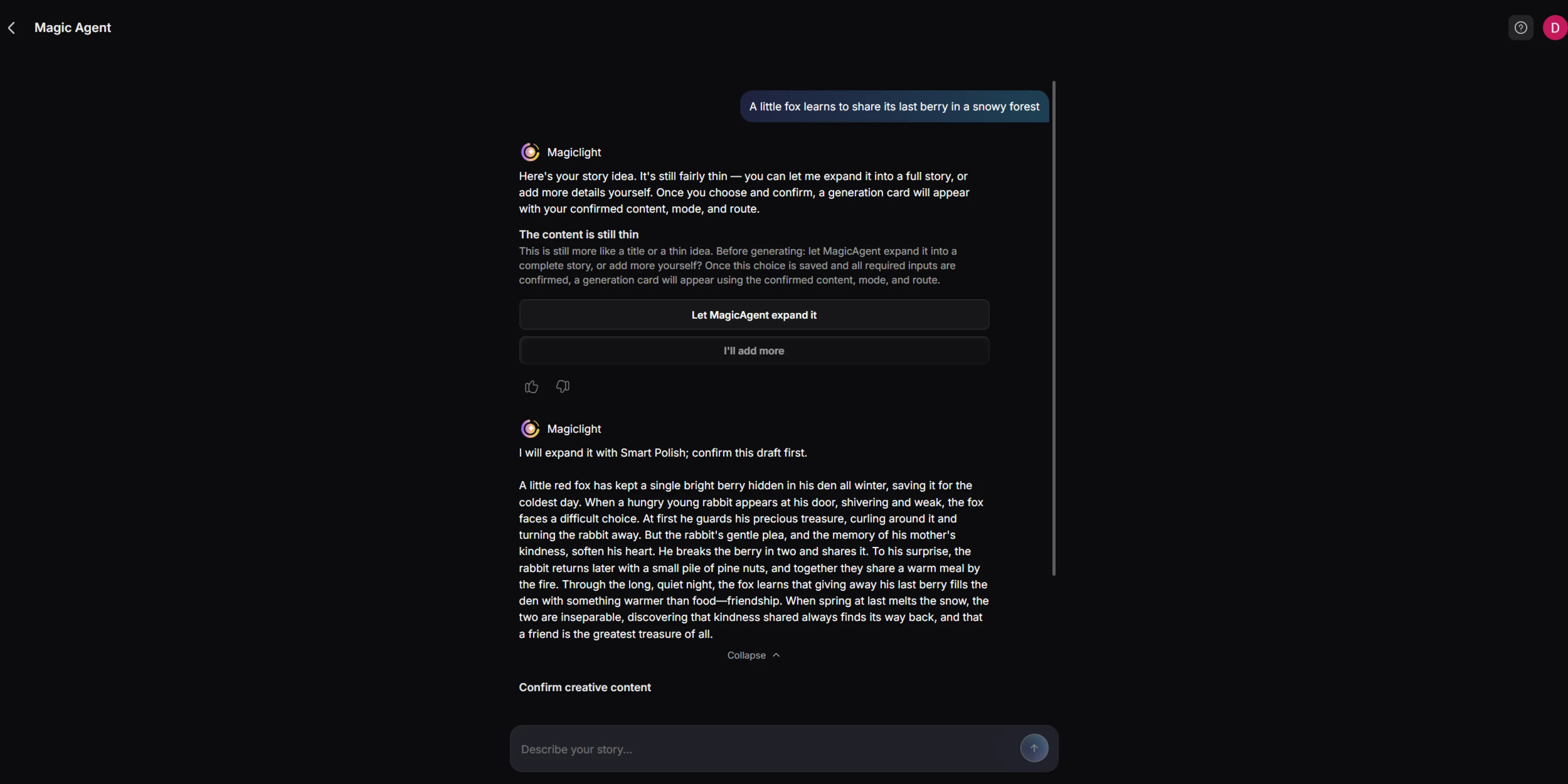
I started with a single line: "A little fox learns to share its last berry in a snowy forest." MagicLight AI flagged the idea as too thin and offered two options: let the Magic Agent expand it, or add more detail myself. I chose the expansion and got a full story draft to confirm before generating.
Test 2: Creating a Story With Multiple Scenes
After confirming the story, MagicLight AI generated a script with a summary, character profiles, and scenes split into individual shots. Everything appears in one Script tab, so I could read through the structure before moving to assets and storyboard.
.webp)
Test 3: Maintaining Character Consistency
Character consistency is what separates story-video tools from basic clip generators. MagicLight lets you define a character and reuse it across scenes. Consistency is generally solid, but details like clothing or facial features can drift, and fixing that means regenerating frames, which costs credits.
The script defined detailed profiles for the characters, including fur color, ears, eyes, and build. In the finished video, the fox and the young rabbit appear across multiple scenes.
Their overall look stayed consistent from scene to scene.
Test 4: Voiceover and Audio Quality
The platform includes built-in voiceover and automatic subtitles, so you can export a finished video without a separate audio tool. When choosing a voice, check pacing, pronunciation, and how well the subtitles line up with the narration.
Sample video generated with MagicLight AI from the prompt "A little fox learns to share its last berry in a snowy forest."
What Are MagicLight AI's Best Features?
MagicLight AI combines several tools into a single production environment. Here are its most important features.
AI Story-to-Video Generation
One of MagicLight AI's main advantages is its story-to-video workflow. Users can start with a basic idea or upload a script. The platform then helps transform the input into a structured video project with multiple scenes. This is particularly useful for creators who have a story to tell but lack the technical skills to produce animated content. Instead of manually planning every scene from scratch, users can rely on AI to generate an initial structure and refine it afterward.
AI Character Consistency
Maintaining consistent characters across multiple scenes is a common challenge in AI-generated videos. MagicLight AI addresses this problem by allowing users to create characters and reuse them in different scenes. This can be useful for:
Children's animated stories.
Recurring YouTube characters.
Educational videos with a consistent presenter.
Serialized storytelling projects.
However, character consistency should not be confused with perfect visual accuracy. Details such as clothing, facial expressions, and accessories may still require review.
AI Animation and Multiple Video Models
MagicLight AI provides access to different AI video and animation models, giving users more options when generating visual content. Different models may produce different visual styles, motion characteristics, and levels of detail. This flexibility can help creators experiment with different looks without constantly moving their projects between platforms. However, choosing the right model may take some experimentation, particularly for beginners who are unfamiliar with the strengths and limitations of different AI video models.
AI Voiceover, Lip Sync, and Subtitles
MagicLight AI also integrates audio-related features into its video creation workflow. These include:
AI voice generation.
Voice and character synchronization.
Lip-sync capabilities.
Background music.
Automatic subtitles.
Having these tools in one place can simplify production, especially for narrated stories and educational videos. Still, users should review the final audio carefully. Pronunciation, speech timing, subtitle accuracy, and lip movements may not always be perfect.
Long-Form AI Video Creation
Another feature that distinguishes MagicLight AI is its focus on long-form video production. The platform advertises support for videos of up to 50 minutes, making it relevant to creators who produce longer stories, lessons, and narrated content. This is different from tools primarily designed for generating short video clips. However, the maximum advertised duration does not necessarily mean every project can achieve consistent quality throughout. The selected plan, generation model, script complexity, and number of revisions can all affect the final result.
What Are the Pros and Cons of MagicLight AI?
Pros | Cons |
Integrated story-to-video workflow | Less precise than professional video editing software |
Supports long-form video projects | Long projects may consume substantial credits |
Reusable AI characters | Character details may still change between scenes |
Built-in voiceovers and subtitles | Audio may require manual adjustments |
Beginner-friendly workflow | Advanced users may want more creative control |
Multiple AI models | Choosing the right model may require experimentation |
Where Does MagicLight AI Fall Short?
Despite its convenient workflow, MagicLight AI has some limitations.
Character Consistency Is Not Always Perfect
Characters may look slightly different across scenes, especially in facial details, clothing, and expressions.
Limited Creative Control
Creators who want precise control over camera movements, composition, and individual visual elements may find the automated workflow restrictive.
Credit Consumption Can Add Up
Repeated generations and scene revisions can consume credits quickly. Users should understand the credit system before choosing a subscription.
Not Ideal for Every Type of Video
MagicLight AI focuses on story-driven content. It may not be the best fit for creators who mainly produce product visuals, promotional graphics, or highly customized short-form videos.
MagicLight AI Pricing: Is It Worth the Money?
MagicLight AI offers a free entry point and several paid subscription plans.
Does MagicLight AI Offer a Free Plan?
Yes. Users can explore the platform with limited free credits before purchasing a subscription.
MagicLight AI Subscription Plans
The following are advertised yearly-billing prices:
Paid plans advertise additional benefits such as HD exports, watermark-free videos, and commercial usage rights. Check the official pricing page for the latest details.
Is MagicLight AI Worth the Subscription?
MagicLight AI may be worthwhile for creators who regularly produce long-form stories or educational videos.
However, frequent revisions can increase credit consumption. Trying the free version first is a sensible way to evaluate its workflow and output quality.
Is MagicLight AI Right for You?
MagicLight AI is a good option if you:
Want to turn scripts into animated videos.
Create faceless YouTube content.
Need recurring characters.
Produce educational or narrated videos.
You may want another tool if you:
Need more control over visual details.
Focus on AI image generation.
Want to animate existing images.
Prefer experimenting with different visual styles and models.
How Does MagicLight AI Perform Across Real Use Cases?
Different video formats require different capabilities.
MagicLight AI is most suitable for content where storytelling and scene continuity matter. More customized commercial visuals may require additional tools.
MagicLight AI Alternative: Why Consider PicLumen?
MagicLight AI focuses on turning stories into complete videos. However, not every creator needs a full story-to-video workflow.
Some creators want to generate original images, experiment with visual styles, or turn existing artwork into dynamic videos. PicLumen offers an alternative approach.
PicLumen for AI Image Generation
PicLumen provides AI image generation tools that help users create illustrations, characters, and other visual assets from text prompts.
Its different models and visual styles give creators more flexibility when developing original artwork.
Turn AI Images Into Videos With PicLumen
PicLumen also supports image-to-video generation, allowing users to transform static images into animated clips.
This is useful for:
Creating social media videos.
Adding movement to digital artwork.
Producing promotional visuals.
Final Verdict: Is MagicLight AI Worth It?
MagicLight AI is worth considering if you want to create animated stories, educational videos, or long-form narrated content without learning traditional animation software.
Its integrated workflow is convenient, but it may not satisfy creators who need detailed visual customization.
Ultimately, the right tool depends on your goals. Choose MagicLight AI for story-driven production, or explore PicLumen for AI image generation and flexible video creation.
Frequently Asked Questions About MagicLight AI
Is MagicLight AI Free to Use?
Yes. MagicLight AI offers limited free credits, allowing users to explore its basic features.
Is MagicLight AI Safe and Legit?
MagicLight AI is an operating AI video creation platform. Users should review its privacy policy and subscription terms before uploading sensitive content.
Can MagicLight AI Generate Long Videos?
Yes. The platform advertises video generation of up to 50 minutes, subject to plan and generation limitations.
Can I Use MagicLight AI Videos Commercially?
Paid plans advertise commercial usage rights. Check the latest licensing terms before using generated content commercially.
What Is the MagicLight AI Alternative?
It depends on your needs. PicLumen is worth considering for AI image generation, image-to-video creation, and flexible visual workflows.