
I first tried PICA AI while helping a client update a set of professional profile photos.
The original goal was simple: create several LinkedIn-ready headshots without booking a photographer or spending hours in Photoshop. A friend recommended PICA AI, mainly because of its AI-enhanced headshot generator, so I decided to see how far the platform could actually go beyond the marketing screenshots.
Over several days, I tested nearly every major feature available: AI headshots, photo face swaps, video face swaps, multi-face swaps, photo enhancement, and old photo restoration.
The experience was better than I expected in some areas and more limited than I expected in others.
If you're considering PICA AI in 2026, here's what I found after using it extensively.
What Is PICA AI?
PICA AI is an AI-powered photo transformation and editing platform focused on improving and modifying existing images. Rather than generating entirely new artwork from text prompts, the platform specializes in tasks such as:
✨AI Headshot Generation
✨AI Face Swap
✨Multi Face Swap
✨Video Face Swap
✨AI Photo Enhancement
✨Old Photo Restoration
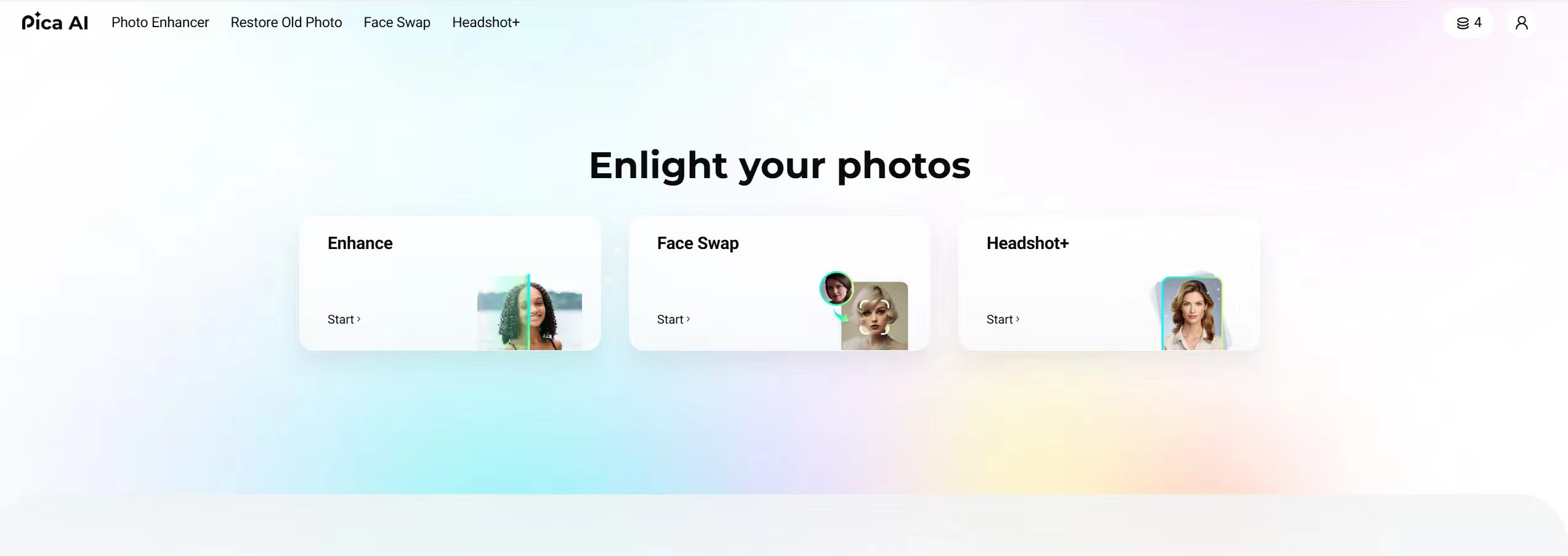
Today, PICA AI is primarily focused on AI Headshots, Face Swaps, Multi Face Swaps, and Video Face Swaps.
Photo Enhancement and Old Photo Restoration are still accessible through the PICA AI interface, but these features are now handled by Artguru, a sister product from the same developer. In practice, clicking either tool redirects you to Artguru rather than keeping you inside the PICA AI workflow.
That focus is important because it defines who the platform is really built for.
If you're a job seeker looking for professional headshots, or a social media creator making face-swap content, PICA AI makes a lot of sense.
If you're searching for a Midjourney-style AI image generator or an all-in-one AI image and video creation platform like PicLumen, you'll quickly discover that PICA AI isn't trying to be that type of tool.
PICA AI Features: What I Actually Tested
🖼️ AI Headshot Generator
This was the first feature I tried and arguably one of the platform's strongest offerings.
I uploaded several ordinary selfies taken under different lighting conditions and generated multiple professional headshot styles.
What stood out most was how natural the outputs looked. Skin tones remained realistic, facial proportions stayed recognizable, and the backgrounds looked clean without obvious AI artifacts.
For LinkedIn profiles, personal websites, online portfolios, and professional networking, the generated images were absolutely usable.
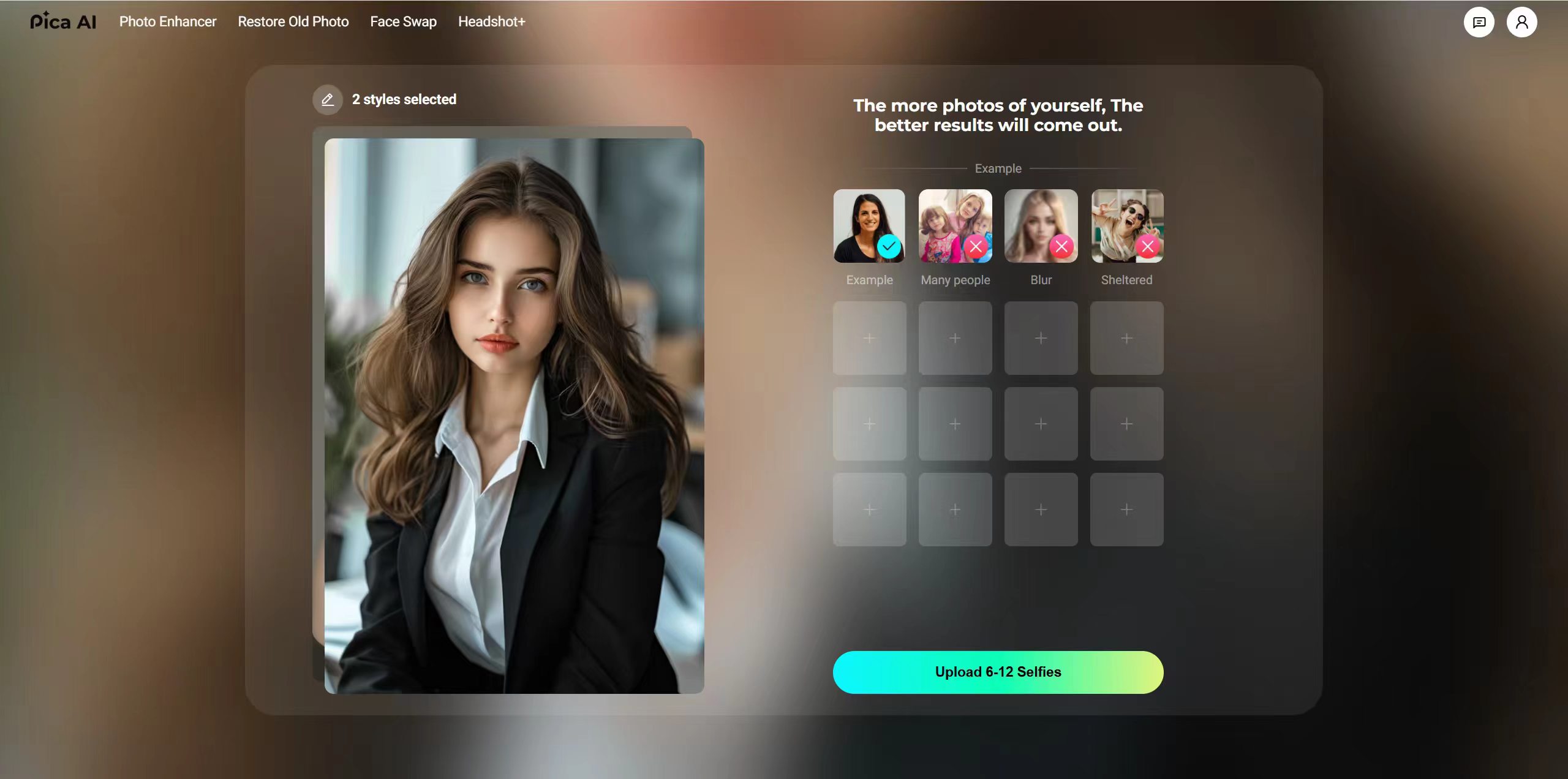
Where the feature becomes limiting is customization. If you want to adjust a specific detail—perhaps a different expression, background color, clothing style, or camera angle—you don't have many editing controls. In most cases, you'll need to regenerate the image rather than fine-tune it.
For casual users, that's not a major issue. For creative professionals who want more precision, it can become frustrating.
🔄 Face Swap (Photo & Video)
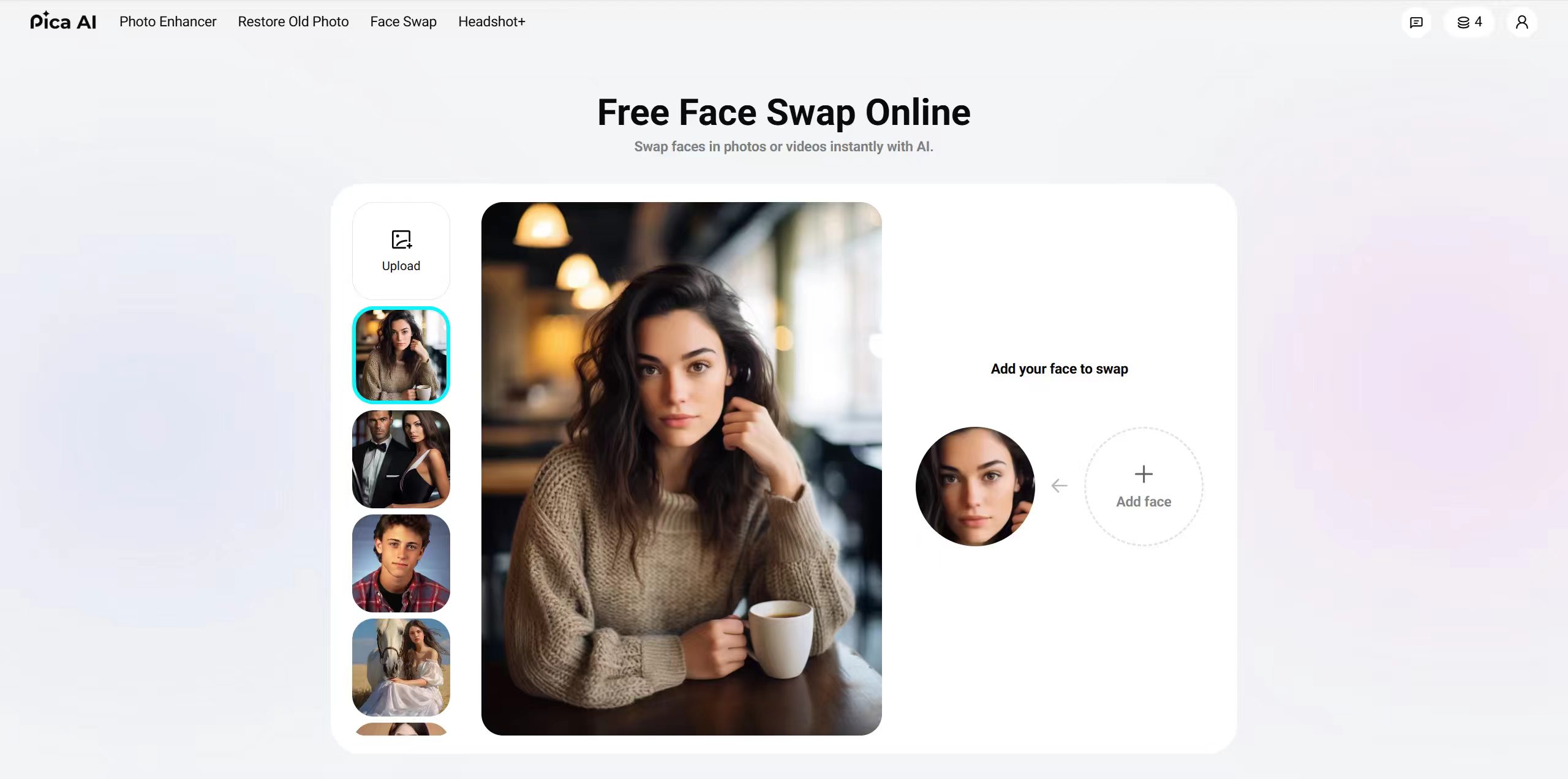
Face swapping is clearly one of PICA AI's core strengths.
On standard portrait photos, results were generally convincing. The blending looked natural, facial features remained consistent, and most swaps completed quickly.
I tested several different scenarios:
🪄Single-person portraits
🪄Selfies
🪄Group photos
🪄Celebrity-style face swaps
🪄Social media content
Single-person swaps consistently delivered the best results.
Video face swapping also worked reasonably well, though rendering times were noticeably longer than photo swaps. Video quality depended heavily on the source footage. Videos with stable lighting and clear facial visibility produced the strongest outcomes. Videos with rapid movement, shadows, or partially obscured faces were less reliable.
🔄 Multi Face Swap
One feature that deserves more attention is Multi Face Swap.
Instead of replacing one face at a time, PICA AI allows users to swap multiple faces within the same image or video.
This becomes surprisingly useful for:
🪄Group photos
🪄Team pictures
🪄Social media content
🪄Meme creation
🪄Entertainment projects
During testing, most group-photo swaps looked natural. Occasionally, one face would appear slightly less accurate than the others, particularly when someone was turned sideways or partially blocked.
Still, the overall results were better than many competing consumer-level face swap tools I've tried.
Note: Privacy, Deepfakes, and Responsible Use
Face swap technology is fun to use, but it comes with real privacy and ethical considerations. When you upload photos to PICA AI, your images are processed on servers, so it's wise to avoid uploading anything sensitive or private.
Just as importantly, face swaps should only be created with the consent of the people involved. Laws around AI-generated content and deepfakes are becoming stricter, especially when content is misleading, harmful, or impersonates real individuals.
🎨 AI Photo Enhancer
Photo enhancement is another area where PICA AI performs well. I tested several low-resolution images, including older smartphone photos and compressed social media images.
The enhancement tool noticeably improved:
🪄Sharpness
🪄Facial detail
🪄Overall clarity
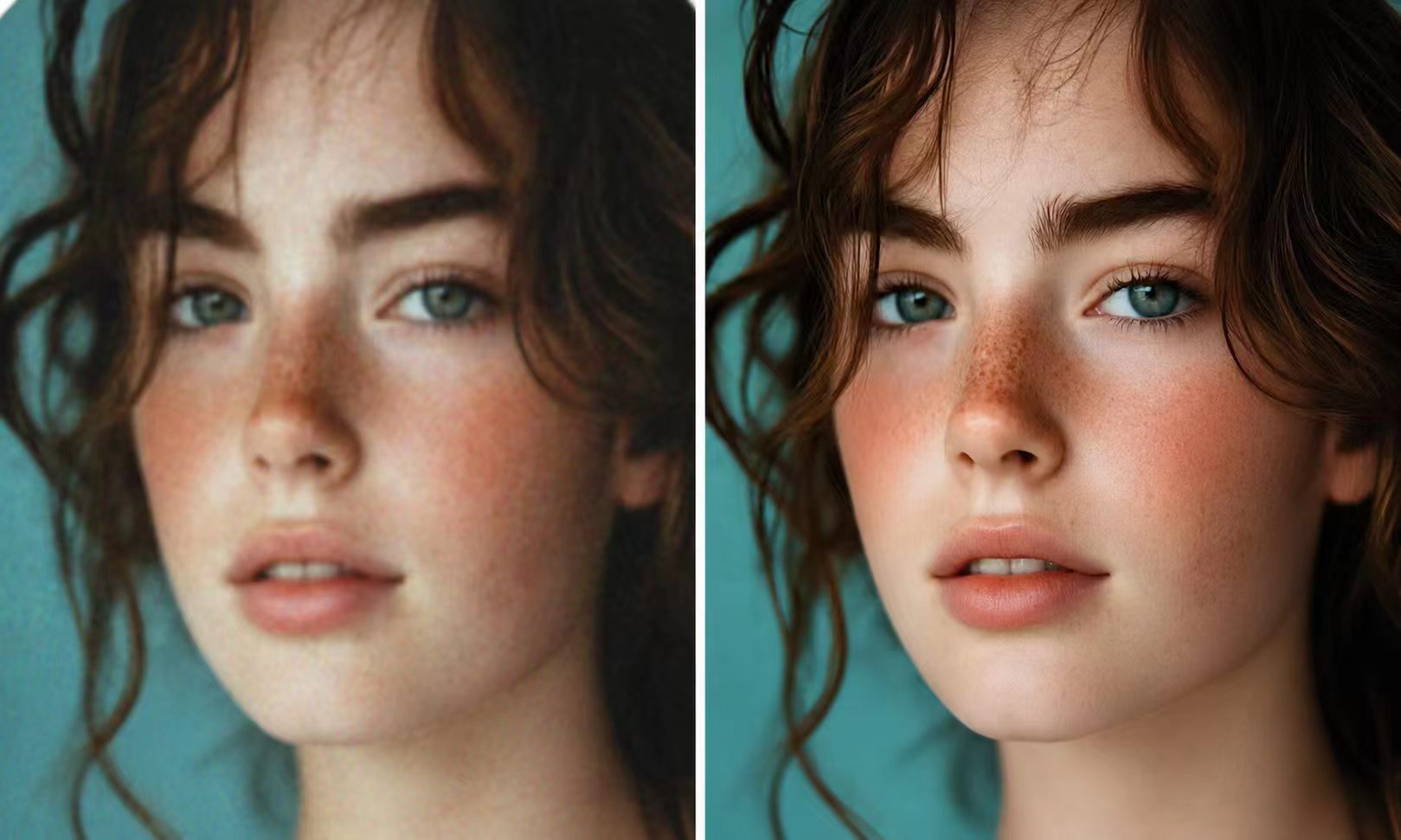
Importantly, it didn't introduce excessive artificial textures. Some AI upscalers create overly sharpened results that look unnatural. PICA AI generally avoided that problem. The improvements weren't miraculous, but they were meaningful enough to make low-quality photos more usable.
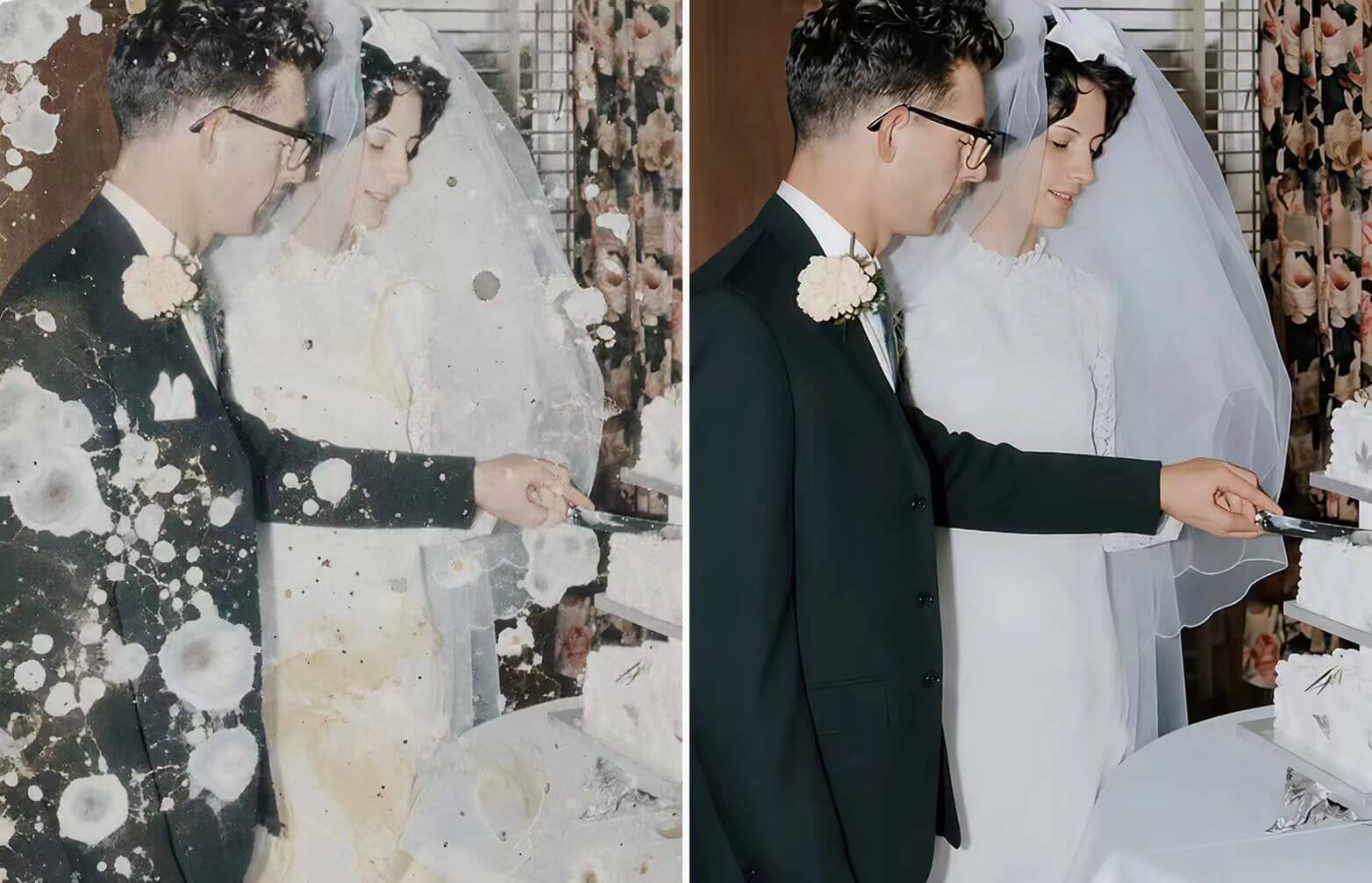
🔧 Old Photo Restoration
I uploaded several scanned family photographs that had visible fading, scratches, and discoloration.
The restoration results were genuinely impressive. Rather than producing an overly smoothed "AI-looking" image, the tool preserved much of the original character while repairing obvious damage.
The processing time here averaged around 10–15 seconds per image, which felt reasonable.
For users trying to preserve family memories or digitize old photographs, this may be the most valuable tool available on the platform.
PICA AI Pricing
PICA AI offers a free plan that allows new users to test most of its core functionality before upgrading, but the resolution limits you to 1K.
Paid plans provide additional credits, higher-quality exports, and access to more intensive features.

One thing worth noting is that different tools consume credits at different rates. And the credits-per-feature cost is not always clear upfront. Video features generally consume more credits than standard image tools.
If you're a heavy user creating large amounts of content every month, it's worth reviewing the latest pricing details directly on the official website before subscribing.
What PICA AI Does Well
After extensive testing, these were the biggest strengths:
🏅 Excellent AI headshot generation without manual adjustment
🏅Strong photo and video face swap tools
🏅Useful multi-face swap functionality
🏅High-quality photo restoration
🏅 Effective image enhancement with visible quality improvement
🏅 Beginner-friendly workflow
🏅No software installation required
Where PICA AI Falls Short
No platform is perfect, and PICA AI has some clear limitations.
💔No text-to-image generation
💔 No AI video generation from prompts
💔Limited creative customization
💔No creator community
💔Style controls are shallow
💔Less flexibility for advanced creators
💔Photo restoration and enhancement features now redirect users to Artguru rather than remaining inside PICA AI.
These limitations won't matter to everyone. But they become noticeable once your workflow moves beyond photo editing and into original content creation.
PICA AI Alternative: Why Many Creators Also Use PicLumen
PICA AI is a photo transformation tool at heart. It does that job well. But if your creative workflow extends beyond editing photos you already have — if you want to generate original AI images from text prompts, produce AI video, explore different models, or draw inspiration from other creators — you will start to notice gaps pretty quickly.
PicLumen is an all-in-one AI multimedia creative platform that combines image generation, video generation, AI editing tools, and a community layer in a single place. Rather than starting with a photo and transforming it, PicLumen lets you build from a prompt, explore popular AI models, refine outputs with editing tools, and then share or remix within a creator community.

This is where the comparison becomes interesting:
▶️PICA AI focuses on transforming photos you already have.
▶️PicLumen focuses on creating content from ideas.
In other words, PICA AI starts with an exsisted photo. PicLumen can start with a blank page.
For creators, marketers, bloggers, designers, and content teams, that difference is significant.
Many users may actually find the two platforms complementary rather than direct competitors.
Final Verdict: Is PICA AI Worth It?
After spending considerable time with the platform, I think PICA AI succeeds at exactly what it was designed to do.
If your goal is creating professional headshots, swapping faces, restoring old photographs, or improving image quality, it's a practical and easy-to-use solution. The headshot generator, multi-face swap tool, and restoration features were particularly strong during testing.
Where PICA AI becomes less compelling is when you need a broader creative workflow.
There's no text-to-image generation, no AI video creation from prompts, and limited control over artistic outputs.
For creators starting with ideas rather than existing photos, platforms like PicLumen offer far more flexibility.
FAQ
Is PICA AI worth it?
Yes, particularly for AI headshots, face swaps, photo enhancement, and old photo restoration.
Is PICA AI safe?
PICA AI includes consent reminders for face-swapping features, but users should always ensure they have permission to use images of other people.
Can I use PICA AI commercially?
Commercial usage rights may vary depending on the subscription plan and current terms. Always review the latest licensing information on the official website.
What is the best PICA AI alternative?
If you need AI image generation, AI video creation, multiple AI models, and a creator community in one platform, PicLumen is one of the strongest alternatives currently available.