I've been a content creator for a while now, and every now and then I would search online to see if there was any efficient tools available. Recently, I kept seeing influencers and designers whispering about Recraft.ai, which made me interested in giving it a try. But I do need to know: is Recraft AI another one of those mediocre AI tools with lots of hype, or is it actually capable of speeding up my content creation workflow. Here's what I found.
Recraft AI Review: TL;DR
Recraft AI is not trying to be the AI tool that does everything, and I think that actually works in its favor. The vector generation and branding graphics are where it really shines. That said, it is not the tool I would pick for every type of image. If you want ultra-realistic video or something more advanced, Recraft AI may not be a good fit.
What is Recraft AI?
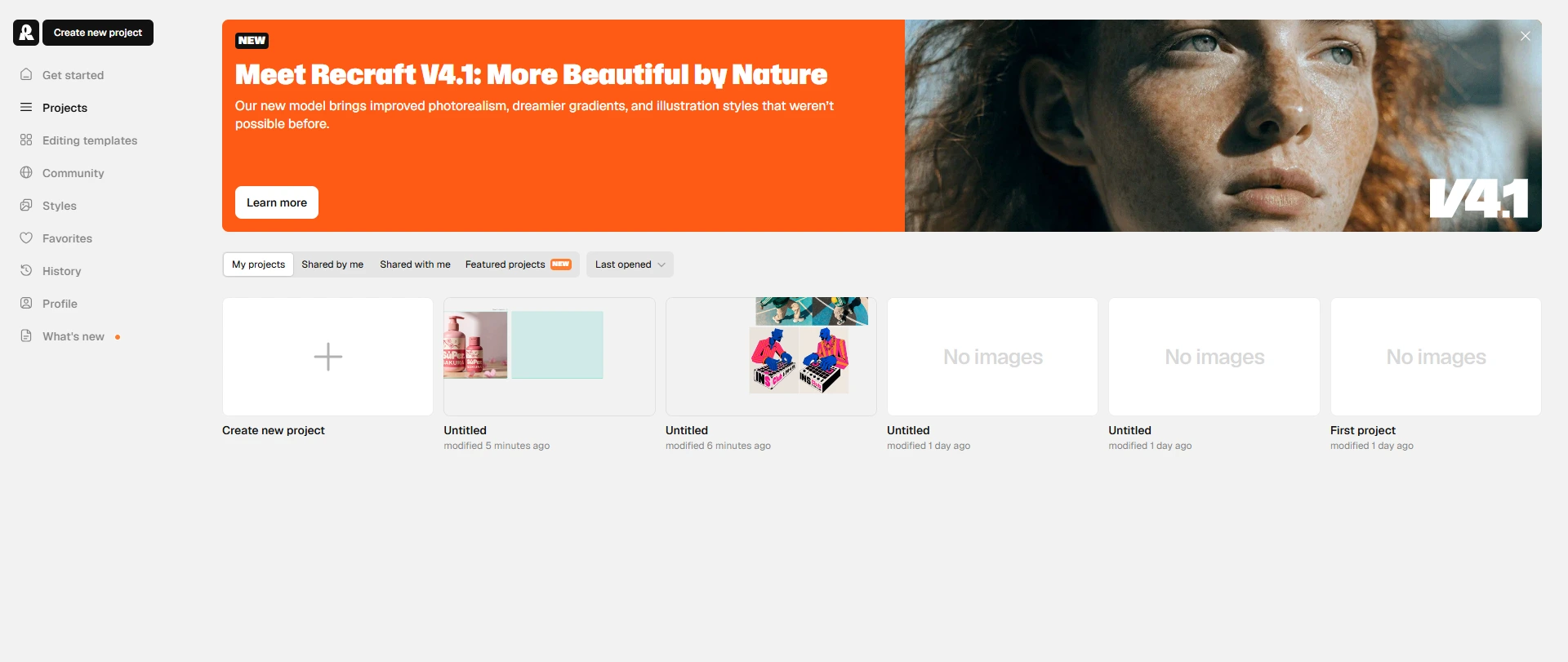
Recraft AI is an AI platform developed by the London-based startup Recraft, Inc. Like Midjourney and many others, Recraft AI gives its users access to generate images and videos from text prompts. The tool is mainly positioned for content creators, marketers and teams that need some quick visuals or ideas.
What Others Say About Recraft AI
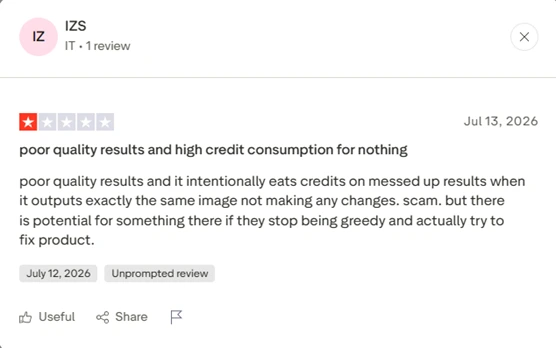
At the time that I checked, Recraft AI has a rating of 1.6 out of 5 on trustpilot, which shows a much more complicated side of this tool than the brand's polished story. Some people love its AI chat feature, yet somehow the majority of people seem to be more critical. Several reviewers complain that the results repeatedly fail or produced completely different designs. This feedback kind of contradicts my expectation going into this. But I do know the reviews aren't always the full story. So let me show you the features that I tested.
How I Tested It?
I tested Recraft AI following these criteria.
Image Quality – visual details, composition, lighting, and overall aesthetics.
Prompt Accuracy – how well it follows instructions and delivers the intended result.
Design Capabilities – performance in logos, illustrations, branding, and marketing visuals.
Editing Features – quality of adjustments, background removal, and refinements.
Practical Usability – ease of use and suitability for real world projects.
AI Image Generation
Typography
I tested Recraft AI by creating promotional posters with short headlines. Most of the text was accurate, and the layouts felt well thought out, rather than randomly placed. The font is quite appropriate and the word size is spot on even without too much instruction. The results feel considerably decent. The limitation is this. For a quick visual idea, Recraft AI may come in handy. For polished promotional photo, it takes more effort to get a polished result.
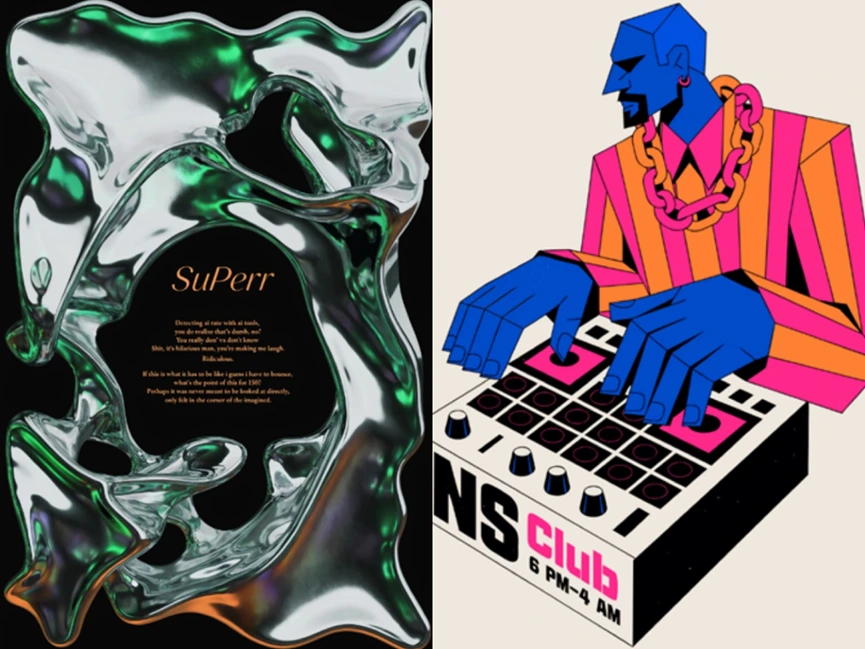
Prompt 1: Poster, pure black background. Composition is dominated by a massive, sprawling chrome liquid-metal form with an indeterminate, ever-shifting shape. Surface ripples with iridescent green, violet, and amber reflections, wet-looking and organic, like poured mercury frozen mid-motion. Centered within one of these gaps, orange italic script typography reads 'SuPerr' as the main title. Below it, small orange serif text arranged in short poetic stanzas.
Prompt 2: Bold geometric vector illustration of a stylized DJ/producer with angular faceted shapes and sharp planes. Deep cobalt-blue skin tones, mustache and goatee, small hoop earring. Wearing a pink and orange striped shirt with a chain necklace. Hands exaggerated and oversized. The device is white with black and hot-pink block typography reading “INS Club 6 PM-4 AM” on the front. Flat beige background, limited vibrant color palette.
Social Media Assets Generation
One of the first things I tested was generating assets for social media campaigns. The results turned out to be quite solid. The model was fairly reliable across different types of content, and I was able to get results I'd actually consider using after a few minor edits. The results aren't exactly post-ready. But with some light grading and photoshop, it could be polished enough for social media material.
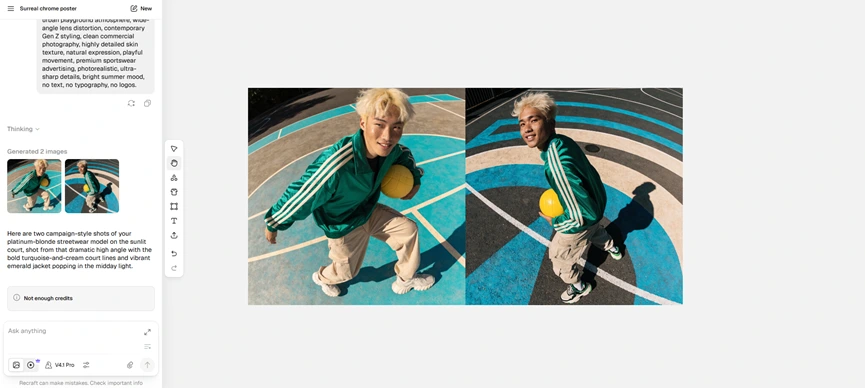
My prompt: Young asian man with short platinum-blonde hair and freckles, wearing an oversized emerald-green track jacket with cream stripes, loose beige cargo pants and chunky sneakers, holding a bright yellow volleyball under one arm, looking directly into camera with a cheerful confident smile, photographed from a dramatic high-angle perspective, standing on a sunlit basketball court with bold geometric painted lines in turquoise and cream, strong midday sunlight, crisp shadows, contemporary Gen Z styling, no text, no typography, no logos.
Vector Art
Vector art generation is a really significant feature of Recraft AI, since it has a self-developed model called Recraft AI V4.1 Vector. After throwing a bit of random prompts in there, I was pretty happy with the results that came back. The model handled vector art better than I expected, and it consistently produced outputs that felt usable instead of hit-or-miss. It wasn't flawless, but this definitely felt like one of its stronger image generation capabilities.
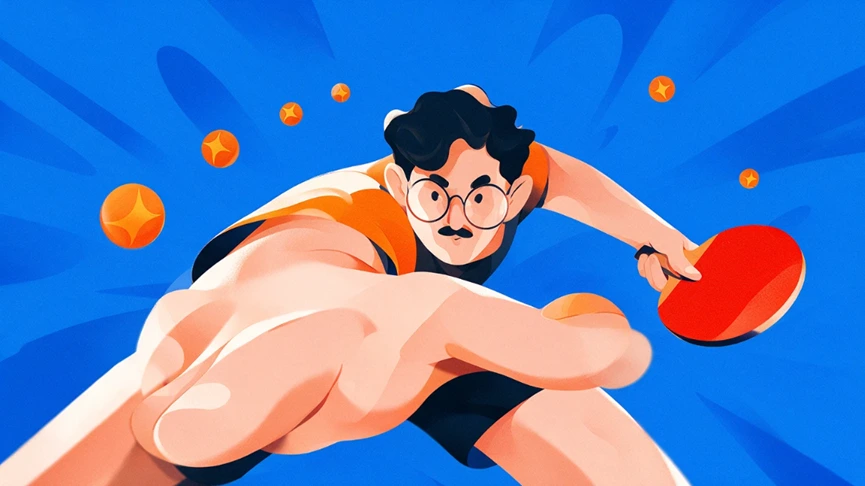
My prompt: A dynamic stylized digital illustration of a young man in motion, captured in an extreme foreshortened perspective. He lunges forward with one arm extended toward the viewer, holding a bright red table tennis paddle in his other hand. His expression is focused and intense, eyes locked on the action. He has short wavy dark hair, round glasses, and a small mustache, rendered with simplified facial features and clean lines. High-contrast palette of blue, orange, red, and skin tones.
AI Image Editing
AI image editing is one of Recraft AI's more practical features. I tested object removal and background replacement with product photos and simple illustrations. Smaller edits generally blended naturally with the original image. But as soon as the requirements get complicated, there would be more inconsistencies in perspective or lighting.
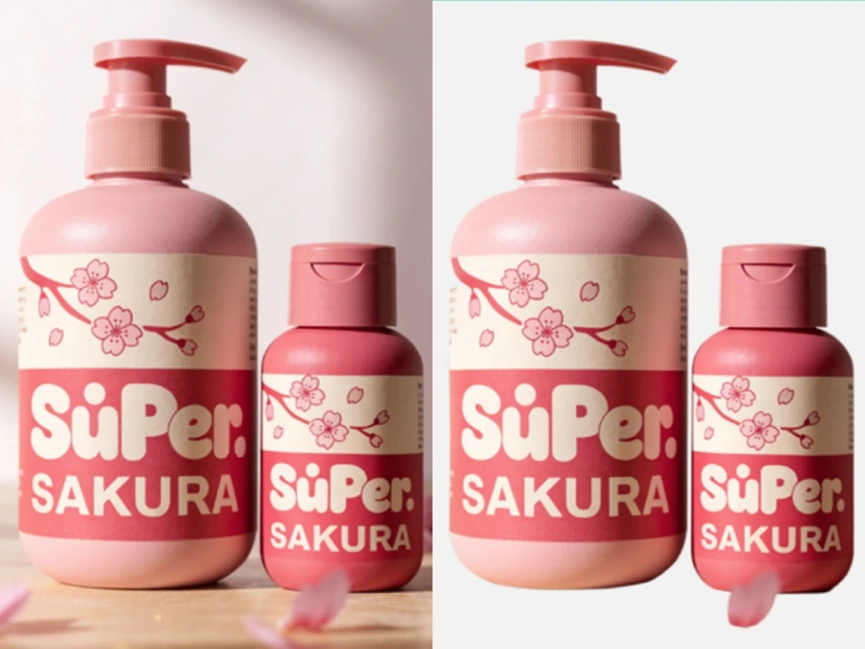
My prompt: Photorealistic studio product photography of two natural body wash bottles standing side by side on a light wooden surface against a soft blush-pink background, with pink cherry blossom petals scattered around them. The label wraps around each bottle in cream and sakura-pink colors, featuring a simple hand-illustrated cherry blossom branch with petals, a playful rounded sans-serif brand wordmark 'SuPer.' with a small bubble dot over the letter u, and the word 'SAKURA' printed below in bold uppercase letters.
AI Video Generation
Among all the AI tools' features, image-to-video is perhaps the most common one. But they do vary a lot. During my test of Recraft AI, the results were generally pretty smooth. The characters are not morphing into someone else, and the camera movement is steady and fine. But one of my issues is that, on the starting frame that I provided, there's no logo printed on the emerald-green jacket. But when I turn it into video, a logo appeared out of nowhere on the character's left chest. This causes the video clip become unusable because obviously no one wants other brand's logo appear on their own promo videos.
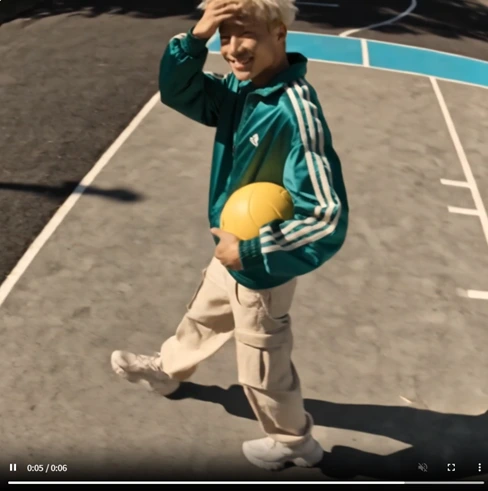
My prompt: Create a cinematic sportswear campaign video based on the reference image. Keep the same person, outfit, hairstyle, facial features, and overall visual identity consistent throughout the video. The young man walks confidently across the sunlit basketball court while holding the volleyball, with natural body movement and a relaxed, energetic attitude. He slightly adjusts his jacket, changes his pose, and interacts naturally with the environment. Use smooth cinematic camera movement, starting from a dramatic high-angle shot and transitioning into a dynamic tracking shot around the subject.
Recraft's Pros and Cons
Recraft has a clear goal. It is not trying to be everything. And that is actually both its strength and flaw.
Pros | Cons |
|---|---|
Strong design focus for logos, illustrations, and marketing assets | Less suitable for highly realistic or cinematic images |
Excellent vector and graphic generation | Limited creative flexibility compared with general AI image tools |
Better text rendering for posters and branding designs | Complex edits may require additional refinement |
Consistent visual style across multiple assets | Not an all-in-one tool for advanced creative workflows |
AI chat canvas which is convenient for multitasks. | Fewer options for precise control |
Is Recraft AI Right For You?
Recraft AI is a good fit for people who need to create practical visual assets. It works especially well for marketers and content creators who need social media graphics or branding materials. But I would skip Recraft AI if I'm looking for an all-in-one workflow that helps me with ready-to-use content. Also, once I need some highly realistic, cinematic video, Recraft AI would seem a bit lacking.
Recraft AI Pricing
Plan | Monthly (billed monthly) | Annual (billed annually) | Credits/mo |
|---|---|---|---|
Basic | $12/mo | $120/yr | 1,000 credits |
Pro | $20/mo | $192/yr (price varies according to the monthly credits) | 2K, 4K, 8K, 16K |
Teams | $22/mo per seat | $211/yr (price varies according to the monthly credits) | 2K, 4K, 8K, 16K |
Recraft AI's Basic plan is a good place to start if you're just trying out the platform. For people who use it more regularly, upgrading to a paid plan makes more sense, especially if you need access to additional features, or simply want fewer limits during your workflow. For most individual creators, the Pro plan will probably be enough. It provides a reasonable balance between cost and features. It basically cover the needs of users who create visuals on a regular basis. The Teams plans are better suited for heavier users, such as designers, teams, or businesses that produce a large amount of content. The additional credits and higher usage limits can be valuable in those cases. But they may feel unnecessary if you only create images occasionally.
Recraft AI VS. PicLumen: Which Fits Your Creative Workflow?
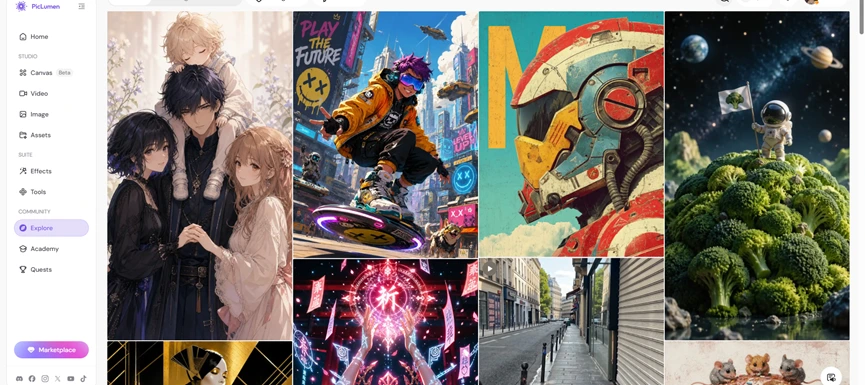
Using both tools, I got the sense that they weren't really trying to do the exact same job. Recraft felt more focused on image creation, and I appreciated that it didn't try to pack every AI feature into one place. Most of my time was spent generating and refining visuals, which made the workflow feel pretty straightforward. PicLumen goes in a slightly different direction by combining image generation with AI video tools and a community where you can scroll through other people's work and post your own, so it feels more like a broader creative platform. For me, the choice comes down to workflow rather than image quality alone. If you're mainly creating social media graphics or brand assets, Recraft AI makes sense. If your projects regularly mix images and short videos and involves a lot of post-editing, PicLumen offers a wider set of tools in one place.
My Take: Is Recraft AI Worth Using?
Recraft AI is a good fit for content creators and marketers who want to speed up their creative process. It is reliable in generating posters, promo photos, and vector art and those are the main cases where I would consider using it. That said, Recraft AI feels like a tool with a clear focus. Throughout my testing, I mostly treated it as an AI image generator instead of an all-in-one platform, and I think that's the right way to approach it. Recraft's video tools felt a bit secondary to its image and vector workflow in my test. For me, PicLumen is the better long-term choice because it excels at both image and video generation. It provides users with content that needs less post-editing.
How Does Recraft Perform Across Real Use Cases?
Use Case | My Take |
|---|---|
Logo & Branding | Great for creating clean brand concepts and visuals. |
Social Media Graphics | Useful for quickly making banners and promo designs. |
Product Visuals | Mixed fit. Good for marketing concepts, but complex details may need edits. |
Illustrations | Strong performance, especially for edgy graphic styles. |
Realistic Images | Weak fit, not its main strength. |
Frequently Asked Questions
What is Recraft used for?
Recraft is used for AI image and video generations. I see it best fitting for supporting content creation and social media campaign.
Is Recraft good enough for marketing videos?
It can be decent enough for sales explainers or product education video. For more complex requirements, I wouldn't say Recraft is my first choice.
Where does Recraft feel most limited?
Recraft feels most limited when it comes to video generation and post-generation editing.
What is the best Recraft alternative?
For me, PicLumen is a strong alternative if you want an all-in-one AI workflow. You could generate videos with leading models, and turn ideas into post-ready content without too much editing.