Unlucid AI generates fast — that part is not in question. What I wanted to know is whether the results hold up once you look past the first glance, so I ran it through two prompts built around a human face, since that's usually where these tools show their real level. Short version: it's fast, and it's not going to fool anyone who looks closely.
What Unlucid AI Actually Is
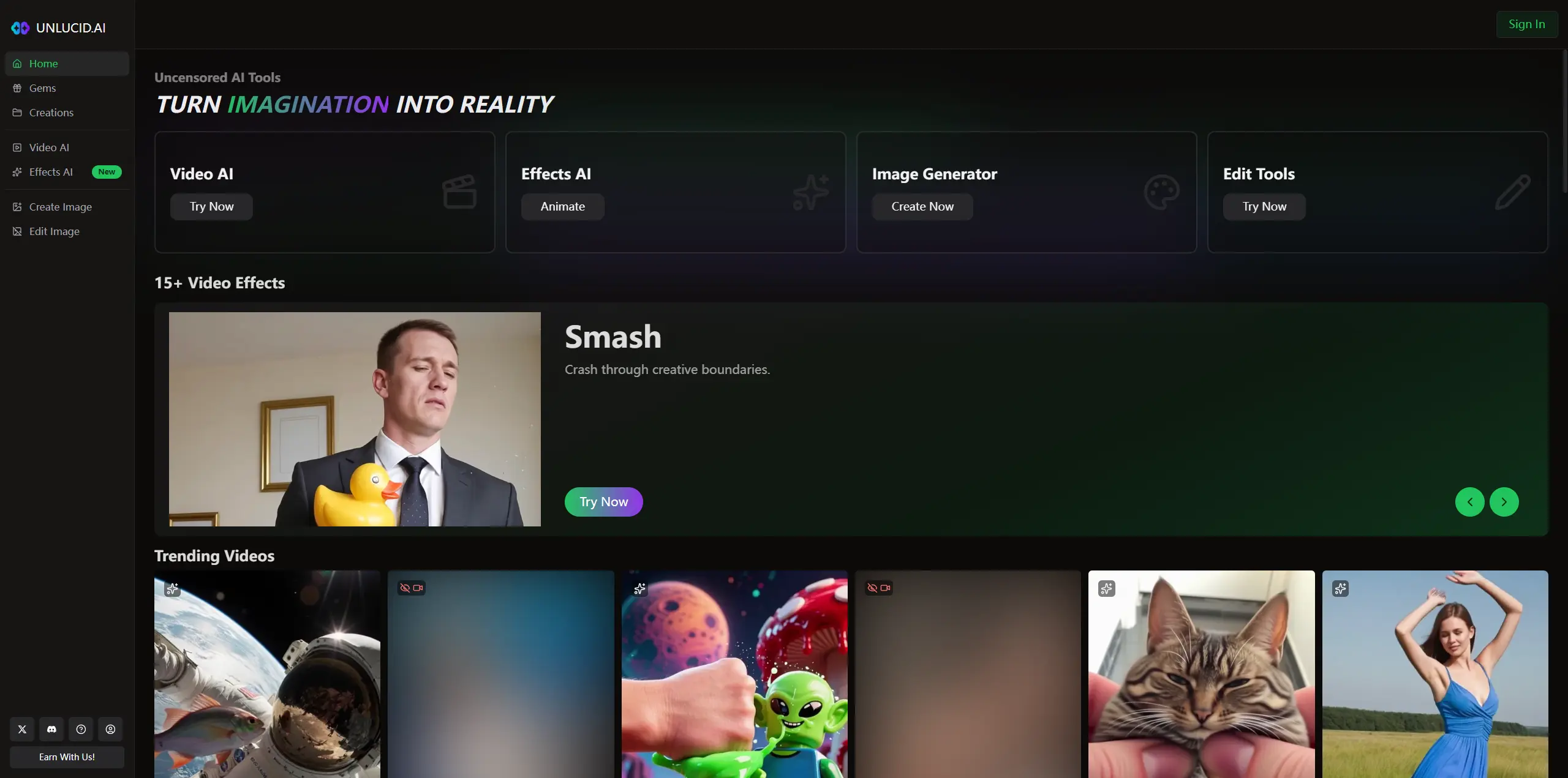
Unlucid AI is a browser tool split into four areas: Video AI, Effects AI, Image Generator, and Edit Tools. The effects section leans into short trend-style clips — Dance, Squish, Zoom, Smash, Reveal — the kind of thing built for a five-second social loop rather than a finished asset. It doesn't behave like a design suite. There's no layered editing, no asset library to build from — you type a prompt, get a result, and either keep it or reroll. That's fine if you're testing an idea. It's a problem if you need to art-direct anything.
Testing the Unlucid AI Image Generator
Prompt I used:
A close-up portrait of a middle-aged fisherman with weathered skin, sitting on a wooden boat deck at golden hour, sunlight rim-lighting his silver beard, shallow depth of field, cinematic color grading, photorealistic I picked this because portraits stress-test three things at once: skin texture, hair/beard detail, and how light wraps around a face. That combination is where a lot of image generators fall apart.
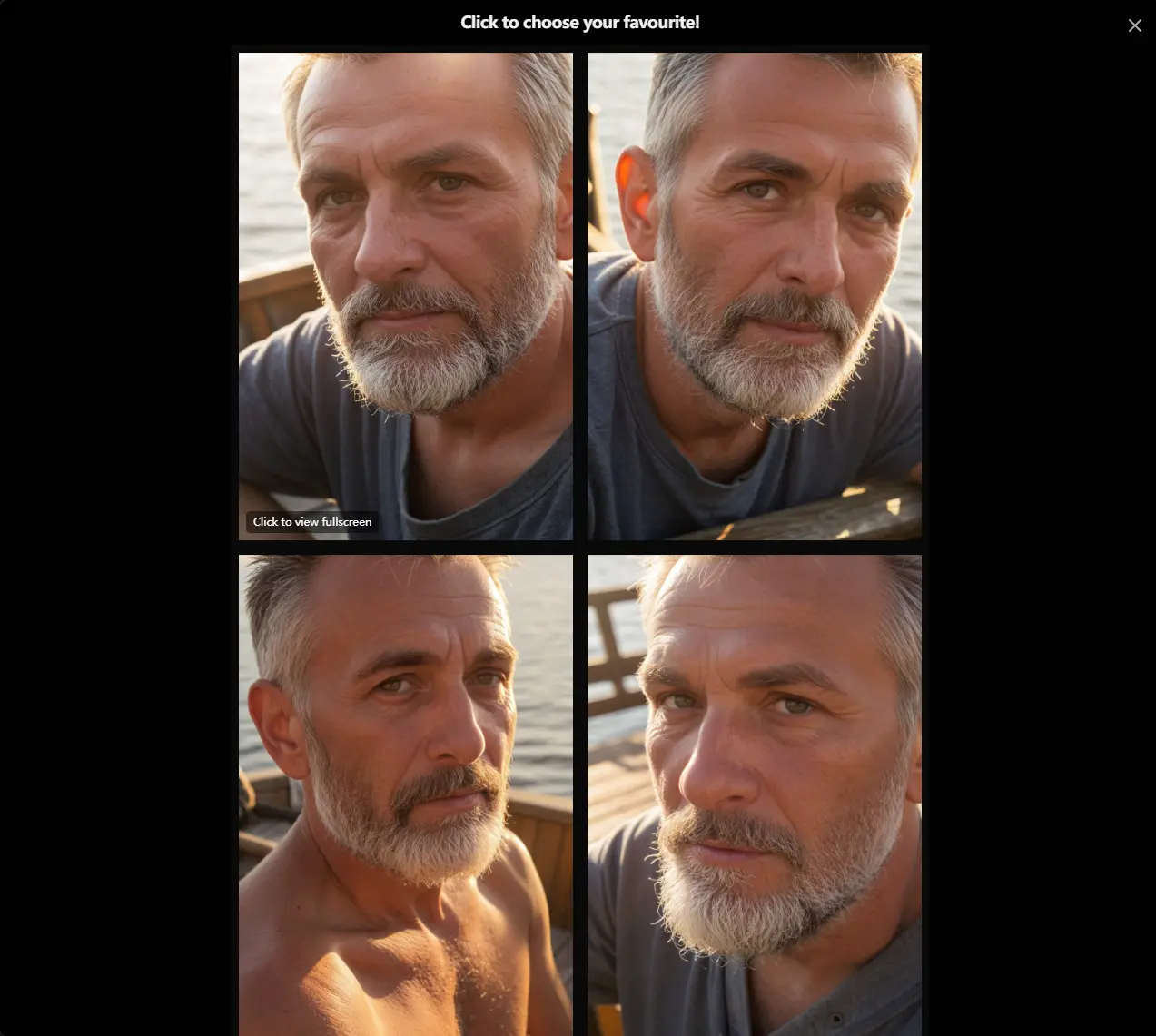
What came back: Generation took under 10 seconds for a batch of four. No complaints there. All four hit the basics — fisherman, beard, warm backlight, tight crop. But close up, the image had the tell-tale signs: Beard strands fusing into a texture map, skin looking airbrushed rather than weathered, catchlights in the eyes not matching the stated light source. The rim light also sat on the beard rather than passing through it, which is usually the giveaway that a model is faking backlight instead of actually rendering it. Usable as a mood board reference. Not something I'd put on a blog header or run as an ad without heavy retouching.
Testing the Unlucid AI Video Generator
Prompt I used:A young woman turning her head from left to right while smiling, wind blowing through her hair, outdoor setting with soft daylight, natural facial expression throughout
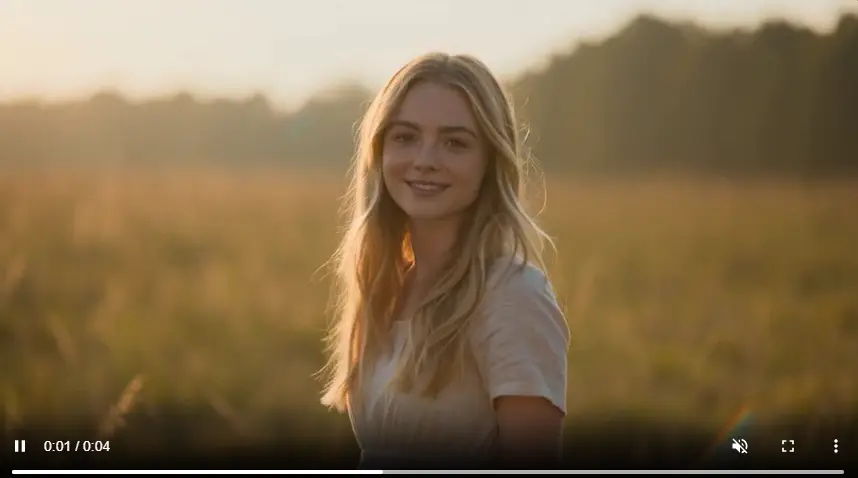
Head turns look simple but they're a good stress test: the face has to hold its shape through motion, the smile can't warp, and the eyes can't drift or double-expose between frames.
What came back: Around 30 seconds for the clip. The first frame looked genuinely good — soft outdoor light, clean face, natural starting pose. The motion itself held together; no melting, no obvious frame breaks. What didn't hold up was the expression through the turn — around frame 5 the smile flattens at the corners" or "the left eye lags behind the right during the turn. It's not broken, it's the kind of subtle mismatch you'd only catch on a second watch, which is honestly more concerning for anything meant to hold up under repeat views. Fine for a meme or a throwaway story clip. I wouldn't put it in front of a client.
Unlucid AI Pricing
Unlucid AI runs on a "Gems" credit system, with free daily gems and three paid bundles:
(bianjiqili Gems | Price | Usage shown |
|---|---|---|
120 Gems | $8.99 | Up to 120 images, 60 edits, or 12 videos |
450 Gems | $29.99 | Up to 450 images, 225 edits, or 45 videos |
1250 Gems | $59.99 | Up to 1250 images, 625 edits, or 125 videos |

Do the math on rerolls before you buy. If a "usable" result takes two or three generations on average, the effective cost per finished image or video is roughly double or triple the sticker price. The small pack is cheap enough to find that ratio out for yourself before committing to the bigger bundles. Prices and limits shown are current as of testing — check Unlucid AI's own pricing page before buying, since these change.
Unlucid AI Pros and Cons
Liked:
Genuinely fast — under 10 seconds for images, about 30 for video
Zero setup, no learning curve
Image and video generation live in one place, so you're not juggling tools
Didn't like:
Portraits still read as AI-generated up close, mainly in skin and beard/hair texture
Video expressions are subtly off in a way that's hard to unsee once you notice it
No real editing depth — it's a prompt-and-reroll tool, not a workflow
Best Unlucid AI Alternative for AI Image and Video Generation: PicLumen
Unlucid AI is good at exactly one thing: fast, disposable drafts. If that's all you need, it does the job. But if you're generating visuals regularly — for a blog, a brand, or a content calendar — the lack of iteration tools starts to hurt. PicLumen is an all-in-one multimedia creative platform that combines AI image generation, AI video generation, and community sharing. It is designed for creators, designers, marketers, anime fans, and anyone who wants to bring visual ideas to life more easily.
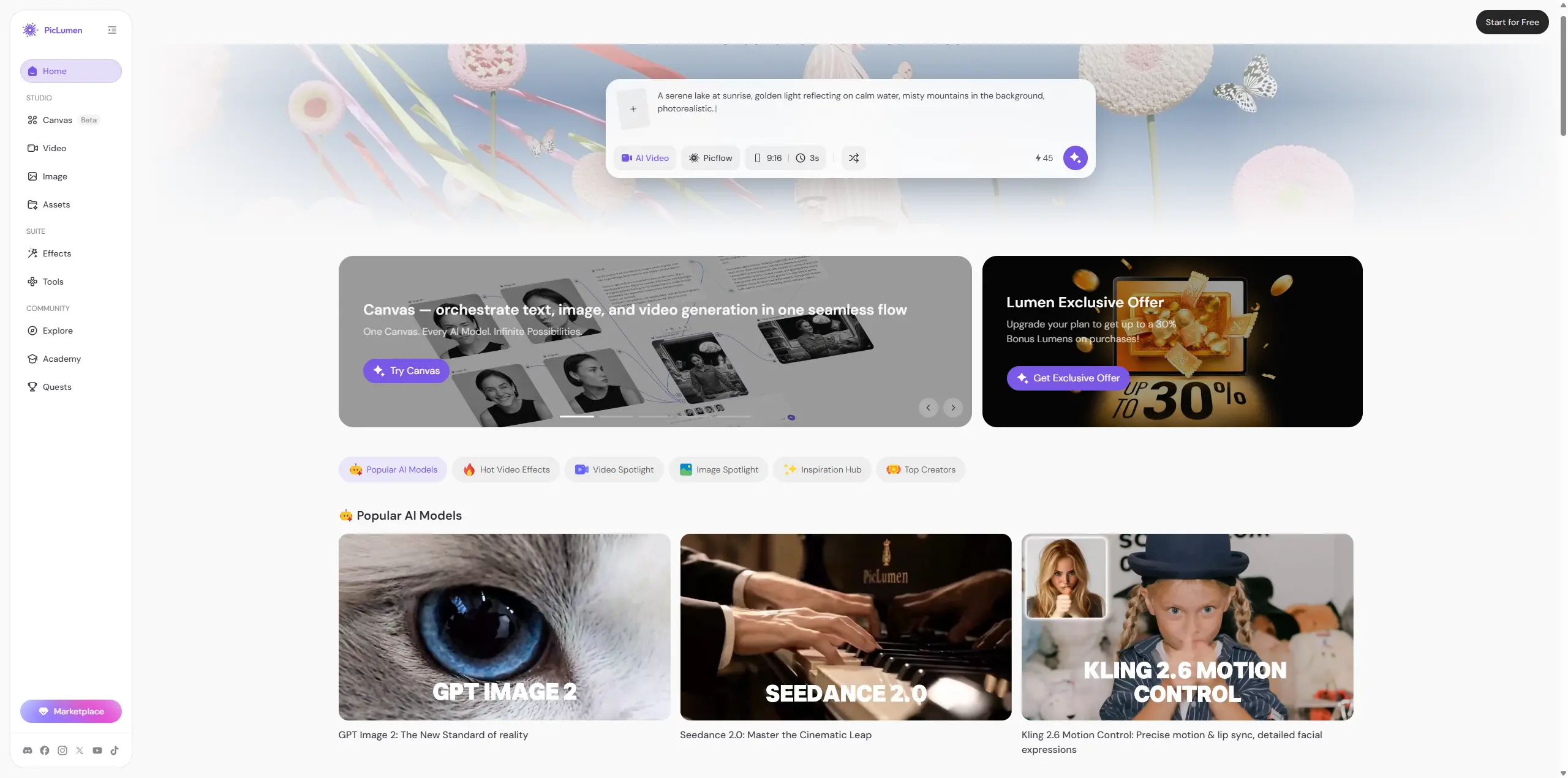
That difference matters. Unlucid AI feels like a quick prompt tool. PicLumen feels better if you want to explore ideas, generate images, turn visuals into videos, check community works, and build a more complete creative flow. For marketers, PicLumen is stronger when you need blog covers, campaign visuals, social posts, or product-style images. For designers, it gives more room to test ideas before choosing a final direction. For anime fans and creators, the community side also helps. You are not starting from a blank page every time. So the choice is clear enough.
Use Unlucid AI if you want fast experiments. Try PicLumen if you want a broader AI image and video platform with more creative room.
Bottom Line
Unlucid AI's real strength is speed, not polish. Both my tests came back fast and roughly on-prompt, but neither would survive a close look without touch-up work — the portrait had the usual AI-skin tell, and the video's expression drifted just enough to feel uncanny rather than natural. Start with the free daily gems and run your own prompts before paying for anything. If you only need fast, disposable drafts, it's enough. If you need a workflow you can actually build on, PicLumen — or a similar tool with stronger iteration tools — is worth testing next.
FAQ
Is Unlucid AI free?
There are free daily gems, enough to test the tool before buying a bundle.
Is Unlucid AI good for realistic images?
It aims for photorealism, but in my test the skin and beard texture still had visible AI artifacts up close — fine for a draft, not for a final asset.
Is Unlucid AI worth paying for?
Test the free gems first. If your use case is fast drafts, the pricing is reasonable. If you need commercial-ready output, budget for extra rerolls and touch-up time.
What's a good Unlucid AI alternative?
PicLumen is worth trying if you want more room to iterate on a result rather than just rerolling — see the comparison above.