AI Age Guesser by Photo: How Old Do I Look?
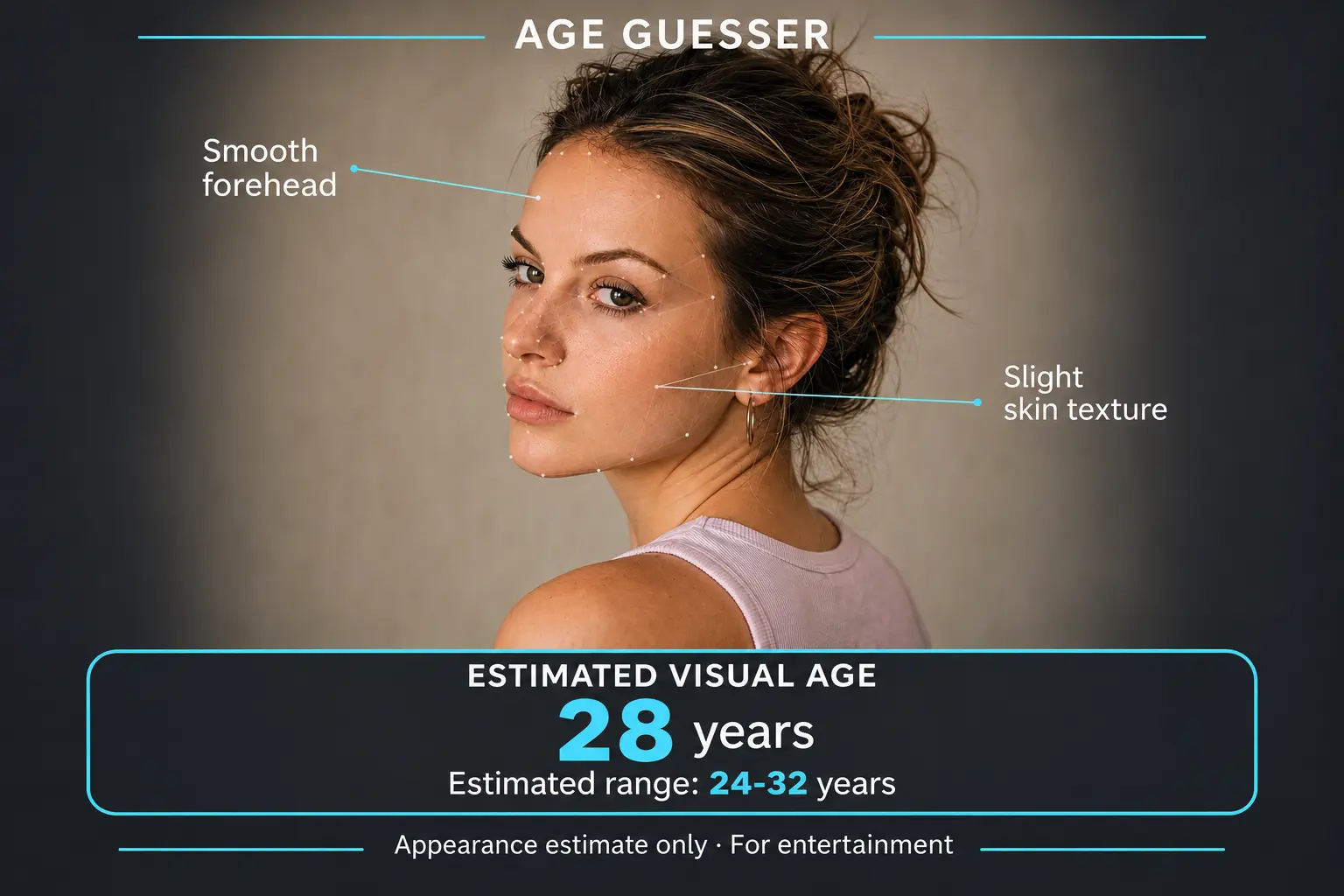
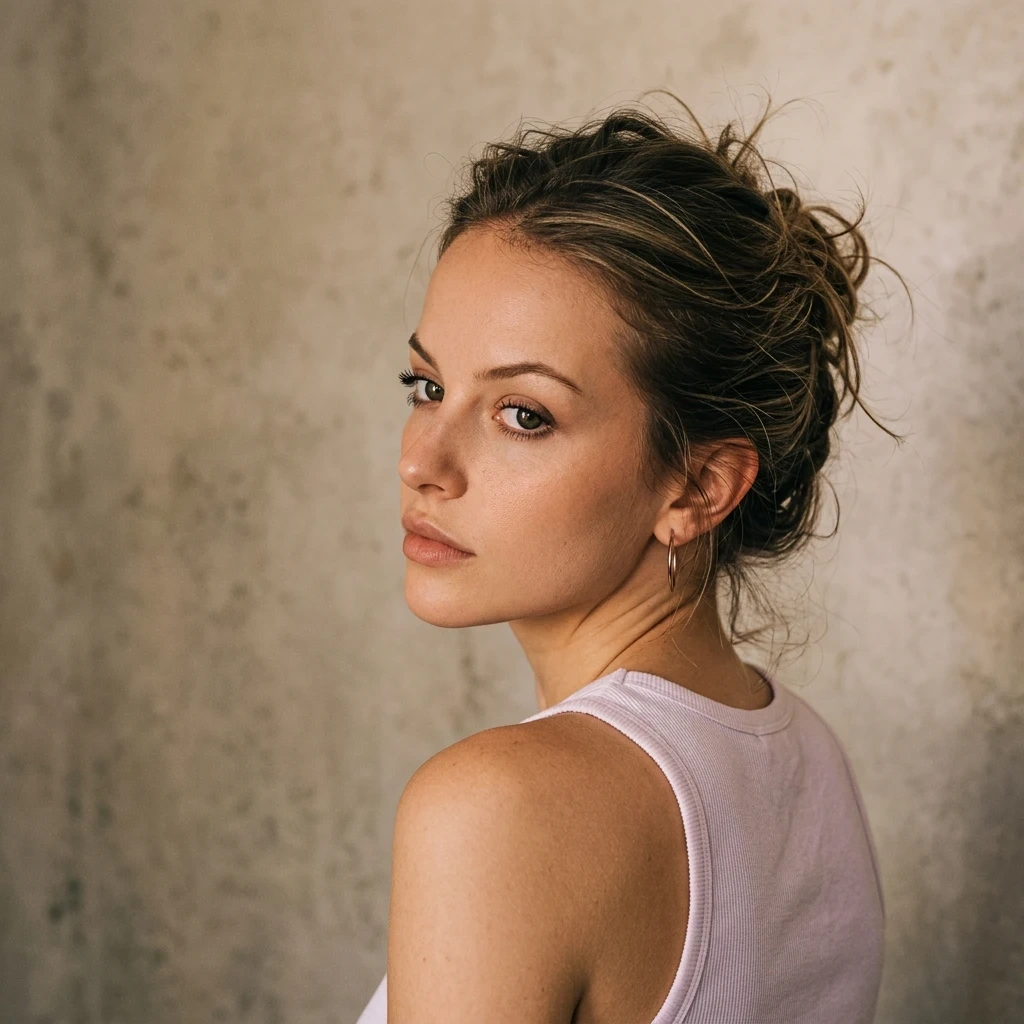
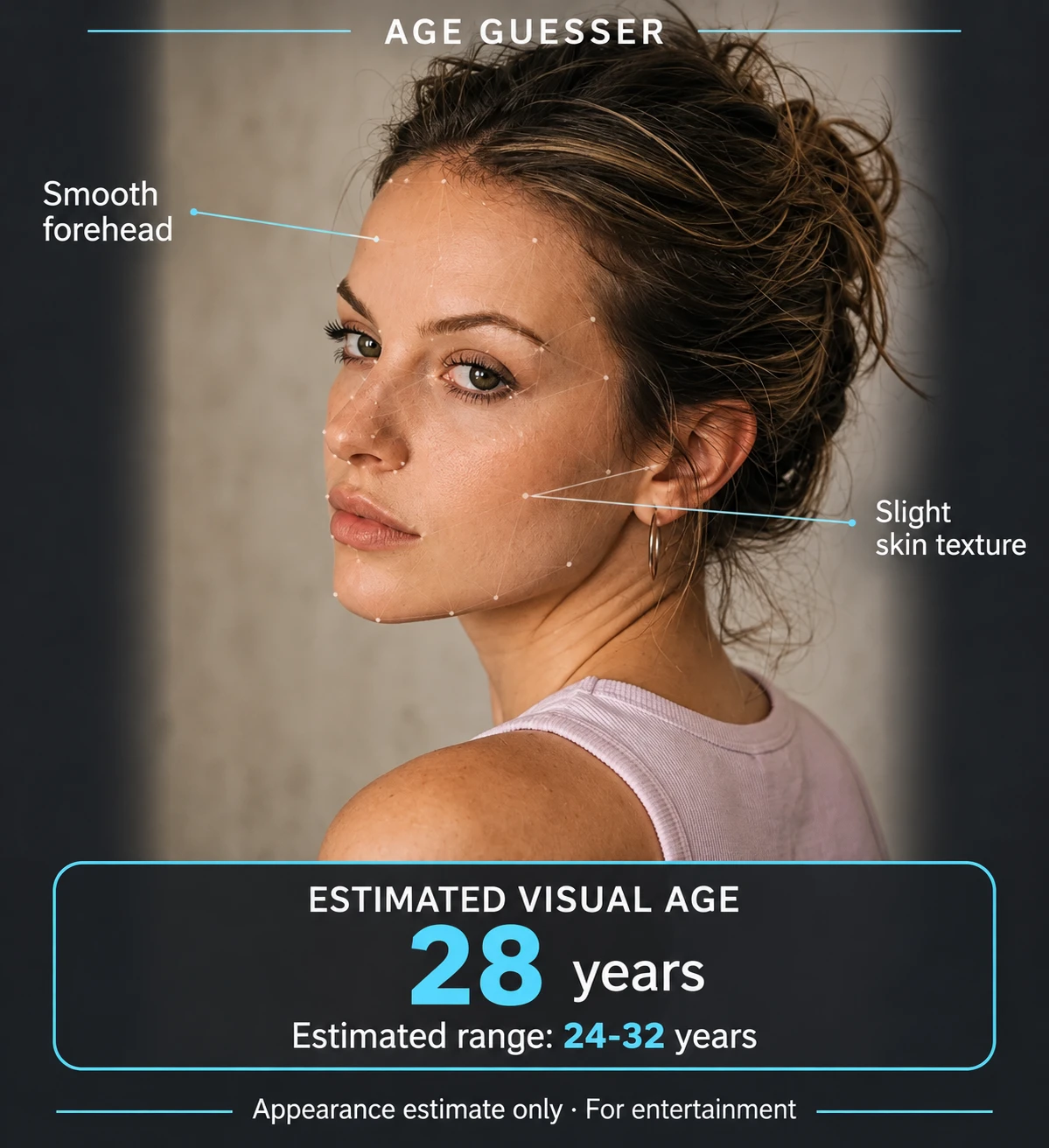
How to Guess Your Age from a Photo
Upload Your Photo
Choose a selfie or portrait with one clearly visible face and upload it to PicLumen.
Let AI Analyze Your Face
Start the age check. AI looks at the visible facial details in your photo to estimate how old you appear.
Get Your Age Guess
Once the analysis is complete, see your estimated age for that photo.
Why Choose PicLumen’s AI Age Guesser?
Age Estimates from Facial Details
PicLumen’s AI analyzes the facial features in your photo to estimate how old you look. Lighting, camera angle, and expression can influence the result, so try a casual selfie and a posed headshot to see how the estimates compare.

Guess Your Age Without an App
Open PicLumen in your browser and upload a selfie or portrait from your phone or computer. You’ll see your estimated age on the same page, with no app to download or software to install.

Safeguards for Your Personal Information
PicLumen uses encryption and access controls to help protect personal information. You can learn what information we collect, how we use it, and the steps we take to protect it in our Privacy Policy.
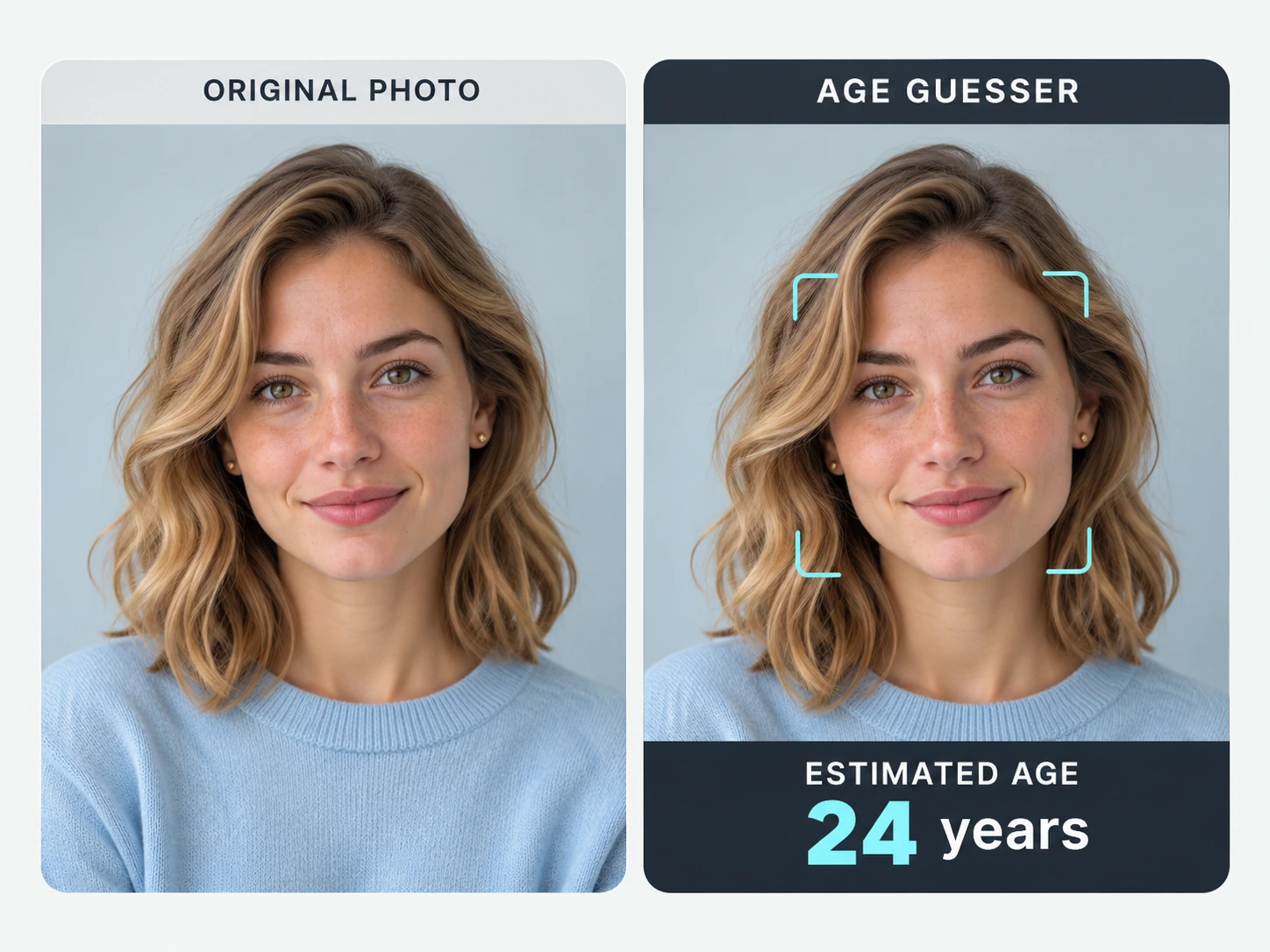
See How Old You Look in a Selfie
Put your latest selfie to the test with PicLumen’s AI age guesser by Photo. The tool uses the facial details in your image to estimate how old you appear in that shot. A head-and-shoulders portrait gives the AI a clear view of your face, especially if your eyes, cheeks, and jawline are in focus. Try a selfie taken near a window or outdoors in the shade, where soft light can make those details easier to see. If your face is small in the frame, crop in before uploading.
Compare Age Guesses Across Photos
What difference can a smile make? Take two selfies, one with a neutral expression and one with a grin. Upload them one at a time and compare the estimates. You can also try photos you already have, like a studio headshot and a candid a friend took over lunch. Even pictures taken minutes apart can give the AI a different impression when the lighting, angle, or expression changes. To compare camera angles, take one selfie at eye level and another with your phone held a little lower. Keep the same expression in both.
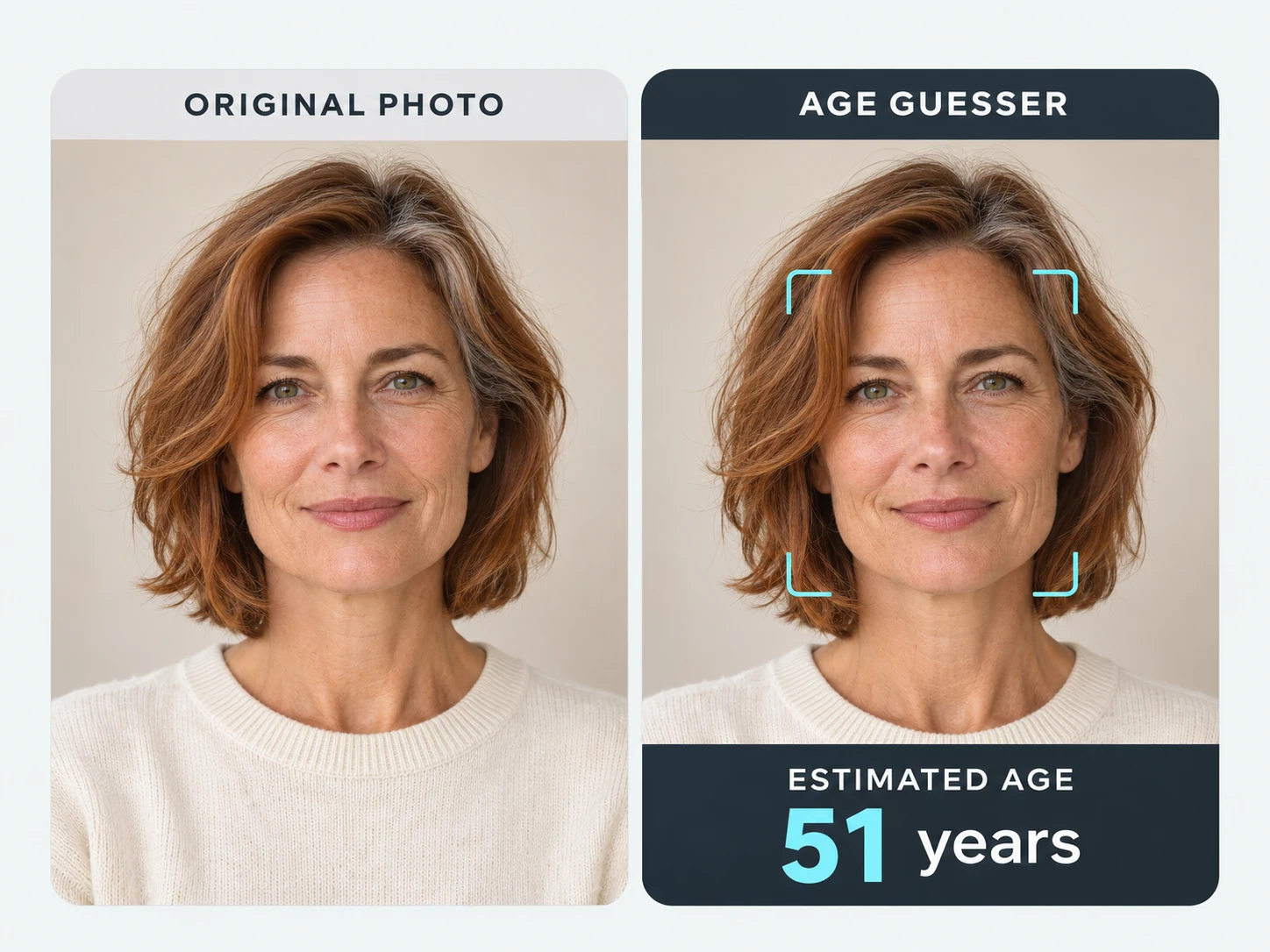
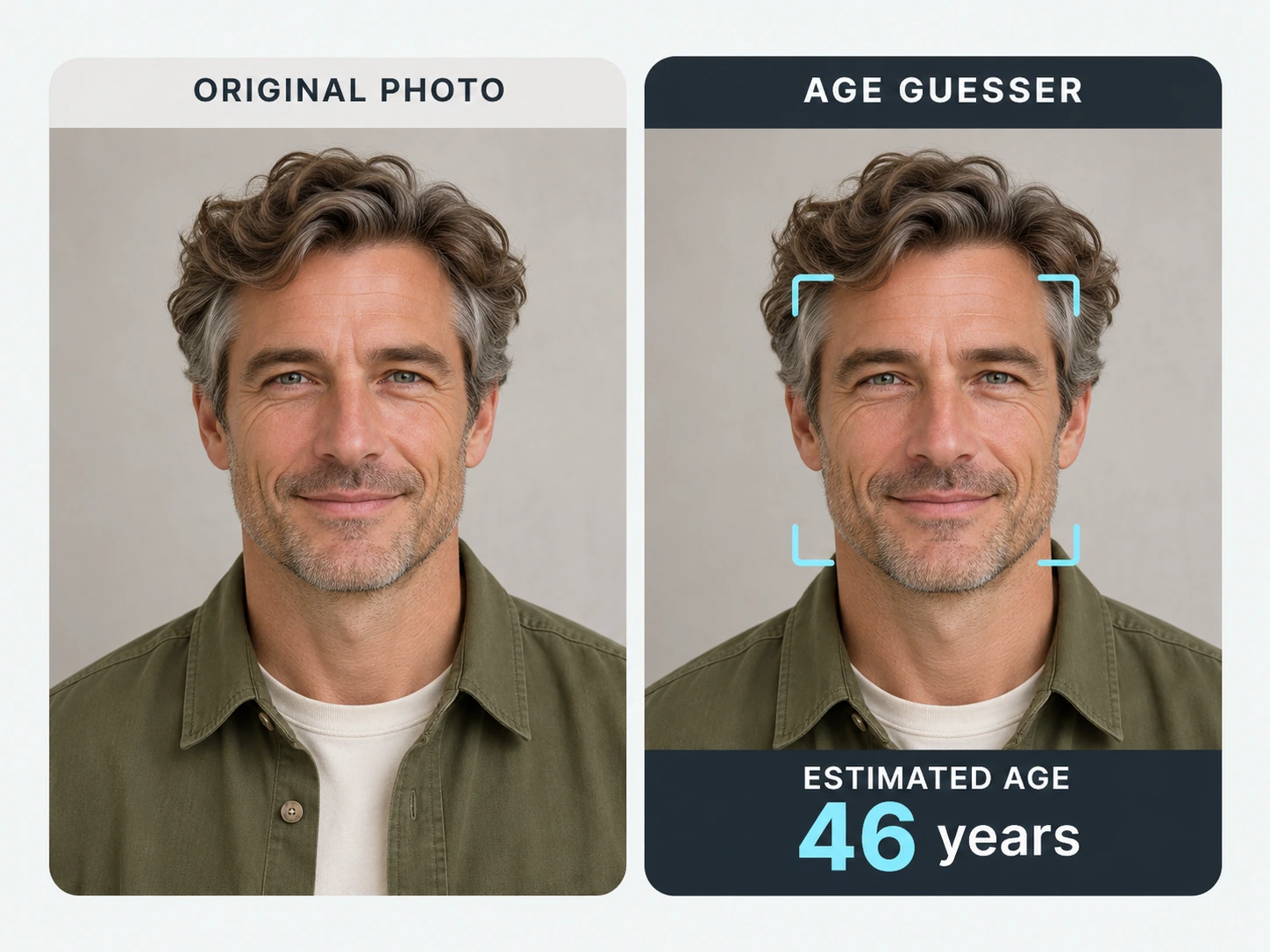
Get an Age Estimate with Just One Photo
Open PicLumen in your browser on your phone or computer and choose a picture you already have. Try a selfie from your camera roll, a saved headshot, or a scanned portrait from a family album. Upload the photo and view the estimate right there. If you’re looking through pictures with friends, take turns picking a shot from a shared trip or a night out. Make it a guessing game by having everyone call out an age before you reveal what the AI guessed.
Reimagine Your Portrait at Different Ages
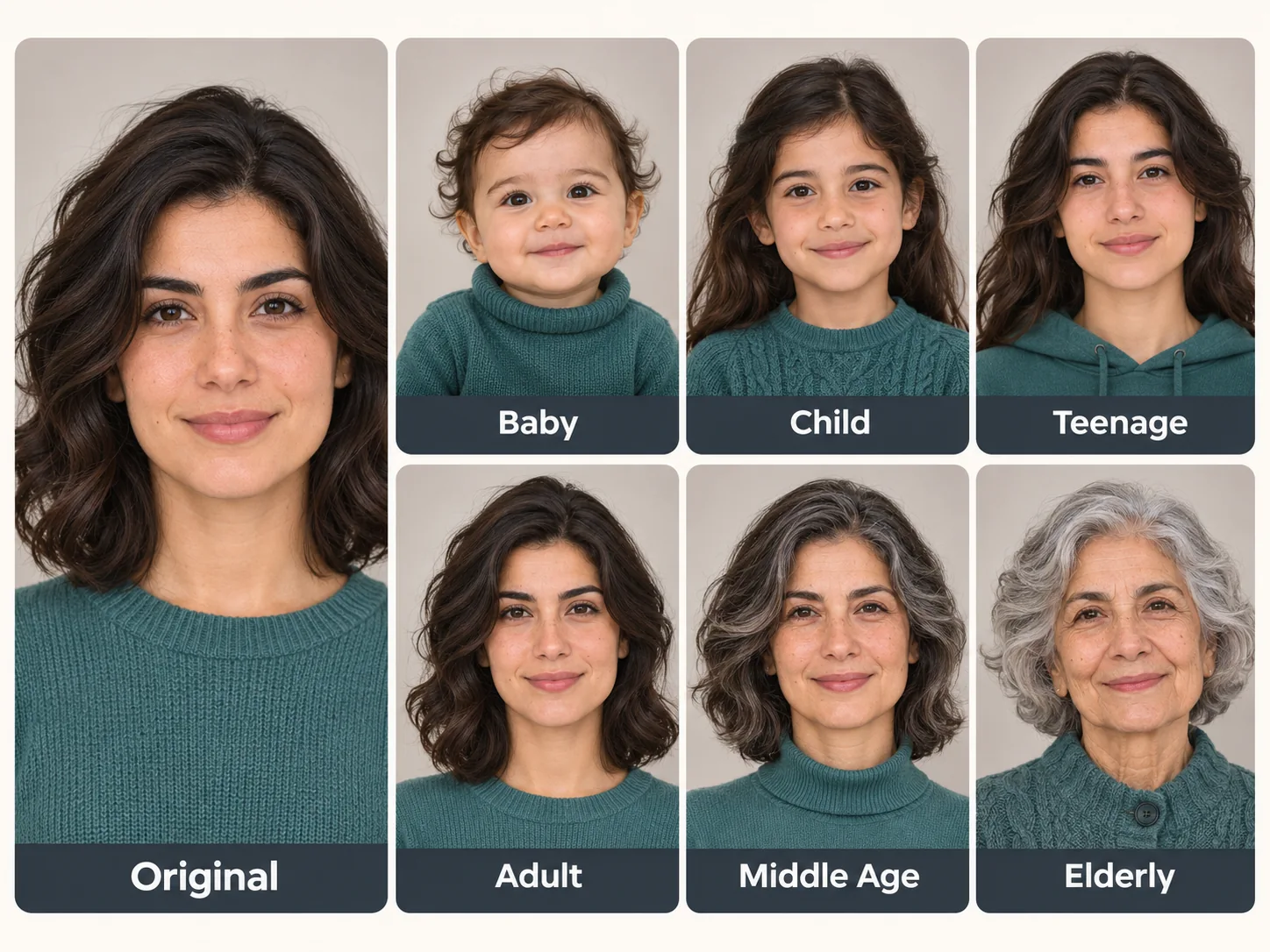
Picture yourself at a different point in life with PicLumen’s AI Age Progression tool. Upload a front-facing portrait and choose one of six life stages, from baby to older adult. Reimagine a recent selfie as a childhood portrait, see how the AI pictures you in middle age, or get a glimpse of what you might look like decades from now. Use the same photo to try a few stages, then arrange the results into a timeline for a birthday slideshow or a “me through the years” post.
Fun and Creative Ways to Use an Age Guesser
Try a quick selfie experiment, make a short video with a reveal, or revisit photos you haven’t seen in years.
Compare Filtered and Original Selfies
Before you send a selfie to the group chat, see what age PicLumen guesses from it. Start with the version you’d actually share. If you also saved an unfiltered copy, check that one separately and put the two guesses side by side. A soft-focus filter or a high-contrast black-and-white edit can change which facial details stand out. You might get a similar estimate from both photos, or the edited version might give a different result. To see how much one filter affects the guess, save a lightly edited version and one with the effect turned up. Compare both estimates with the original selfie’s result.
Make a “Guess My Age” Video
Turn the question “How old do I look?” into a short video with a reveal. Open with your selfie and give viewers a moment to make their own guess. Then show the result from PicLumen’s AI age guesser and share your reaction. To add a second reveal, tell viewers how old you actually were when you took the photo. The format fits a Reel, TikTok, or YouTube Short because people can play along before you show the estimate. You can make a follow-up with a throwback photo and ask viewers whether they’d guess differently the second time around. Invite them to share their guesses in the comments.
Play a Party Guessing Game
Give a small get-together an easy game everyone can follow. Ask each friend who wants to play to pick a selfie they’re happy to share. Show one photo at a time and have everyone write down the age they think the AI will guess. Run the photo through PicLumen and give a point to the person whose guess comes closest to the result. You can switch it up in the next round by letting the person in the picture guess first. Mix in old selfies and photos from the same night to keep the rounds varied. If two people finish with the same score, pick one last photo for a tiebreaker.
Revisit Photos from Different Years
Give a few photos in your camera roll a second look. Pick a graduation portrait, a snapshot from an old vacation, and a recent birthday photo. You could also choose portraits taken at the same time of year. Check each image separately and note the date, your age at the time, and PicLumen’s estimate. If you’re working with a printed photo, start with a scan that captures the face clearly. Arrange the pictures by year in a digital album or a birthday slideshow. The AI guesses give you one more detail to compare as you look back at how your style and expressions have changed over time.
Compare Two Makeup Looks
Curious how a makeup look comes across on camera? Take two portraits, one before you apply makeup and one after. Or photograph two looks you’re considering for a shoot. Keep the framing and lighting similar so the makeup is the main thing that changes. Upload each portrait to PicLumen and compare the estimates alongside the images. You might see a different guess with defined brows, softer eye makeup, or a more matte finish, especially if those choices change how facial details show up in the picture. Try it as part of a camera test when you’re deciding how you want a look to read in photos.
Make an AI Demo Interactive
Use a familiar question to show a class or workshop how AI responds to different inputs. Start with two photos of yourself taken on the same day. Choose one with even lighting and another with stronger shadows. Show both to the group and ask which photo they think will get the higher estimate. Run each through the age guesser and compare the results with the group’s predictions. Ask participants what details stood out in each image and what they’d change for a second round. The exercise gives people a concrete example of why the input matters when interpreting an AI result.


Loved by Creators Worldwide
Real feedback from designers, marketers, and hobbyists sharing their PicLumen experience on Trustpilot.
Just amazing website a must try.
Just amazing website a must try.
 Ms. Bliss
Just getting started
Just getting started, thus far it's really good. Going to continue to review and will update.
Ibrahim OnuhSo very powerful and interesting
So very powerful and interesting
Ifeanyichukwu C ChukwuemekaVery good
Very good and good AI app easy to use without stress
 Narender Khatana
I love this app I love this very very…
I love this app I love this very very much this is help in make a videos
Nice creations and bright
Nice creations and bright
Great AI program
Great AI program, easy to work with.
 Etna
Very satisfied with the best…
Very satisfied with the best performance for me at the moment.
I like this app its a veey good…
I like this app its a veey good experience
 Tyler
It’s a great ai app perfect for making…
It’s a great ai app perfect for making your imaginations come true
 Alishba Mukhtar
Wonderful experience I’ve ever had
Wonderful experience I’ve ever had
RaidenI haven’t tried yet so wait
Its actually really useful
FAQs About the AI Age Guesser
What is an AI age guesser?
An AI age guesser, sometimes called an age calculator by photo, estimates how old you look based on an image of your face. With PicLumen, you upload a portrait and get an age estimate for that picture.
How accurate is the age estimate?
The estimate can differ from your actual age. Photo quality, lighting, and the visibility of your face all affect what the AI can pick up from the image.
What kind of photo works best?
Choose a sharp, front-facing portrait in even light. A photo that clearly shows your face from forehead to chin gives the AI more detail to work with.
Can I use a photo with makeup or a filter?
Yes. A selfie with makeup or a light filter can work if your face is clearly visible. Effects that smooth skin or reshape your features may affect the estimate.
Can I use a full-body photo?
Yes, if your face is clear enough to see in the image. If you’re far from the camera, crop the photo to your head and shoulders before uploading.