Eye Color Changer to Try a New Shade
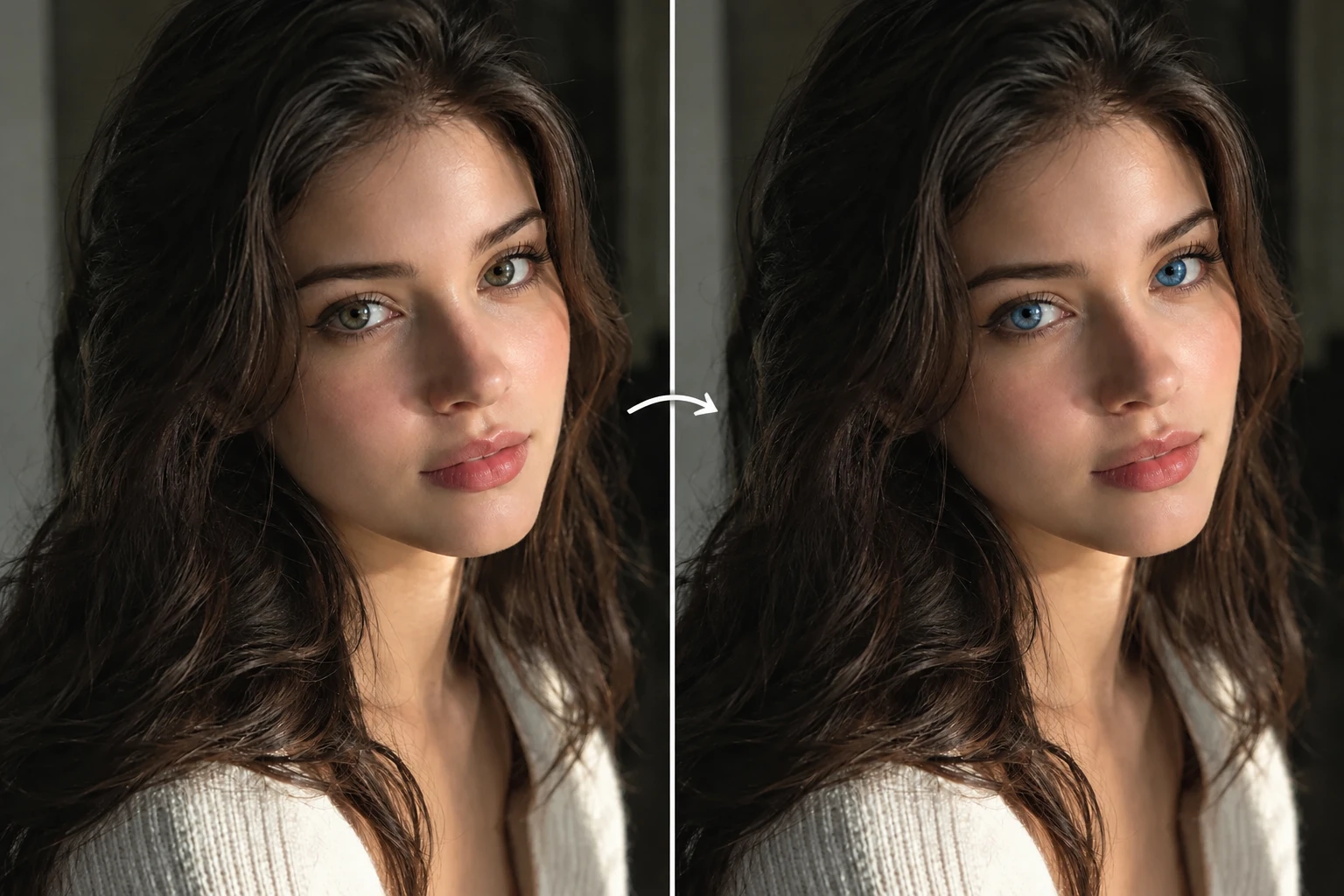
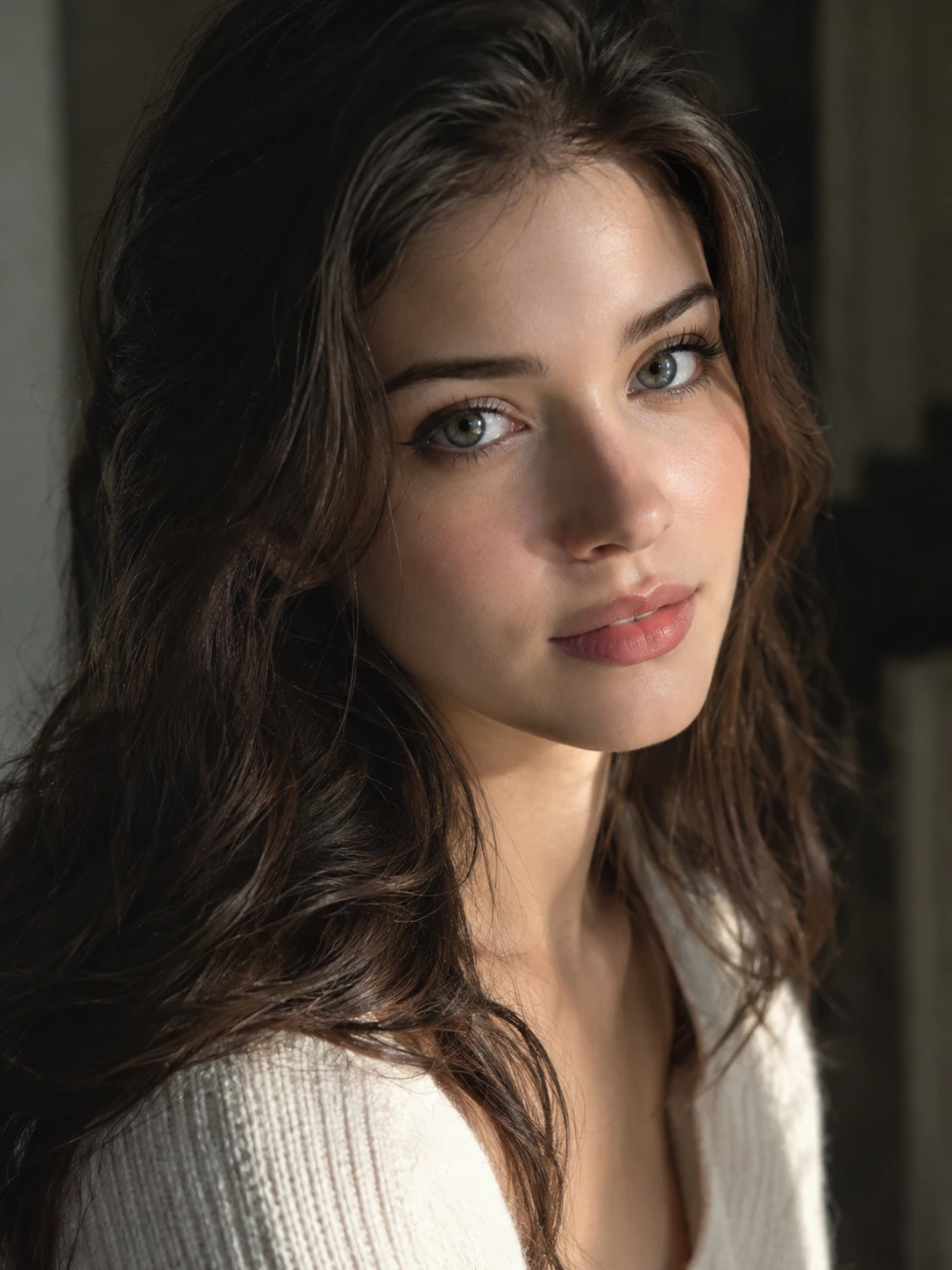
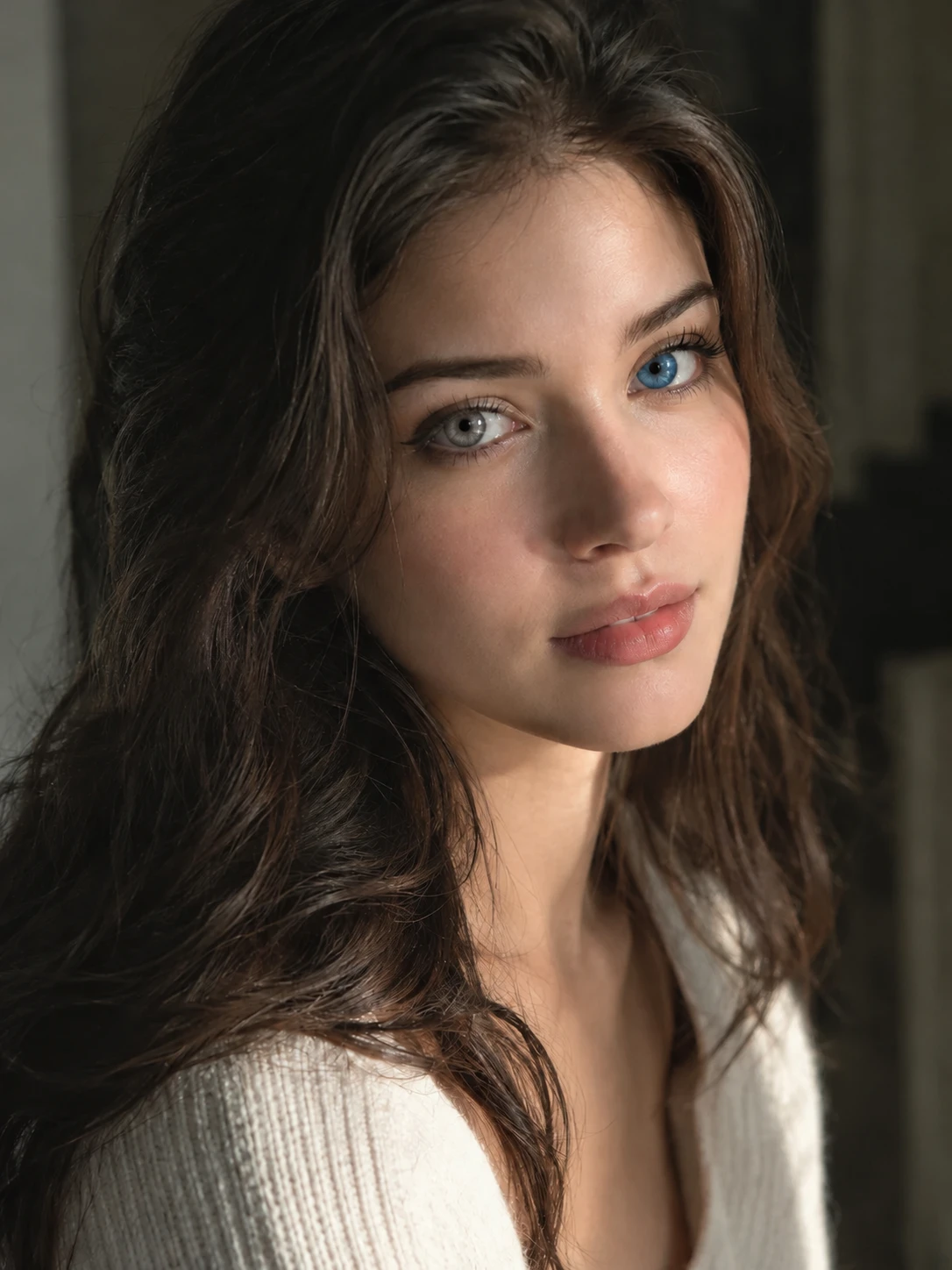
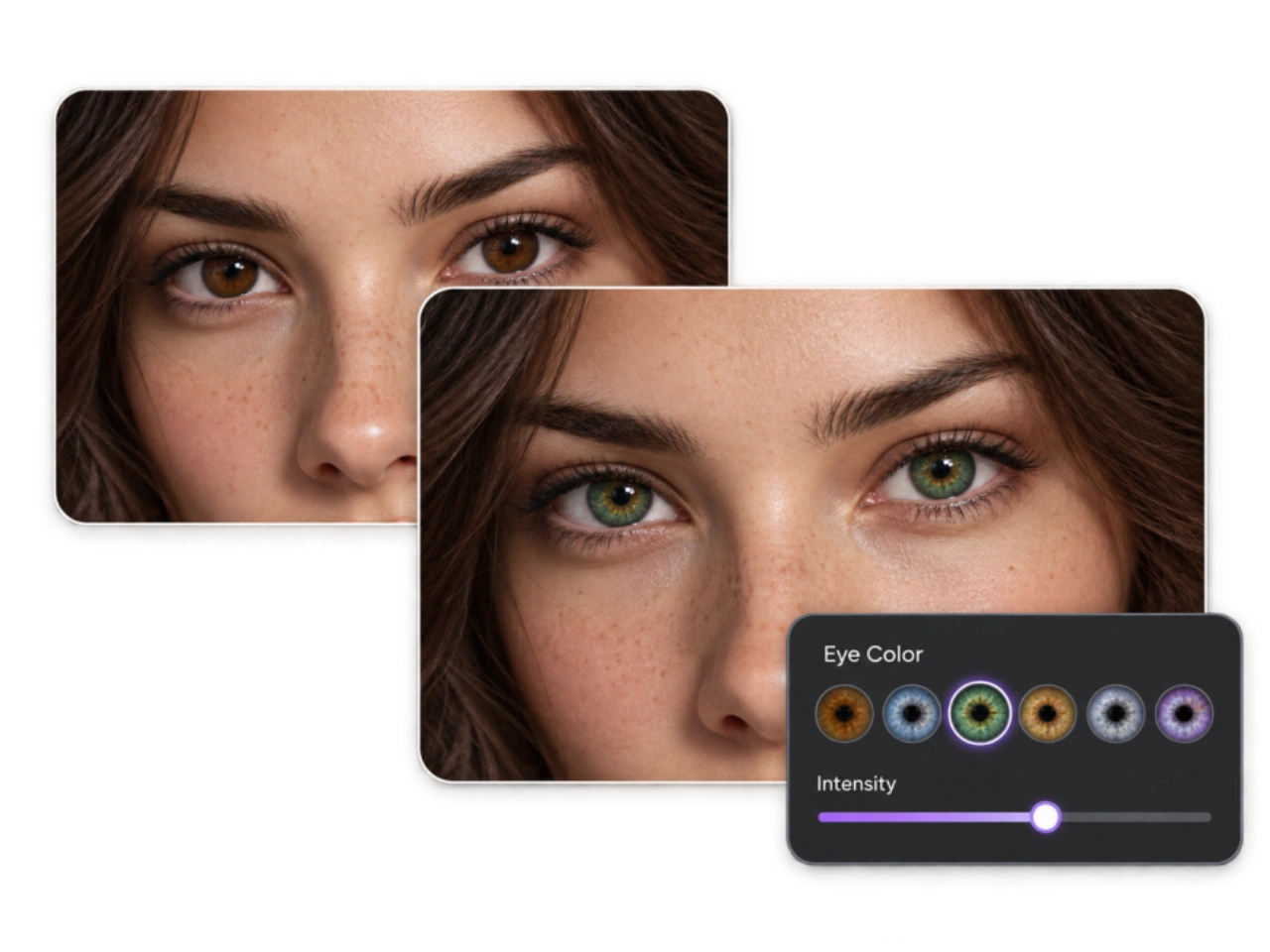
Try Natural Shades and Custom Color Blends
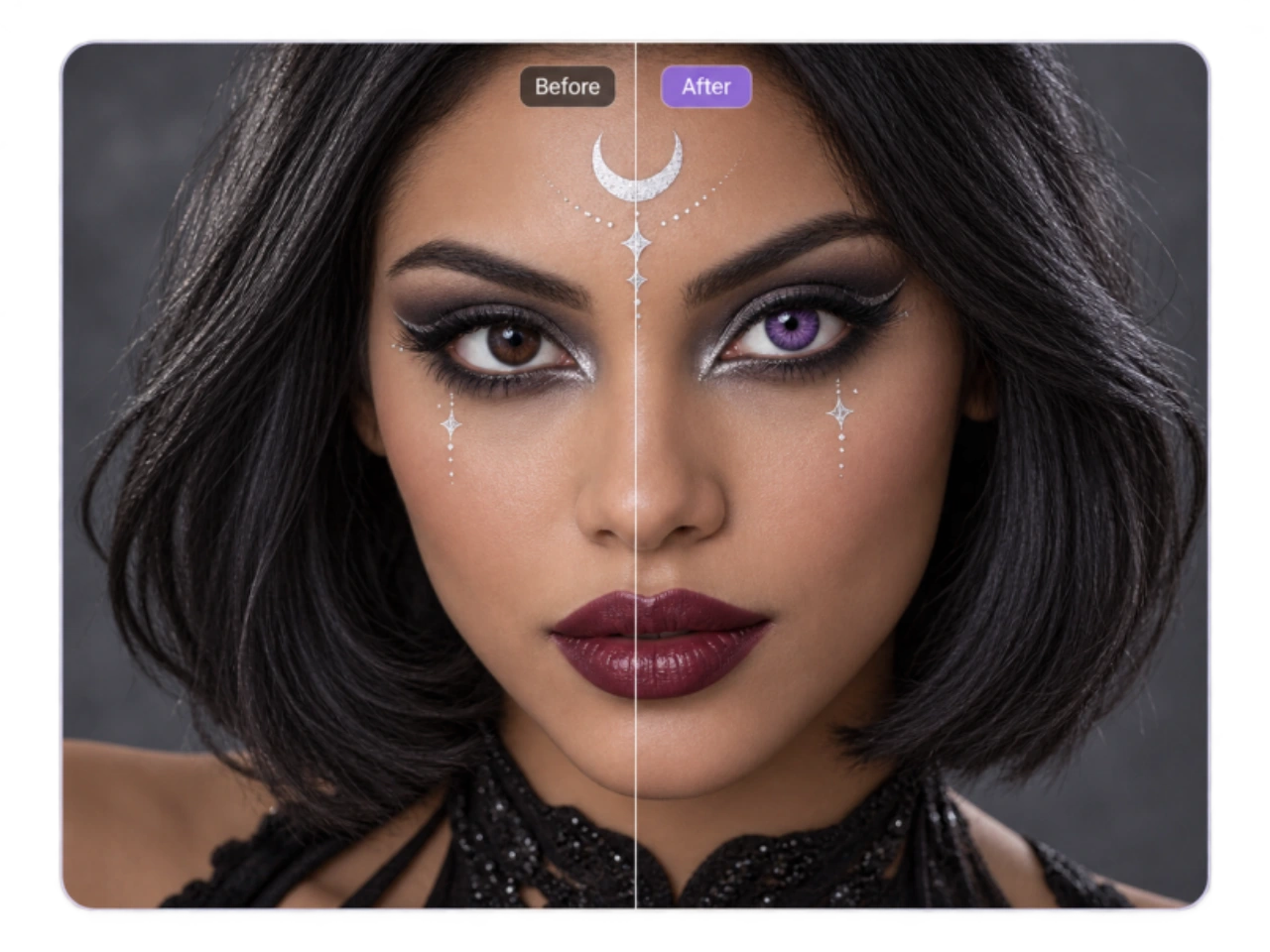
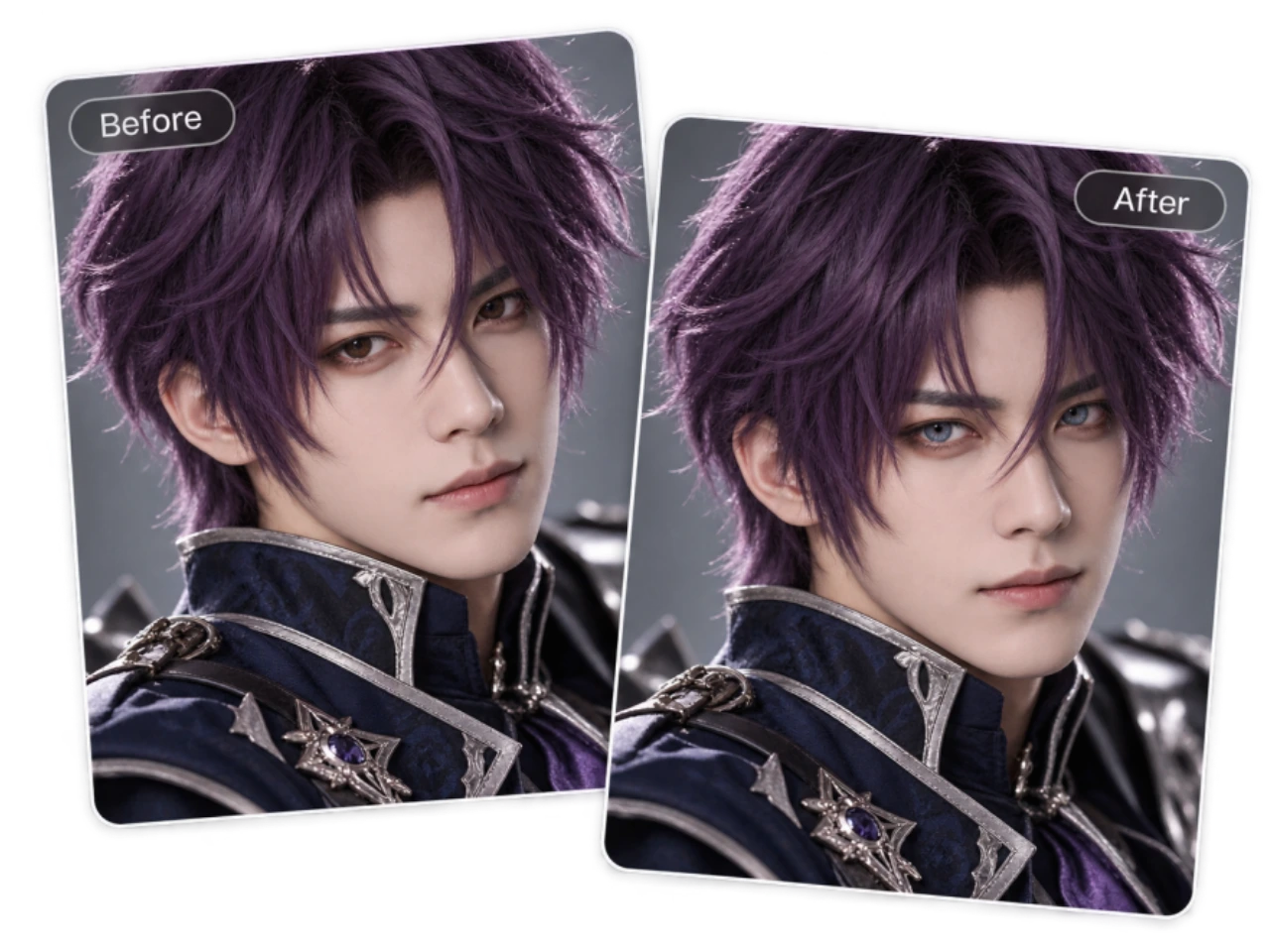
Hazel can lean green, brown, or gold. Blue can look pale and silvery or deep and muted. PicLumen's eye color changer lets you describe these differences instead of stopping at a broad color name. Try honey hazel with subtle gold flecks, olive green with a darker outer edge, or slate blue with a soft gray cast. You can use the eye color changer for a complete color change or a smaller adjustment to the appearance already in the photo. Make brown eyes warmer, soften an intense green, or explore a lighter version of the original shade. For a character image, describe violet, silver, or crimson irises and the finish you want. The color comes from your editing brief, so you can explore combinations beyond a short list of named shades.
Make the New Eye Color Fit the Photograph
In a close-up, a convincing iris has variation: fine patterns, darker and lighter areas, and reflections from the surrounding light. In a softly lit portrait, the area beneath the upper eyelid should still fall into shadow. These details help a new eye color belong to the original scene. Use PicLumen's AI eye color changer with instructions to retain the visible pupil, iris detail, and existing reflections. For an everyday portrait, ask for restrained saturation and soft transitions. For a dramatic beauty image, you may prefer a stronger color while keeping the eye's depth. Describe brightness and reflected light separately if you want a vivid iris without an added glow. The aim is a color treatment that holds up when the image is viewed closely.
Change Eye Color in a Portrait You Already Like
Keep the expression, framing, and styling that made you choose the photograph. Direct the eye color changer to modify the irises and retain the eye shape, gaze, eyelashes, makeup, and surrounding facial details. You can also name the hair, clothes, and background as elements to preserve. This focused approach suits a favorite selfie, a carefully styled shoot, or a portrait where the eyes are the only detail you want to explore. Keeping unrelated changes out of the request also makes the result easier to assess: you can judge the eye color without simultaneously evaluating a new hairstyle or expression. Our AI image editing guide explains how to define the requested change and the elements you want to keep.
Build a Shortlist from the Same Original Photo
Seeing one new color can spark a better question: would a softer, warmer, or slightly darker version suit the image more? Use the eye color changer to create separate variations from the same original portrait. Keep the pose, crop, and scene as your reference while exploring a few alternatives. Begin with distinct color families, then refine the one you prefer. Use the eye color changer to compare blue, green, and hazel first; if blue works for you, try slate blue and a paler gray-blue next. Judge each result as a full portrait and as an eye close-up. A shade that is striking when enlarged may feel too intense in the finished photograph. Starting from the original each time also helps limit changes that can accumulate through repeated edits.
An Eye Color Changer for Personal Style and Creative Work
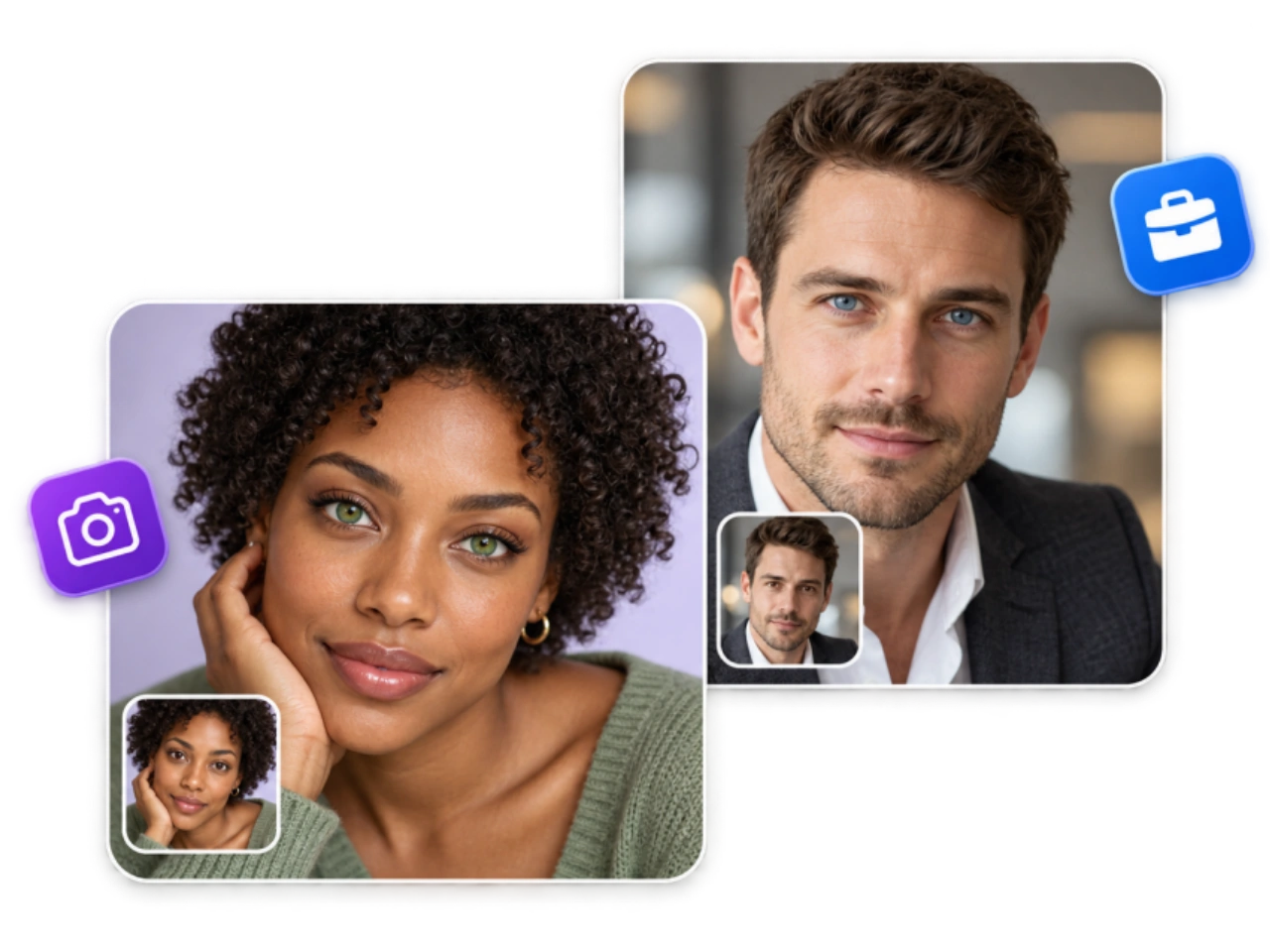
Use PicLumen's eye color changer to explore a possible style choice, develop the finish of a beauty image, or complete a recognizable character look. Each project gives the color change a different purpose.
Explore Colors Before Shopping for Contacts
A product swatch shows a color on its own. An eye color changer lets you explore a similar color direction within your own portrait, alongside your hair, eyebrows, makeup, and overall style. Compare how much contrast you like and whether you prefer a warmer or cooler finish. Save a small set of references that captures your preferences. “A subdued gray-green with a darker edge” is a clearer starting point than simply “green contacts.” Use these images to narrow your color search, then compare the individual products' shade examples. The preview helps express a preference; it does not establish the appearance of a particular lens.
Develop the Finish of Beauty and Fashion Photos
An editorial brief may call for a cooler portrait, a warmer beauty treatment, or an eye color that ties into the wardrobe. PicLumen's eye color changer gives photographers, retouchers, and content creators a way to explore that detail using an existing photograph. For a bronze makeup look, try a warmer iris treatment without requesting changes to the eyeliner or skin. For a cool studio concept, explore a subdued gray or blue-gray. Keep the original shot as the reference so you can judge whether the adjustment supports the styling. When working toward a final image, look for color balance across the whole photograph as well as detail within the eyes.
Complete Cosplay and Fantasy Character Portraits
Eye color can be one of the details that makes a character recognizable. Use the eye color changer to bring a costume portrait closer to its reference, whether the design calls for violet irises, deep red eyes, or a golden fantasy shade. Specify the intended finish. A photographed costume may need a normal pupil and natural reflections, while an illustrated character concept may call for a more stylized treatment. You can use the edited image in a character profile, costume portfolio, or convention photo collection. When developing several images of a character, reuse the same color description in the eye color changer as a starting point, then check each result individually.
How to Change Eye Color in a Photo with PicLumen
Upload a Clear Portrait
1Open PicLumen's image-to-image tool and select a model that supports image editing. Choose a photo with open eyes and visible iris detail. A closer portrait with even lighting gives the eye color changer a useful starting point; distant faces, heavy blur, and bright lens reflections can hide the area you want to change.
Describe the Shade and What to Retain
2Tell the eye color changer which color to create, how intense it should be, and which details should remain consistent. For example: Change both irises to muted olive green with subtle gold flecks. Retain the pupils, iris texture, and original light reflections. Keep the eye shape, gaze, expression, makeup, skin, hair, clothing, and background unchanged. Replace the color description with your preferred shade. Keep the first request focused on eye color so you can judge that change on its own.
Generate, Compare, and Download
3Review both eyes at full size, then look at the entire portrait. Check the pupil shapes, iris edges, color intensity, and facial likeness. If something is off, revise the relevant instruction in the eye color changer and retry from the original photo. Download the version you prefer. Before saving: Look for color spilling onto the whites of the eyes, a missing reflection, an unusually bright shaded iris, or an unintended difference between the two eyes. These are specific reasons to refine the edit.


Loved by Creators Worldwide
Real feedback from designers, marketers, and hobbyists sharing their PicLumen experience on Trustpilot.
 Zaine Jutt
Amazing 😍😍😍😍😍😍 freee 😍😍
Amazing 😍😍😍😍😍😍 freee 😍😍
Ayan SamantaAwesome experience just looking wow
Awesome experience just looking wow
 jsbsbsbs hdhdhshwhw
Very cool i like it it's so smooth
Very cool i like it it's so smooth
 Mubashir Ahmed
This web is very help and free
This web is very help and free
 next frame
best ai web creation site
best ai web creation site
It’s way easier to use then these other…
It’s way easier to use then these other apps
 Selvakumar MSK
Good website.
Good website. Website for creating images.
Great AI program
Great AI program, easy to work with.
Amy CrawfordPic Lumen ai is a bright star in a galaxy of money hungry jabas.
I've been using Pic Lumen ai for a little over a year now. The first thing that stood out to me was the level of quality of the photos. Very realistic, brilliantly clear, vibrant. They've done a lot of expansion in the past year as well ie; using the top of the line image and video generators, adding features like upscaling, I paint, out paint, and editing. And the best thing about this platform is the incredibly affordable prices. If you are new this platform is perfect because they offer a free level allowing you to generate 50 images a day. They have an incredible community of artists and also offer tutorials. Two thumbs up!!
YfadBest AI generator of all times
Best AI generator of all times
 Qadeer Khan
Piclumen is one of the best ai image…
Piclumen is one of the best ai image generator
Amazing work!
Amazing work!! Love it already made some art and people love will be making more!
Eye Color Changer FAQs
What is an AI eye color changer, and how does it work?
An AI eye color changer creates an edited version of a photograph with a different iris color. On PicLumen, you upload an image, select a supported editing model, and describe the change in words. The source photo provides the visual reference, while the prompt specifies the shade and the details you want to retain. You can request a subtle adjustment, a different natural color, or a creative character effect. Results vary with the model, instructions, and source image.
Can an eye color changer turn dark brown eyes blue, green, or gray?
You can request a lighter iris color using a photograph of dark brown eyes. Specify the target clearly: soft slate blue, muted olive green, or light gray with a darker outer edge. A generative eye color changer can create a new color rather than being limited to adjusting the original hue. The result still needs convincing texture, shadows, and pupil definition. If the eyes become flat or unusually bright, request a more subdued finish with visible iris detail. A clear source photograph gives you more detail to compare.
How can I make the new eye color look natural?
Start with a photo where the eyes are sharp enough to inspect. Ask the eye color changer for a specific shade, restrained saturation, visible iris texture, and the original light reflections. A believable result should have variation across the iris rather than one uniform color. If the edit looks artificial, identify the problem before retrying. The color may be too bright, the pupil may have changed shape, or the iris edge may extend onto the white of the eye. Adjust that part of the request instead of adding a longer list of unrelated instructions.
What photos work best with an eye color changer?
Choose a front-facing or gently angled portrait with open eyes, visible pupils, and reasonably even lighting. The irises need enough detail for you to evaluate the edit afterward. Use the original photo file when possible, since a small screenshot or heavily compressed copy may obscure the eyes. A closer image is usually more useful than a full-body shot for this task. Heavy beauty filters can also make it harder to judge whether the eye color changer has retained the person's original appearance.
Will the eye color changer alter my face or eye shape?
It can. PicLumen uses generative image editing, which creates a new result from your photo and instructions. Asking to retain the face guides the model but does not guarantee that every detail outside the irises will be identical. Compare the gaze, eyelid shape, eyebrows, expression, and skin texture with the source image. If the edit changes too much, retry from the original with a simpler iris-only request. Another supported editing model may interpret the same photo differently. Save the original separately so you always have a reference for comparison.
Can I change just one eye or create heterochromia?
You can ask the eye color changer for a single-eye edit or a heterochromia effect, with a different color in each eye. Describe positions from the viewer's perspective to reduce ambiguity. For example: “Change the iris on the left side of the photo to blue; retain the brown iris on the right.” Check both eyes after generating, since directional instructions can be interpreted differently across models. For an existing heterochromia portrait, state explicitly whether you want to preserve the difference or make the colors match.
Does the eye color changer work with glasses or side-profile photos?
It depends on how much of the iris remains visible. Clear glasses with little glare may leave enough detail for an eye color edit. Tinted lenses, bright reflections, hair across the eye, or a sharp side angle can obscure it. An eye color changer may generate details where the original photo provides little information. If you want to judge the color on your own recognizable eyes, use another photo with less obstruction when available. Simply making the image larger will not establish details that were hidden in the source.
Can I edit one person's eye color in a group photo?
You can request a change to one person by describing their position and a visible identifying detail, such as “the person in the center wearing a blue shirt.” Ask the eye color changer to retain the other people, and review every face after generating. Precision becomes harder when the eyes occupy only a few pixels or faces overlap. A closer group photograph or an individual portrait may provide a better reference. Do not assume that selecting one person in your written request guarantees that everyone else will remain completely unchanged.
See a New Eye Color on Your Own Photo
Start with a portrait and one shade you want to explore. Use PicLumen's AI eye color changer to try the color, refine its finish, and compare it with your original look. Save a subtle everyday edit or take a character portrait in a more creative direction.
- AI Cartoon Generator
- Black Friday Ads
- AI Banner Generator
- AI Facebook Cover Generator
- AI Jewelry Photography Online
- AI Product Photo Generator
- AI Social Media Post Generator
- AI Business Card Maker
- AI Photo Face Swap
- AI Dance Video Generator
- AI Influencer Generator
- Santa Gifting Video
- AI Short Video Generator
- AI Video Extender
- AI Promo Video Generator
- AI TikTok Watermark Remover
- AI YouTube Outros
- AI Photo to Cartoon
- AI Icon Generator
- Photo to Art
- AI Book Cover Generator
- AI Baby Generator