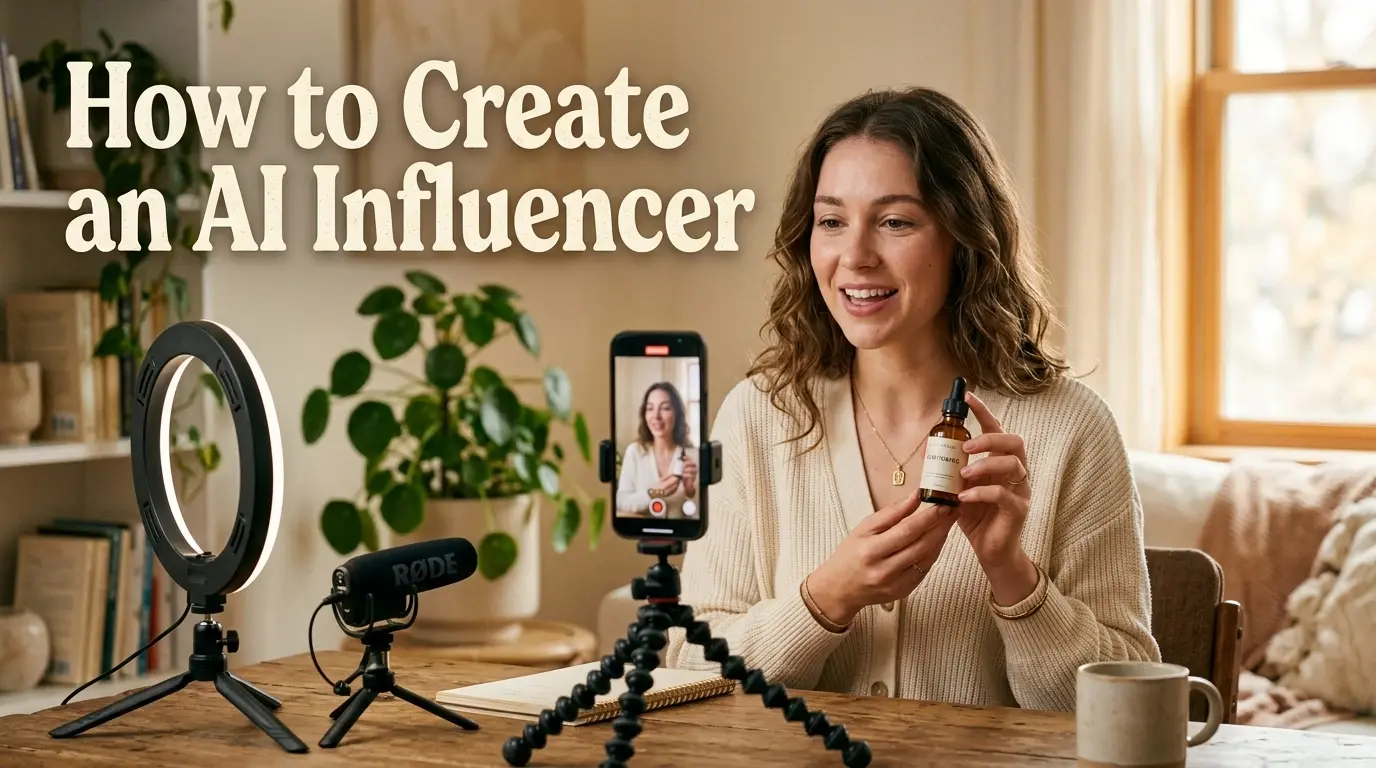
Hiring creators is inefficient. Finding the right creator, negotiating rates, and waiting on schedules and delivery can take weeks. Content consistency is hard when every creator has a different style. Brands need more TikTok, Reels, Shorts, and UGC-style videos than ever before.
AI influencers offer another way. Instead of coordinating with a new creator for every campaign, brands can build one virtual persona and reuse it across photos and videos.
This guide walks through the full workflow, from creating an AI influencer image to turning it into short-form video content.
Quick Answer:Generate a consistent character with an AI image generator. Reuse the same reference and prompt across new images. When the character looks stable, upload the image to a video model and turn it into a short clip.
What Is an AI Influencer?
An AI influencer is a virtual character whose appearance, voice, and content are generated or controlled by AI. They post on Instagram, TikTok, and YouTube like real creators.
Some are fully synthetic. Others are built from a real person's image with AI tools layered on top.
A brand can use one for product images, lifestyle shots, short-form video for Reels and TikTok, and UGC-style clips for paid social. The same character works across multiple ads or a full campaign.
For most brands, the practical version is simple: one consistent character, used for social posts, ads, and product content.
Before You Start: Define Your AI Influencer
Decide who this character is before you open any tool. A short brief makes every image and video easier to generate.
Here are four things to define:
Name and identity – age, background, and a short backstory.
Look and style – hair, face, body type, and usual outfits.
Niche – fitness, beauty, tech, fashion, food, travel, or lifestyle.
Platform and audience – where they post, and who they talk to.
For example: a 26-year-old personal trainer in Los Angeles posting workout clips for people in their 20s. Or a 30-year-old skincare specialist in Seoul sharing routines for sensitive skin.
With the brief ready, you can move on to building the character with PicLumen's AI influencer generator.
How to Create an AI Influencer With PicLumen
How to Create an AI Influencer Image
Step 1: Enter a Prompt and Upload a Reference Image (Optional)
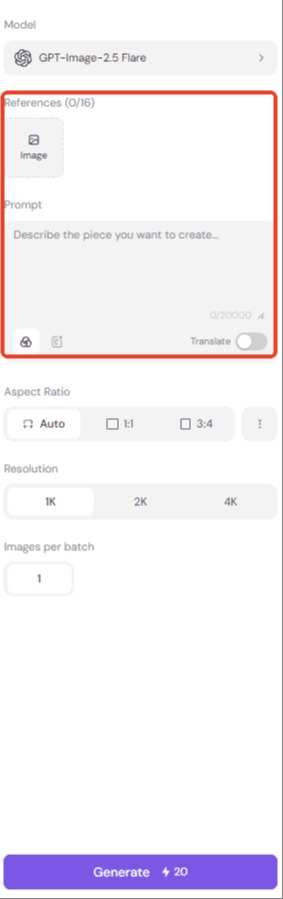
Start by describing the character's appearance, outfit, and setting. If you already have a look in mind, upload one or more reference images to help the model match the face and style more closely.
Clear images help the model read the face and key features. More visual detail usually means a more accurate result.
Tips: If your AI influencer could be mistaken for a real person, disclose that it is AI-generated. Under the EU AI Act, transparency requirements for certain AI-generated content take effect on August 2, 2026. Also make sure you have the right to use any reference images, and avoid fake testimonials or misleading product claims.
Step 2: Choose a Model
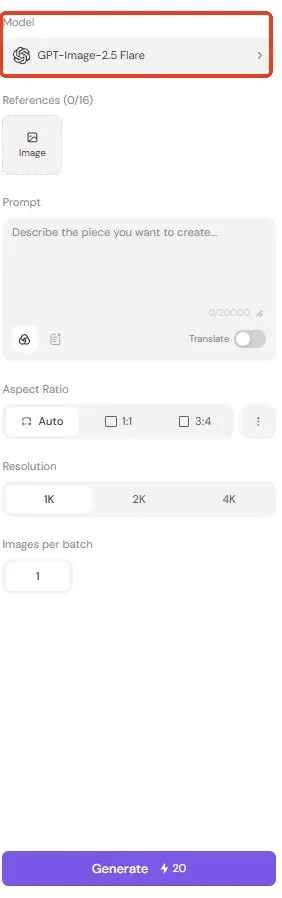
Different models produce different looks. Some lean realistic, some lean stylized or illustrated. If you are not sure which one to pick, start with a popular model like GPT Image 2.5 or Seedream 5.0 Pro. Both handle realistic portraits well.
If the first model does not fit, try another. Switching models resets the input, so you will need to upload your reference image again.
Step 3: Adjust Image Settings
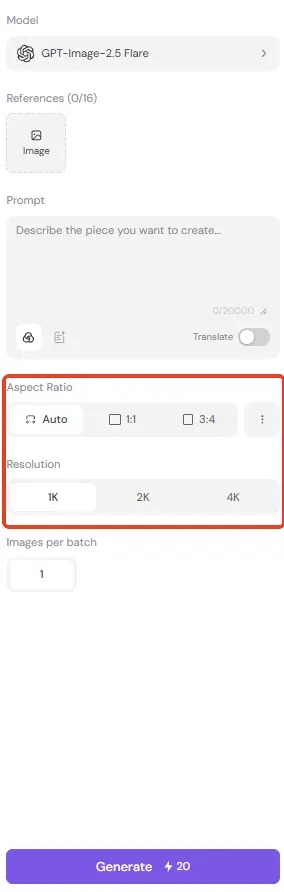
Set the Aspect Ratio for the platform you plan to post on. Square works for feed posts, 9:16 for Reels and TikTok, 16:9 for banners and website headers.
Adjust Resolution based on how sharp you need the final image. Higher resolution is useful for ads and product pages. Lower resolution is fine for quick tests.
Images per batch is fixed at 1.
Step 4: Generate and Review
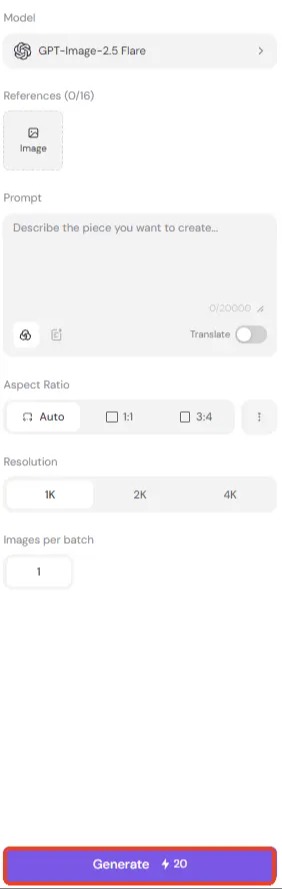
Click Generate. Wait for the result, then look at it against your reference image.
Check the face first. The shape, features, and skin tone should match what you set up in Step 1. Then check the outfit, background, and overall style.
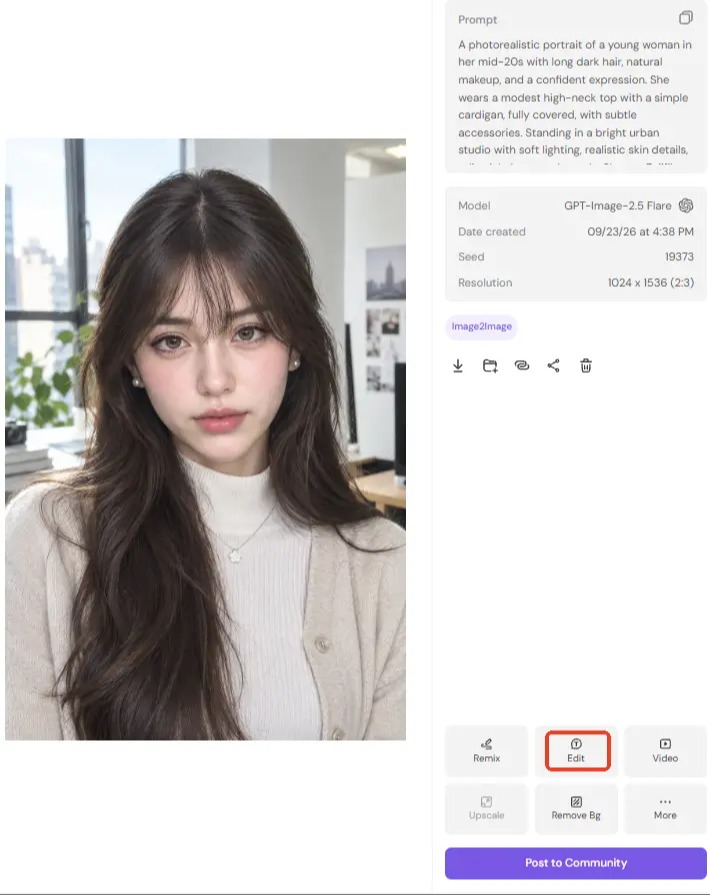
If something is off, you can edit the result directly for small changes. For bigger changes, adjust the prompt, swap the reference image, or try a different model.
Start Creating Images on PicLumen
How to Turn an AI Influencer Image Into a Video
Step 1: Upload Your AI Influencer Image (Optional)
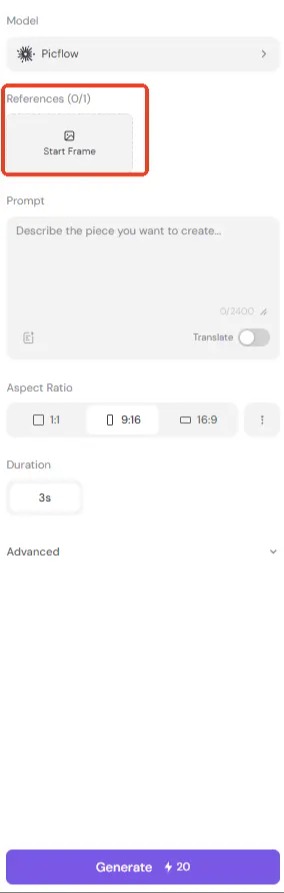
Use the AI influencer image you already generated as the starting frame. Reusing the same image keeps the face, outfit, and overall style consistent when the character moves. You can also skip the upload and generate from a video prompt alone. Some models accept a reference video:Seedance 2.5, Wan 3.0, and Kling 3.0 Motion Control. Seedance 2.5 and Wan 3.0 also accept reference audio.
Pick an image with a clear, front-facing subject. Sharp detail on the face helps the video model keep the character consistent through motion.
Step 2: Write a Video Prompt
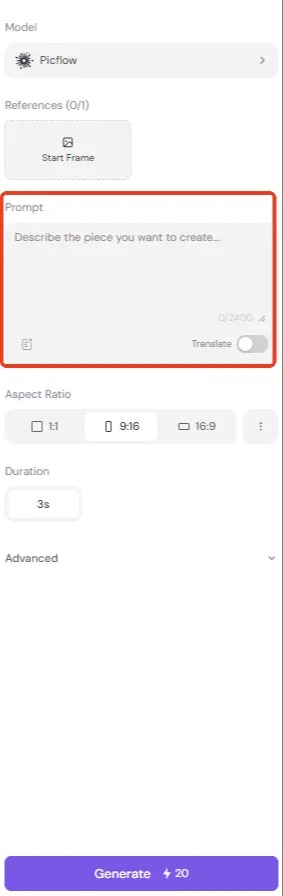
Describe what happens in the clip. Cover four things: action, expression, camera movement, and scene.
For example: "She smiles softly and turns slightly toward the camera, slow push-in, soft window light, calm background."
Keep it to one clear action. For short influencer clips, start with one primary action. Simpler motion is usually easier to control and helps reduce facial or body inconsistencies.
For a UGC-style look, add "casual, phone-shot look, natural lighting" to the prompt.
Step 3: Choose a Video Model
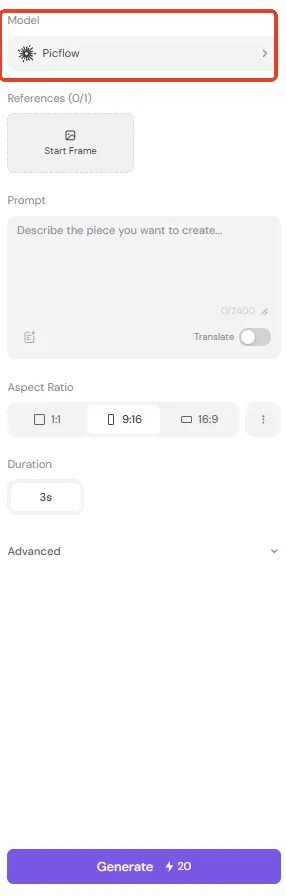
Video models differ in how they handle motion, realism, and detail. Some produce smoother movement, others hold facial detail better.
Some video models also accept a reference video. If you have a clip with the style or motion you want, you can upload it alongside your image.
If the first result looks stiff or distorted, switch models before rewriting the prompt.
Step 4: Adjust Video Settings
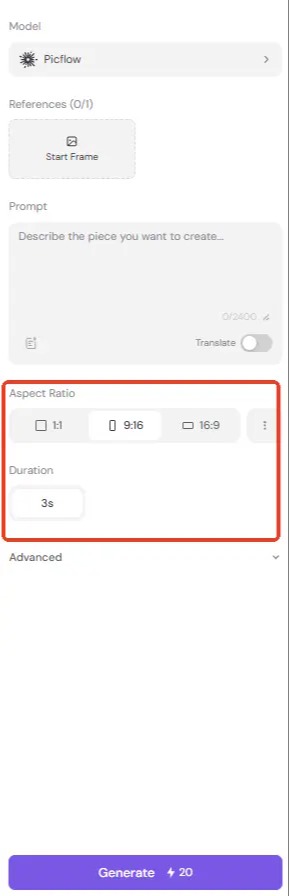
Use the same Aspect Ratio rules as images: 9:16 for TikTok and Reels, 16:9 for YouTube and website embeds, and 1:1 for feed posts.Resolution is adjustable.Different models offer different quality settings, up to 2K.
Video length depends on the model. Some models let you choose the duration, while others are fixed. Check the model description before you generate.
Because most clips are short, small details matter more. A slight head turn or a small smile reads better than a large gesture.
Step 5: Generate and Review
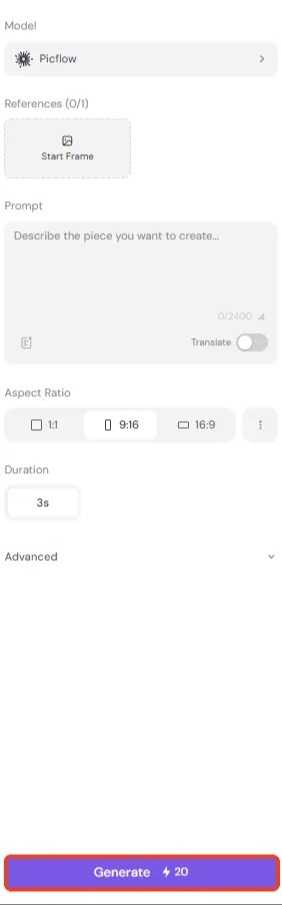
Click Generate and wait for the clip to render. Watch it once for motion, then watch it again for consistency.
Watch the clip twice. The face should stay stable from start to finish. If the features shift or blur, the model is not holding the character well.
Then check the motion: does the action look natural, or does it feel mechanical?
If the result is off, change one thing. Try a different model, adjust the prompt, or use a different source image.
AI Influencer Prompt Examples
The three prompts below cover the main things you will generate: a base portrait, a lifestyle shot, and a short video. You can copy them as-is, or adjust the outfit, setting, and action to fit your product or campaign.
AI Influencer Image Prompt
"A photorealistic portrait of a young woman in her mid-20s with long dark hair, natural makeup, and a confident expression. She wears a modest high-neck top with a simple cardigan, fully covered, with subtle accessories. Standing in a bright urban studio with soft lighting, realistic skin details, editorial photography style. Shot on Fujifilm X100V, 35mm lens, natural skin texture, pores visible, unfiltered, clean editorial aesthetic. No low neckline, no cleavage, no bare shoulders."
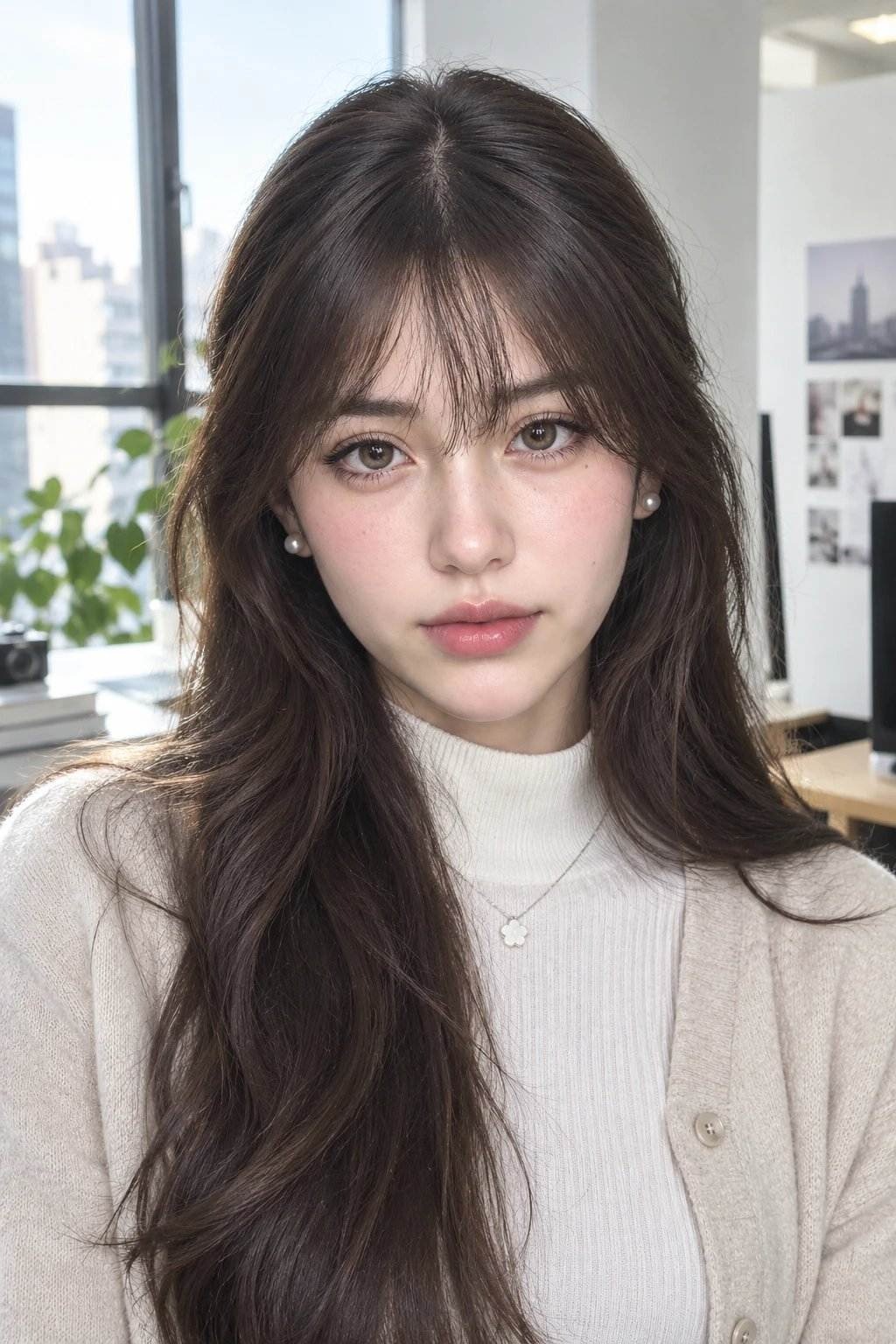
AI Influencer Lifestyle Image Prompt
"Same woman, standing outside a cozy urban coffee shop, wearing a beige ribbed knit long-sleeve crop top and high-waisted white trousers. Holding a large coffee cup near her lips with one hand. Her other hand rests on her hip casually. Soft confident gaze, hair tied in a relaxed low bun. Golden hour sunlight casting warm highlights, bokeh city background, shot on Fujifilm X100V, 35mm lens, natural texture, Instagram brand collab aesthetic."
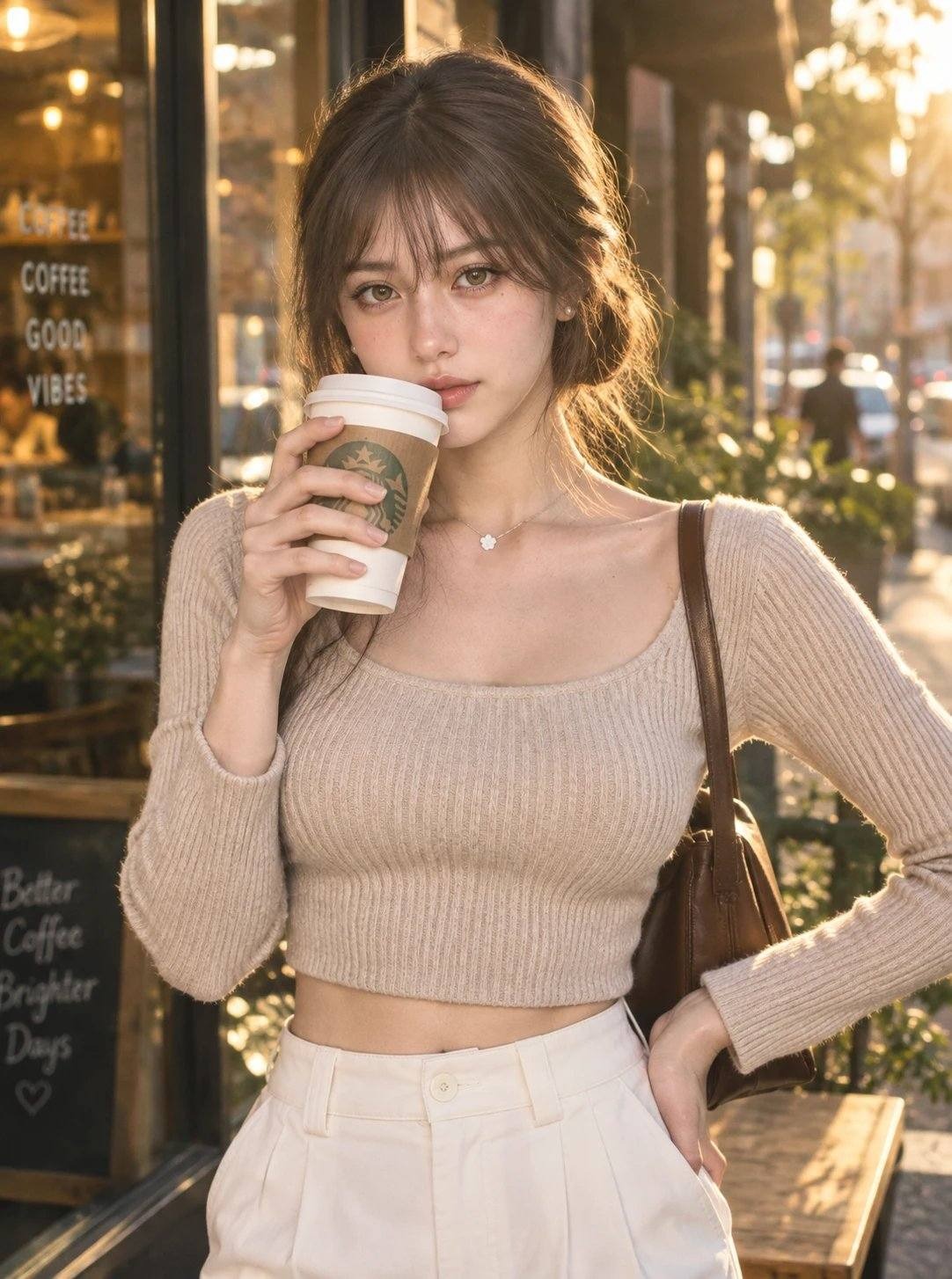
AI Influencer Video Prompt
"The camera pushes in slowly from a medium to a close-up as she lifts the cup to take a sip, then lowers it with a soft smile while glancing toward the side. Her hand stays in her pocket, posture relaxed but confident. The street behind her softly blurs as warm lights inside the cafe begin to glow subtly."
Tips:Put the most important character details near the start of the prompt. If the result looks too polished, add natural skin texture or slight film grain. For video, describe what the character does, not how they feel.
How to Keep Your AI Influencer Consistent
Consistency is the hardest part of building an AI influencer. These five rules keep the same character across every image and video.
Consistency Rule | Why It Matters |
Keep one master reference | Avoids identity drift |
Reuse the same identity description | Locks in face, hair, and body traits |
Always start from the master reference | Each new image should come from the same source |
Change one major variable at a time | Makes it easier to see what caused the drift |
Use multiple angles when the model supports it | Improves consistency across different poses |
The most important rule is the third one. A common mistake is to keep using the newest image as the reference for the next one. The face changes a little each time, and after a few generations, the character stops looking like the same person.
Start each new image or video from the same master reference, not from the last output. The outfit, background, pose, expression, and lighting can all change. The face should stay the same.
Build Your First AI Influencer Content Set
Before you post, build a small content set. A new account needs a few posts ready to go. The first posts set the tone for the rest.
Here's a starting set to prepare in one batch:
Content | Purpose |
Profile portrait | Account avatar |
Lifestyle shot | Show daily life |
Product image | Brand deals and affiliate posts |
Casual selfie-style image | Feel more authentic |
Vertical short video | Reels and TikTok |
Talking or demo clip | Paid social and UGC ads |
Once the set is ready, you can schedule posts and test ad creatives. You can also pitch brands with a full portfolio instead of a single photo.
FAQs
How Do I Make an AI Influencer?
The process has four steps. Define the persona, generate a consistent base character, produce photos and videos, then build a reusable content set. Keep the same reference image and prompt throughout so the character stays consistent.
How Do I Create an AI Influencer Image for Free?
You can use an AI image generator with free credits to create an AI influencer image. Upload a reference image, describe the character, outfit, and setting, then generate a few variations. PicLumen also offers free credits for testing AI influencer images.
How Do I Keep the Same Al Influencer Face in Every Image?
Start from one master reference image. Use the same identity description in every prompt. Don't use the latest output as the reference for the next image, or the face will drift.
How Do I Make the AI Influencer's Video Look More Natural?
Keep movements simple and specific. Describe one clear action, then add subtle camera or environmental movement if needed.
Do I Need to Disclose That My Influencer Is AI?
It depends on how and where the content is used. Under the EU AI Act, certain AI-generated or manipulated content, including qualifying deepfakes, is subject to transparency requirements from August 2, 2026. Sponsored content may also require disclosure under advertising rules, such as those enforced by the FTC in the U.S.
.png)
 (1)_compressed.jpg)