A good Seedream prompt does not need to be long. It needs to be clear.
Seedream 5.0 Pro is ByteDance's multimodal image model for image generation and editing. It can edit selected areas, follow rough sketches, combine reference images, create text-rich designs, and separate finished visuals into layers. The model also focuses on professional image production, realistic materials, structured layouts, and precise visual control. Still, the result depends on how you ask.
A product image needs a different prompt from a local edit. A poster prompt needs clear text placement. A multi-image request must explain what each reference is for. This Seedream 5.0 Pro AI image generator prompt guide gives you 50 examples for products, portraits, food, interiors, posters, cinematic scenes, and image editing.
You can copy them as they are or replace the subject, color, location, and text. Use them as starting points rather than fixed formulas.
Want a deeper look at what the model can do? Read our full Seedream 5.0 Pro guide.
Find the Right Seedream 5.0 Pro Prompt for Your Task
| Your Goal | Start With |
|---|---|
| Create a realistic person | Portrait prompts |
| Make a product advertisement | Product and campaign prompts |
| Add readable text | Poster and typography prompts |
| Build a story-driven image | Cinematic scene prompts |
| Fix part of an existing imag | Local editing prompts |
| Combine several references | Multi-image prompts |
| Turn a drawing into a finished image | Sketch prompts |
| Prepare a design for editing | Layer separation prompts |
You do not need a long prompt for every task.
- For a new image, start with: Subject + setting + composition + lighting + key detail
- For an edit, use: Change + protected details
- For several references, state: Which image controls which part That is enough to begin.
Seedream 5.0 Pro AI Image Generator: 30 Prompt Examples
Realistic Portrait Prompts
Good portrait prompts describe what the camera can see. Avoid empty words such as "beautiful," "perfect," or "high quality." Mention the setting, crop, clothing, and light instead. 1. Soft Window Portrait
"Close portrait of a woman beside a rain-covered window, loose dark hair, soft grey daylight, natural skin texture, quiet editorial photography."
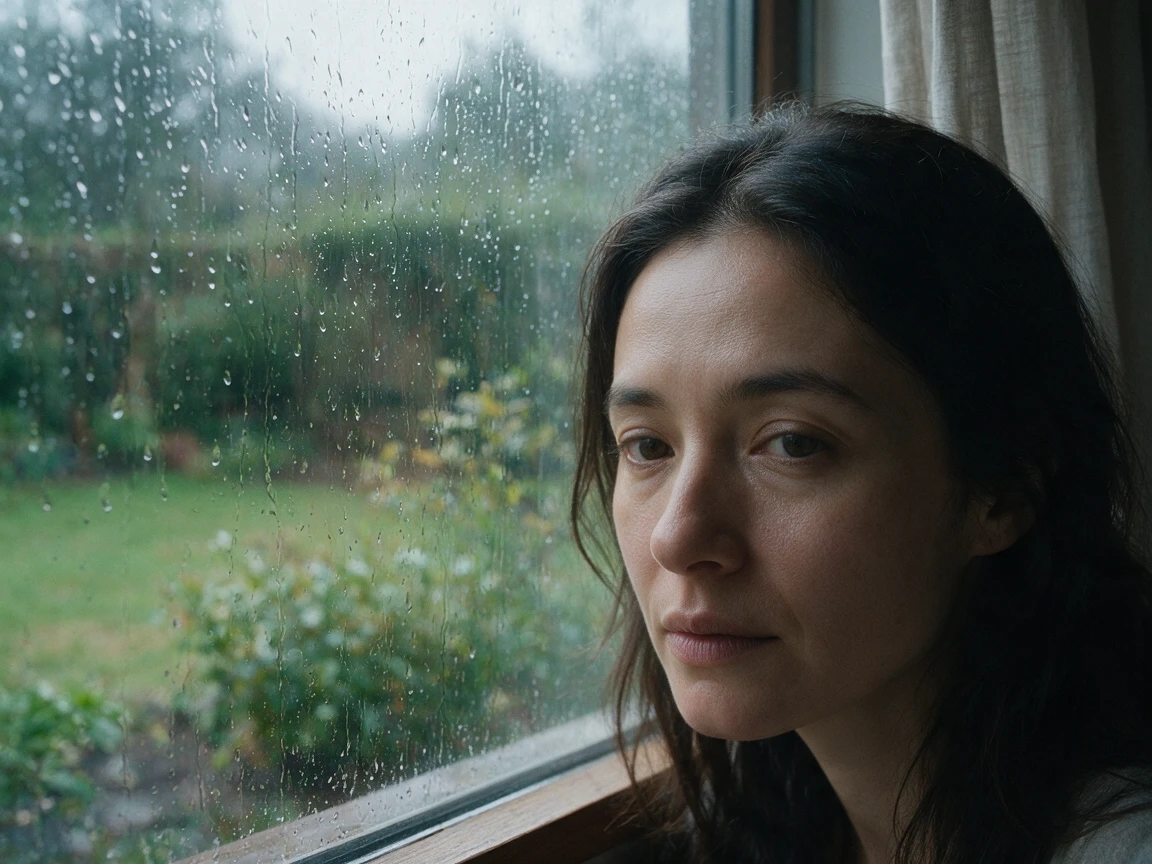
Change it: Replace the window, weather, hairstyle, or time of day. 2. Hard-Flash Street Portrait
"Young man outside a late-night convenience store, silver jacket, direct camera flash, wet pavement, slightly off-center framing, early-2000s street photo. This works because the flash, location, and imperfect framing create a clear visual direction."
3. Outdoor Documentary Portrait
"An older gardener holding fresh herbs, faded linen shirt, weathered hands, warm sunlight through leaves, natural garden background."
4. Clean Studio Portrait
"Waist-up portrait against a pale grey studio wall, black turtleneck, soft light from the upper left, subtle shadow, calm magazine style."
5. Summer Travel Portrait
"Woman standing on a quiet train platform in southern Italy, cream summer dress, warm afternoon sun, small suitcase beside her, candid travel photograph."
6. Moody Music Portrait
"Male singer sitting backstage after a show, black shirt, red curtain behind him, one warm lamp, tired expression, grainy 35mm photo."
Quick Portrait Tip
State the crop when it matters: Close-up / Shoulders and above / Waist-up / Full body / Wide environmental portrait. Without this detail, the model may choose the framing for you.
Product Photography Prompts
Product prompts need clear materials and surfaces. A "luxury bottle" can look very different depending on whether it is made from frosted glass, polished metal, or matte ceramic.
7. Minimal Skincare Image
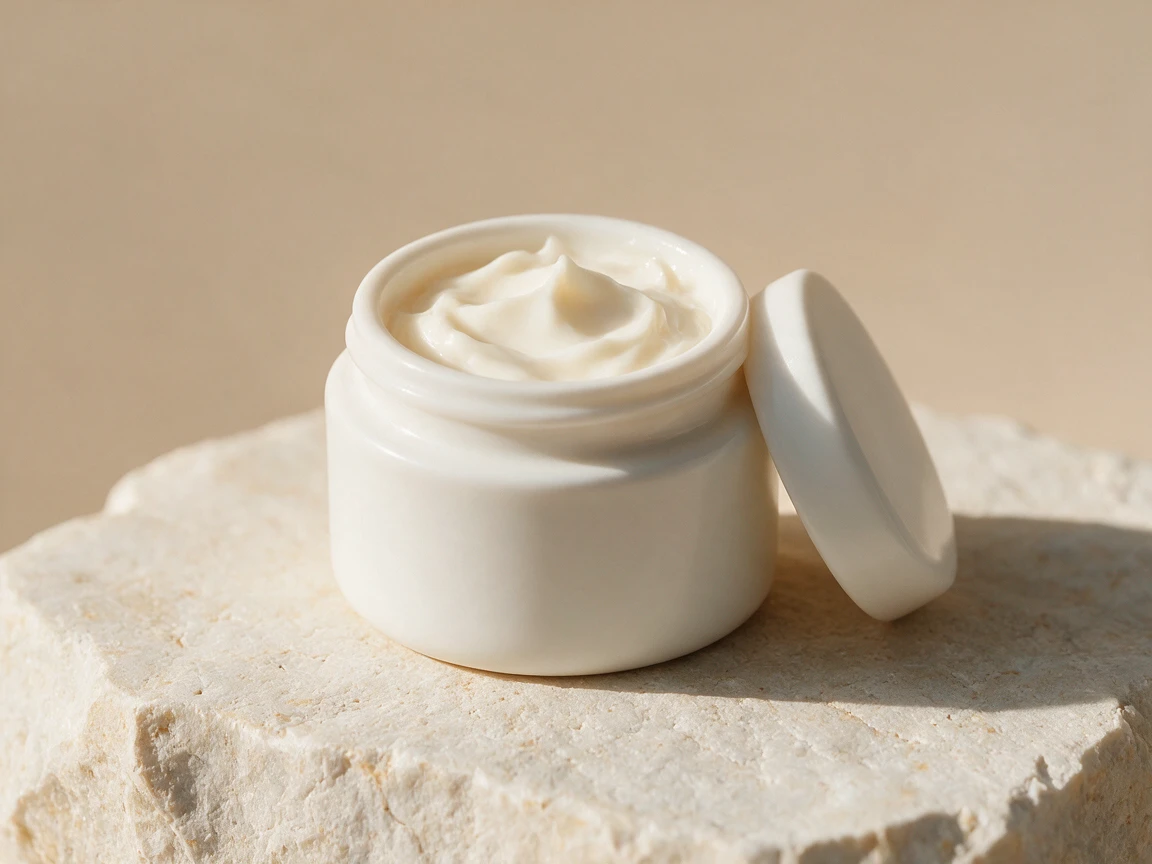
"White ceramic face cream jar on pale limestone, soft morning light from the left, beige background, small natural shadow, clean skincare photography."
8. Dark Perfume Campaign
"Amber perfume bottle on wet black slate, narrow side light, deep green background, long shadow, gold label reading 'NOCTURNE.'"
9. Bright Soda Advertisement
"Cold peach soda bottle on a yellow café table, hard summer sunlight, playful diagonal shadow, condensation on the glass, lively commercial photo."
10. Wireless Headphone Shot
"Silver wireless headphones floating above a soft grey surface, front three-quarter view, even studio light, subtle shadow below."
11. Natural Candle Product Photo
"Handmade soy candle in a brown glass jar, placed on rough oak beside one dried leaf, warm window light, quiet autumn mood."
12. Running Shoe Campaign
"White running shoe on a red athletics track, low camera angle, sharp morning light, small dust particles in motion, energetic sports advertisement."
Product Prompt Tip
Keep props under control. Weak: A skincare bottle surrounded by flowers, fruit, mirrors, silk, water, stones, smoke, crystals, and glowing particles.
Better: A skincare bottle beside one white camellia, pale stone surface, soft window light. One strong prop is often more useful than eight competing details.
Food and Lifestyle Prompts
AI food images can look artificial when the prompt adds too much styling. Keep the plate, surface, light, and visible ingredients clear. 13. Quiet Café Breakfast
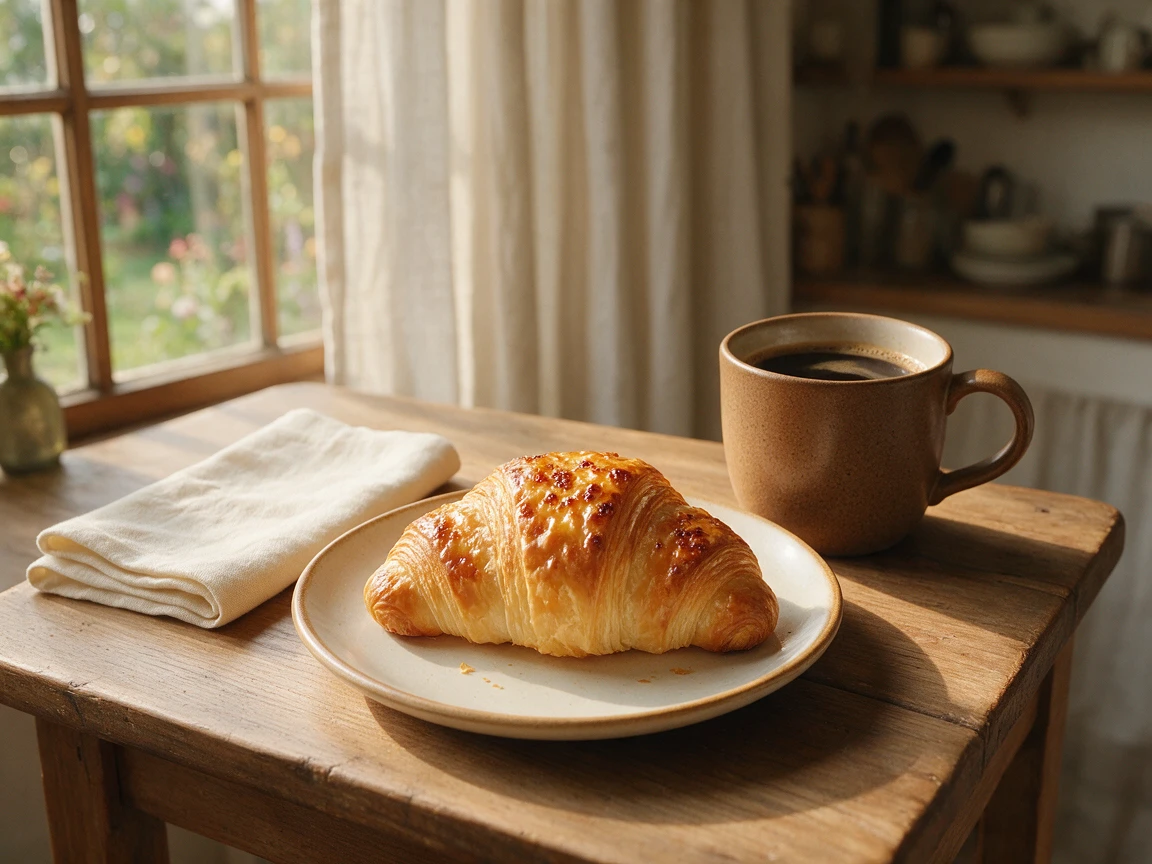
"Butter croissant beside black coffee on a small wooden table, folded cream napkin, warm window light, soft morning shadows."
14. Fresh Summer Salad
"Tomato and peach salad on a white ceramic plate, fresh basil, olive oil, overhead view, bright natural light, pale linen background."
15. Dark Chocolate Dessert
"Slice of chocolate cake on a matte black plate, rough wooden table, soft side light, shallow focus, a few cocoa crumbs."
16. Casual Home Cooking
"Bowl of tomato pasta on a kitchen counter, grated parmesan, linen towel nearby, late-afternoon sunlight, relaxed home photography."
17. Editorial Tea Scene
"Clear glass teapot filled with jasmine tea, two small cups, pale green table, soft shadows, minimal Asian lifestyle editorial."
Interior and Architecture Prompts
Interior prompts need one clear style. Do not combine five design movements unless the contrast is intentional. 18. Scandinavian Living Room
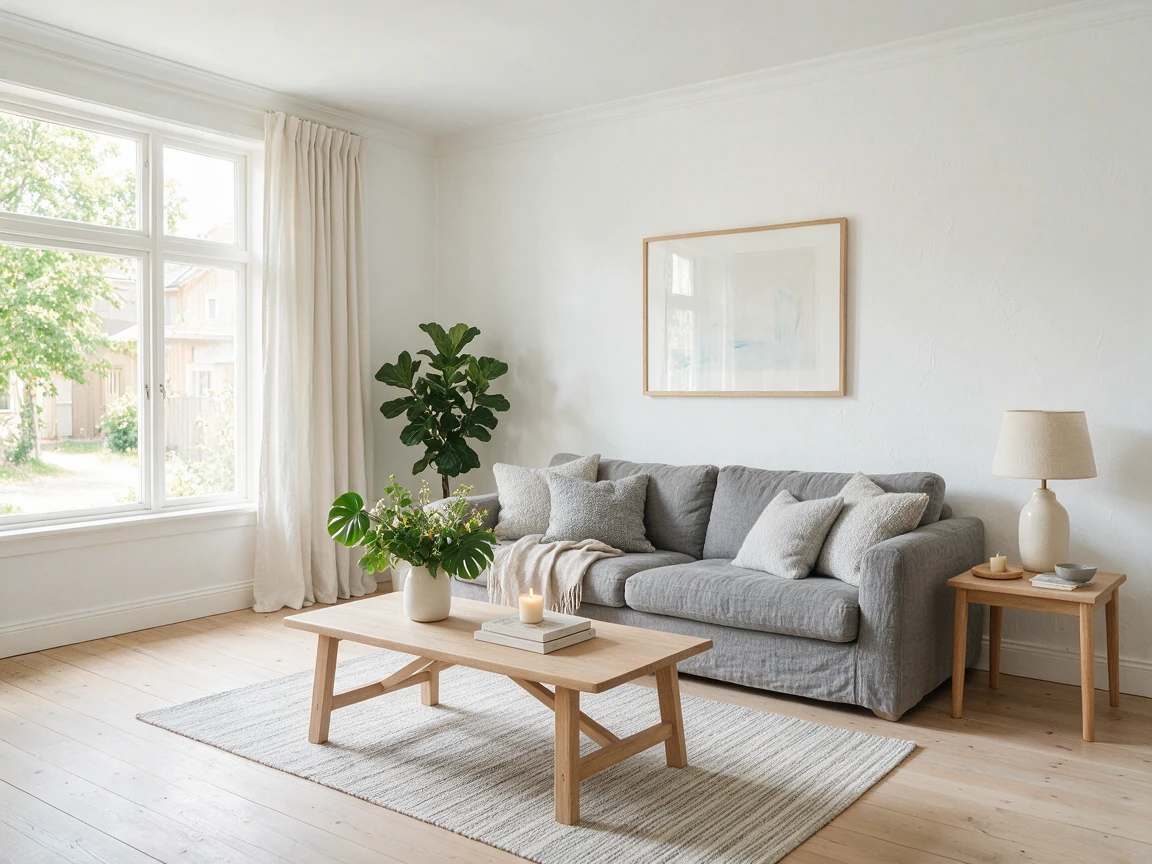
"Scandinavian living room with pale oak floors, grey linen sofa, one low coffee table, white walls, daylight from a large left window, no clutter."
19. Mid-Century Kitchen
"Mid-century kitchen with walnut cabinets, cream terrazzo counters, brass fixtures, open ceramic shelves, warm morning light."
20. Brutalist Library
"Large Brutalist library, exposed concrete beams, long wooden study tables, floor-to-ceiling bookshelves, overcast light from high windows."
21. Small Coastal Hotel
"Small Mediterranean hotel lobby, limewashed walls, blue ceramic tiles, linen seating, open doors facing the sea, bright natural light."
22. Futuristic Retail Space
"Minimal eyewear store with curved brushed-metal walls, translucent shelves, cool overhead light, wide symmetrical view."
Interior Prompt Tip
Pick one main style and one supporting detail. Instead of: Scandinavian industrial rustic Art Deco apartment. Try: Scandinavian apartment with one black industrial floor lamp.
Cinematic Seedream 5.0 Pro Prompts
"Cinematic" alone is not a useful direction. Add a place, a small action, a light source, and a camera position. 23. Empty Laundromat
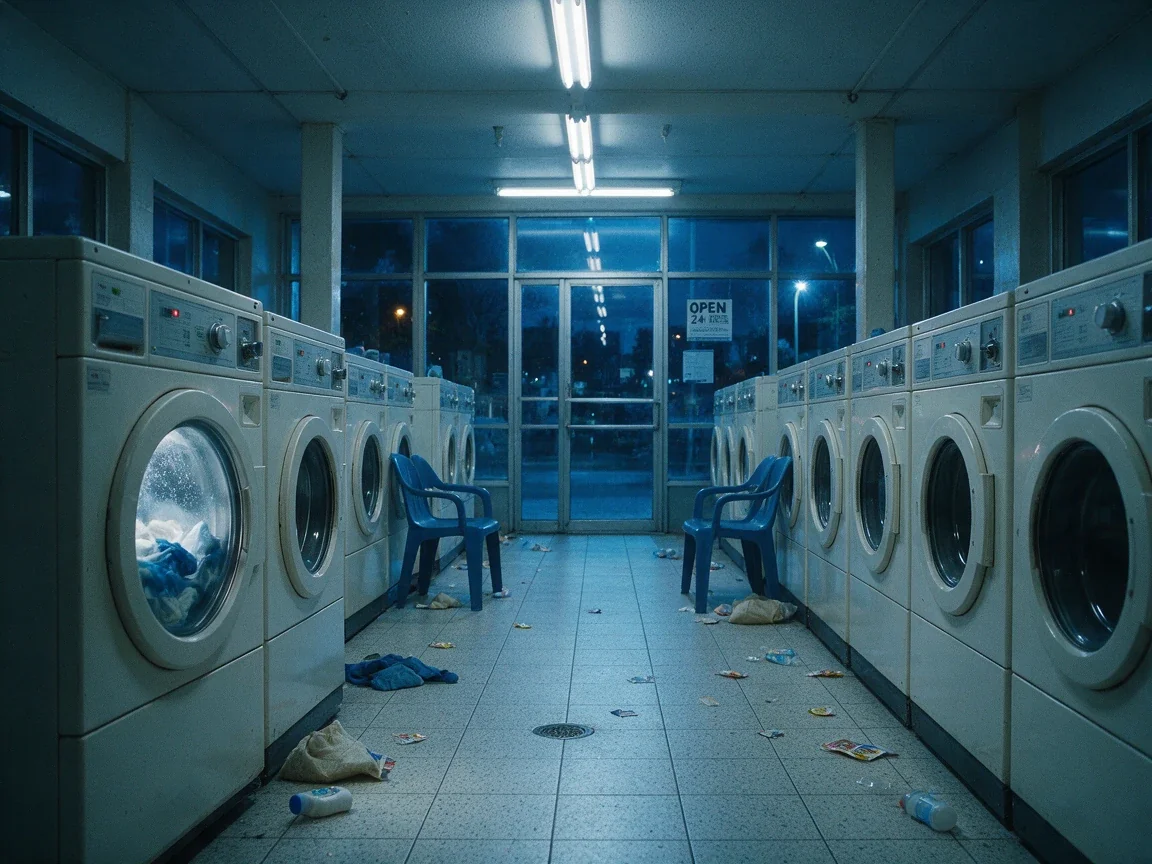
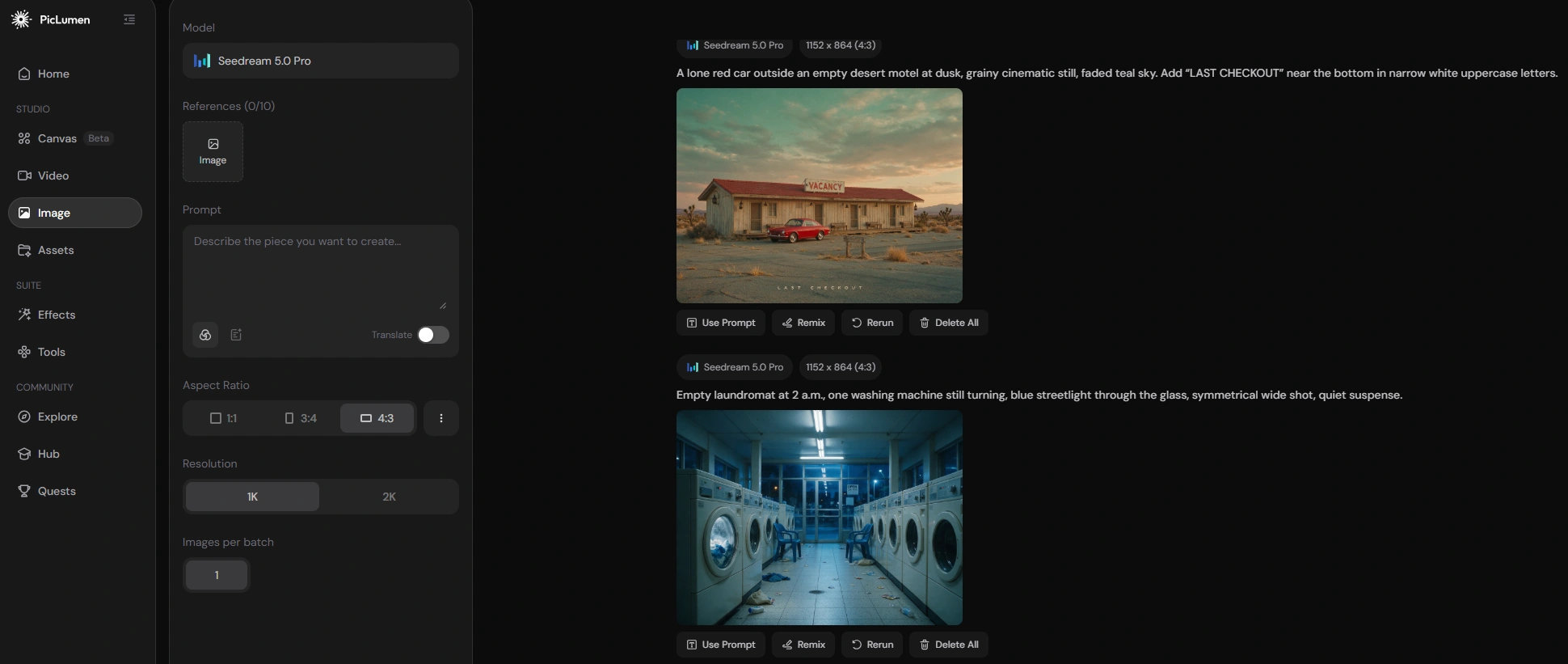
"Empty laundromat at 2 a.m., one washing machine still turning, blue streetlight through the glass, symmetrical wide shot, quiet suspense."
24. Closed Roadside Diner
"Two teenagers riding bicycles past a closed roadside diner at sunset, long shadows, faded summer colors, wide 35mm film frame."
25. Rainy Car Interior
"Driver sitting alone in a parked car at night, cool dashboard light on the face, rain moving down the side window, view from the passenger seat."
26. Flooded Library
"Old library slowly filling with clear seawater, books floating between wooden shelves, sunlight falling from high windows, dreamlike realism."
27. Last Train Home
"A woman running toward the final train, empty platform, coat moving behind her, cold fluorescent lights, wide frame from across the tracks."
28. Desert Motel Mystery
"Red suitcase outside a faded desert motel room at dawn, door slightly open, long quiet road behind it, muted film colors."
Cinematic Prompt Tip
Add one small action:
- Turning toward a door
- Waiting beside a phone
- Walking away
- Holding an unopened letter
- Watching something outside the frame
- A small action gives the image a reason to exist.
Poster and Typography Prompts
Seedream 5.0 Pro supports text-rich visual creation and structured design layouts. ByteDance also highlights multilingual text generation, though small text and pixel-level details may still need checking. Place the exact text inside quotation marks. Then state where it should appear. 29. Independent Film Poster
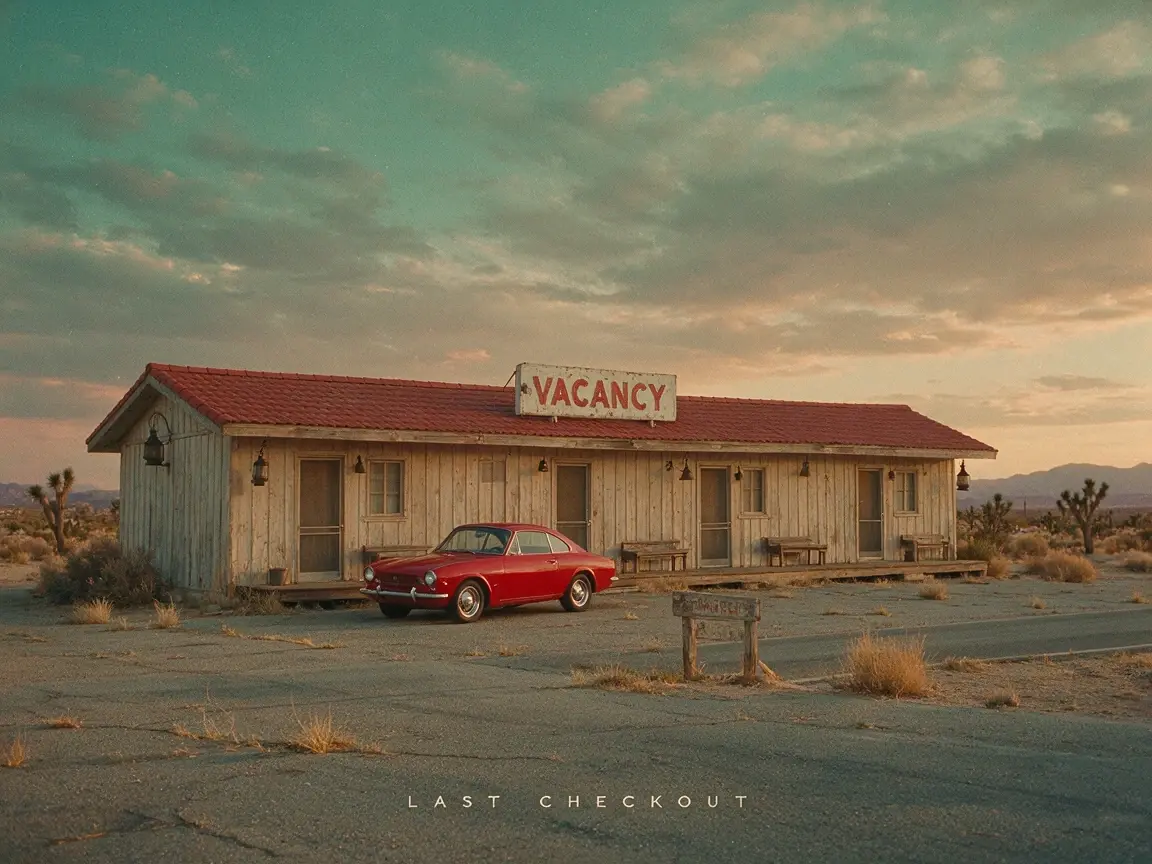
"A lone red car outside an empty desert motel at dusk, grainy cinematic still, faded teal sky. Add “LAST CHECKOUT” near the bottom in narrow white uppercase letters."
30. Coffee Shop Opening Poster
"Warm gouache illustration of a small corner coffee shop at sunrise, cream border. Add “NOW OPEN” at the top and '7 AM DAILY' below."
31. Contemporary Art Poster
"Abstract paper shapes in cobalt blue, black, and off-white, balanced modern layout. Add “FORM / SPACE” in bold black type at the upper left."
32. Travel Campaign Poster
"Coastal train passing above a quiet Mediterranean beach, bright midday light, crisp photography. Add “TAKE THE SLOW WAY” across the top."
33. Music Festival Poster
"Open field at sunset with a small crowd facing a glowing stage, grainy orange and green photography. Add “OPEN AIR 26” in large condensed type."
34. Bookshop Event Poster
"Cozy secondhand bookshop with tall wooden shelves and one red reading chair. Add “MIDNIGHT READINGS” in cream serif text at the center."
Better Text Prompt Format
Use: Add the English headline "NIGHT MARKET" at the upper left, bold condensed sans-serif, white, left-aligned.
Include: Exact words / Language / Position / Alignment / General font style / Text color Start with a headline. Add smaller copy later.
Social Media and Advertising Prompts
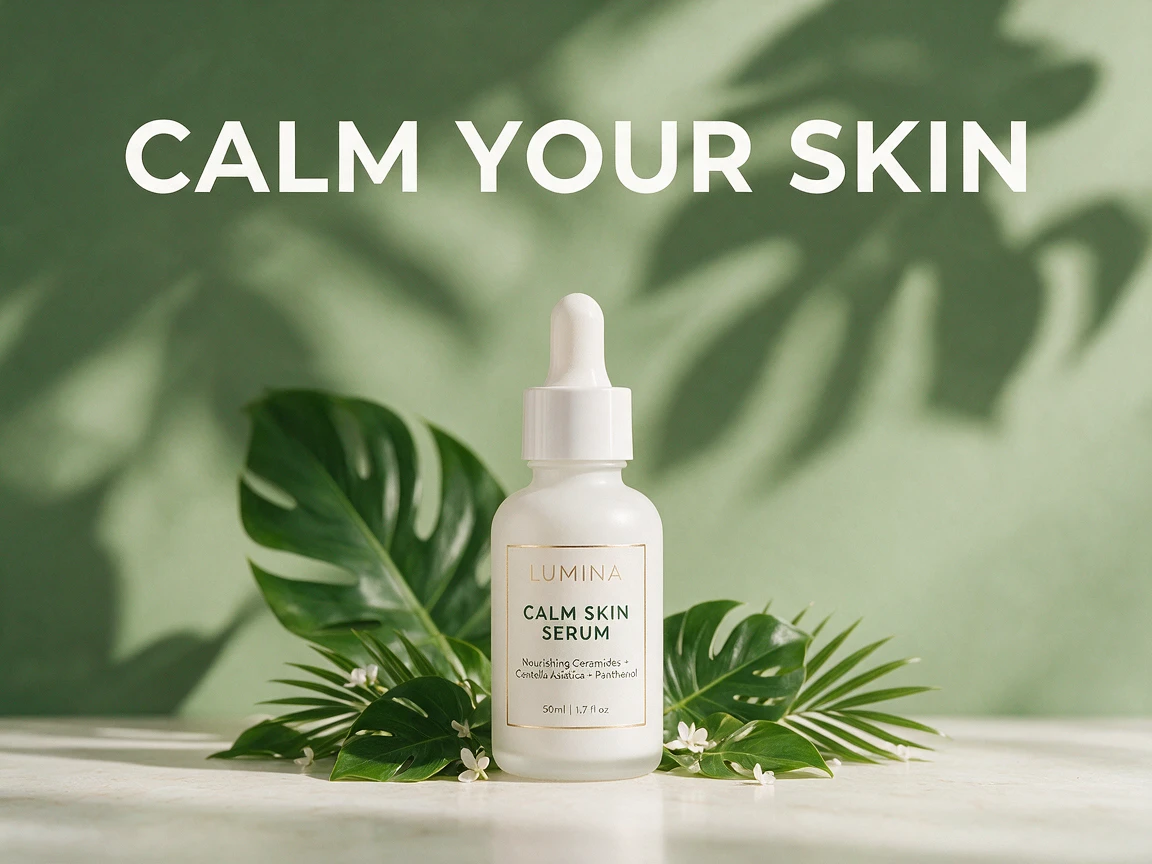
Campaign prompts should make the visual hierarchy clear. State what should be noticed first and where the copy belongs. 35. Skincare Social Ad
"Square skincare ad with a pale sage background, white serum bottle centered, soft leaf shadow behind it. Add 'CALM YOUR SKIN' above the bottle."
36. Sports Campaign
"Black-and-white runner mid-stride, low camera angle, strong motion, red diagonal stripe across the lower third. Add 'MOVE FURTHER' at the bottom left."
37. Fashion Banner
"Wide banner with a model in a cream suit walking through a sunlit stone hallway. Leave clean space on the right for 'SUMMER EDIT.'"
38. Headphone Launch Image
"Young woman wearing white headphones on a city bus, warm evening light, candid side profile. Add 'YOUR CITY. YOUR SOUND.' in the empty window area."
39. Eco Packaging Campaign
"Recycled paper soap box on moss-covered stone, soft forest light, small water droplets. Add 'LESS WASTE. MORE CARE.' above the product."
40. Album Cover
"Silver car mirror reflecting an empty highway at night, deep blue tones, subtle film grain. Add 'NO SIGNAL' in small white type at the center."
Seedream 5.0 Pro Image Editing Prompts
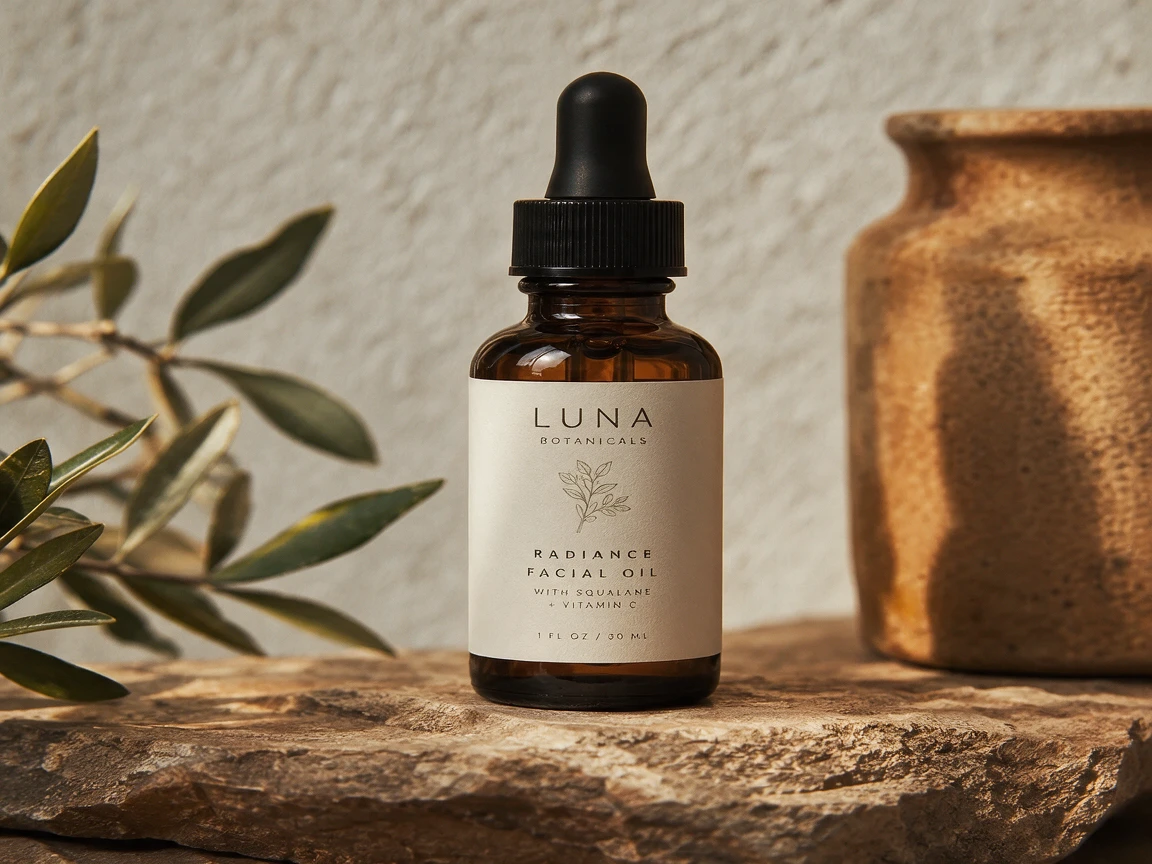
Seedream 5.0 Pro places strong focus on precise local editing. It can change a selected object, color, label, or background area without requiring a complete restart. Keep these prompts narrow. 41. Replace a Background
"Replace the background with warm light-grey plaster. Keep the product, label, camera angle, reflection, and original shadow unchanged."
42. Change Clothing Material
"Change the jacket to dark brown suede. Keep the face, hair, pose, hands, lighting, and background unchanged."
43. Correct Packaging Text
"Replace the label text with 'OAT & HONEY.' Keep the cream paper texture, brown ink, bottle shape, and composition unchanged."
44. Remove an Object
"Remove the red chair behind the subject. Rebuild the wall and floor naturally. Keep the subject and lighting unchanged."
Editing Prompt Tip
Use this structure:Change the target. Keep the protected details unchanged. Do not describe the whole image again unless you want a full redesign
Multi-Reference Seedream 5.0 Pro Prompts
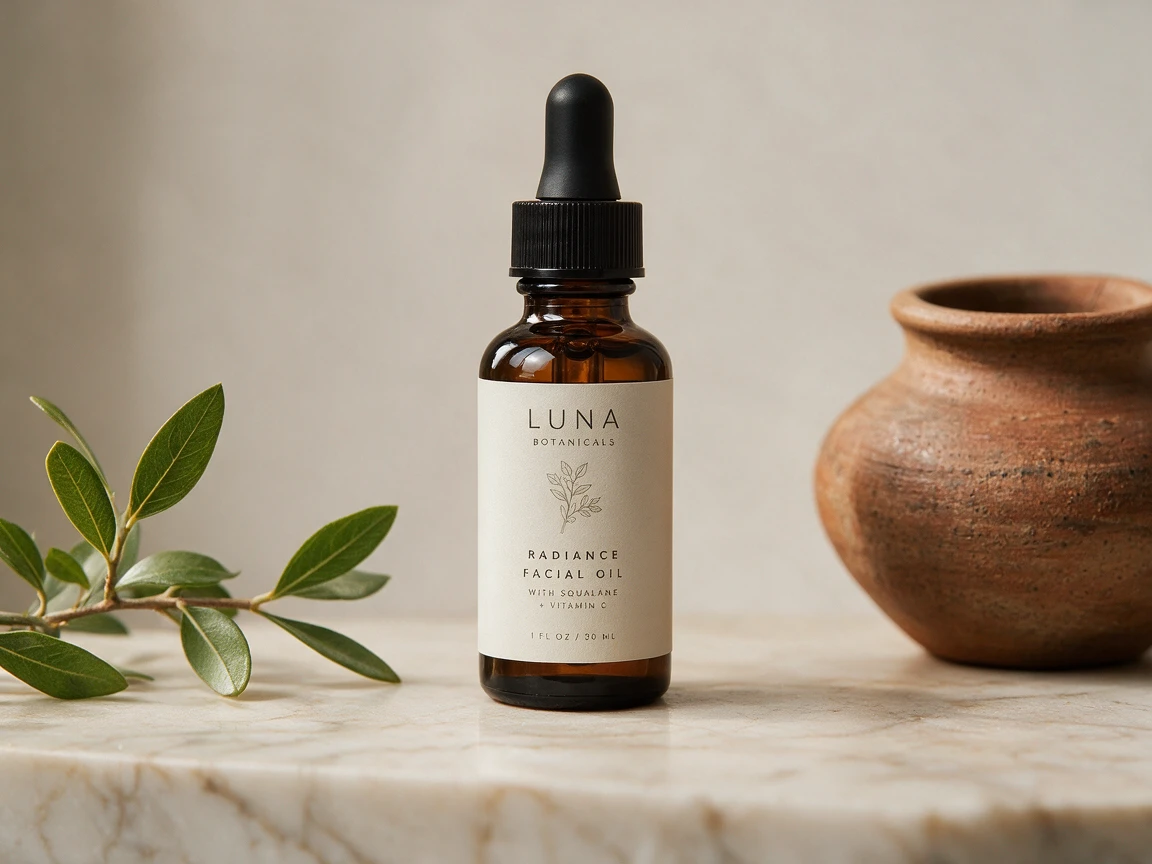
PicLumen currently supports up to 10 reference images in a Seedream 5.0 Pro workflow. The model can combine objects, styles, materials, characters, and backgrounds from different sources. Tell the model what each image controls. 45. Product and Surface
"Use Image 1 for the bottle shape and label. Use Image 2 for the marble surface. Create a clean skincare ad with soft overhead light."
46. Face, Outfit, and Location
"Use Image 1 for the face, Image 2 for the green dress, and Image 3 for the hotel lobby. Create a full-body fashion editorial."
47. Character and Style
"Keep the character from Image 1. Apply the hand-painted storybook style from Image 2. Preserve the face, pose, and outfit colors."
Multi-Image Prompt Tip
Do not write: Combine these images naturally. The model still has to guess which parts matter. Use: Image 1 controls the subject. Image 2 controls the style. Image 3 controls the location.
Sketch and Layer Prompts
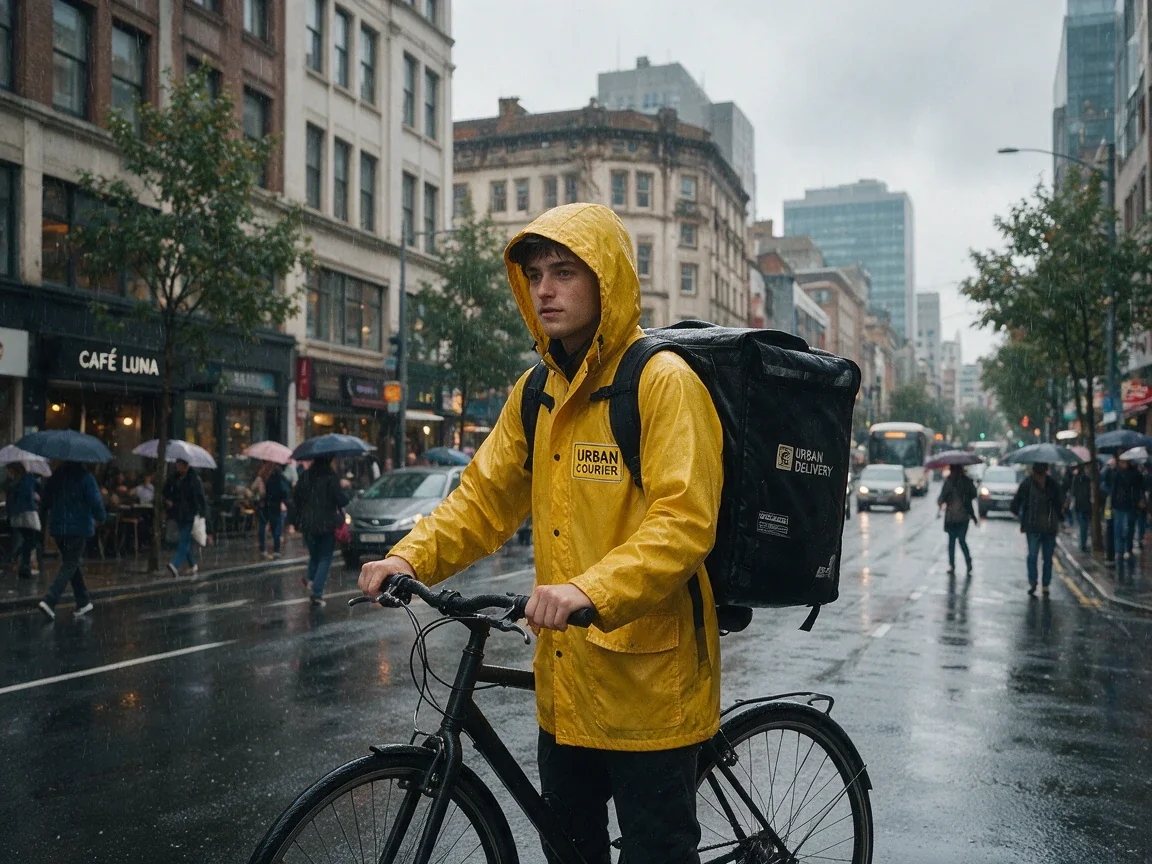
Seedream 5.0 Pro can use sketches, marks, arrows, and spatial instructions to guide image creation. It can also separate a finished visual into independent layers. 48. Build a Character From a Sketch
"Turn the character sketch into a young bike courier wearing a yellow raincoat, realistic proportions, rainy city background, soft overcast light."
49. Turn a Sketch Into Furniture Build
"Create a side table matching the sketch shape, pale ash wood, visible natural grain, matte finish, warm window light."
50. Separate a Product Poster
"Separate this design into four transparent layers: headline text, perfume bottle, bottle shadow, and background."
Name only the layers you need. A vague request for "all layers" may produce a less useful result.
Common Seedream Prompt Problems
| Problem | What to Change |
|---|---|
| The result looks generic | Add visible subject and setting details |
| The crop is wrong | State close-up, waist-up, full-body, or wide |
| The scene feels crowded | Remove extra props and styles |
| The edit changes too much | Name what must remain unchanged |
| Text is inaccurate | Use shorter copy and quotation marks |
| References get mixed | Assign one role to each image |
| Lighting looks flat | State the source and direction |
| The image lacks a focal point | Rank the main and supporting subjects |
Avoid Conflicting Styles
Weak: Minimalist, maximalist, rustic, futuristic fashion poster with natural neon light. Better: Minimal fashion poster with one futuristic chrome chair and hard white studio light.
Avoid Long Negative Lists
Weak: No blur, no ugly hands, no bad text, no distortion, no strange objects, no bad lighting, no messy background. Better: Natural hands, clean background, sharp focus on the subject.
Describe the result you want first.
Seedream 5.0 Pro vs Nano Banana Pro
The Seedream 5.0 Pro vs Nano Banana Pro choice depends on the task. Seedream 5.0 Pro focuses heavily on professional visual production. Its highlighted features include local editing, sketch guidance, multi-image fusion, layer separation, text layouts, and material control. Nano Banana Pro is Google's Gemini 3 Pro Image model. Google positions it for complex professional tasks that need advanced reasoning, world knowledge, text rendering, and strong creative control.
| Use Case | Better Starting Point |
|---|---|
| Precise local image edit | Seedream 5.0 Pro |
| Layer separation | Seedream 5.0 Pro |
| Sketch-based creation | Seedream 5.0 Pro |
| Product and campaign design | Seedream 5.0 Pro |
| Knowledge-heavy infographic | Nano Banana Pro |
| Factual visual explanation | Nano Banana Pro |
| Educational diagram | Nano Banana Pro |
| Image based on real-world context | Nano Banana Pro |
Google also states that Nano Banana Pro can combine up to 14 images in supported workflows and preserve the appearance of several people. Choose Seedream 5.0 Pro when the task depends on design control, local changes, layers, or visual references. Choose Nano Banana Pro when the image depends more on facts, reasoning, or dense information. Neither model wins every task.
How to Use Seedream 5.0 Pro on PicLumen
Seedream 5.0 Pro is available through PicLumen's image creation workflow. Step 1. Choose Seedream 5.0 Pro Open PicLumen's image generator and select the model. Step 2. Add a Prompt or Reference Images Enter a prompt for a new image. Upload references when you need to preserve a face, product, outfit, visual style, or layout. Step 3. Generate and Check the Details
 When one part is wrong, edit that part. You do not always need to start over.
Seedream 5.0 Pro Prompt Checklist
Before you generate, check:
- Is the main subject clear?
- Is the setting defined?
- Did I choose the framing?
- Does the light have a source?
- Are important materials named?
- Is required text inside quotation marks?
- Does each reference image have a job?
- Did I state what must stay unchanged?
- Are any styles fighting each other?
A simple image may only need one sentence. Add details when they give you more control, not just to make the prompt longer.
Frequently Asked Questions
What Is a Good Seedream 5.0 Pro Prompt?
A good Seedream 5.0 Pro prompt describes the subject, setting, composition, lighting, and details that matter.
How Long Should Seedream 5.0 Pro Prompts Be?
Most Seedream 5.0 Pro prompts can stay between one and four short sentences. A simple portrait may need one sentence. A poster with exact text and layout may need more detail.
Does Seedream 5.0 Pro Understand Short Prompts?
Yes. Short prompts can work well when the request is simple and clear. Add more detail only when you need tighter control.
Can Seedream 5.0 Pro Generate Text Inside Images?
Yes. Seedream 5.0 Pro supports text-rich layouts and multilingual visual generation. Small text and long paragraphs should still be checked before publishing.
Can Seedream 5.0 Pro Use Multiple Reference Images?
Yes. Seedream 5.0 Pro supports multi-image fusion. PicLumen currently allows up to 10 references in the model workflow.
Where Can I Try Seedream 5.0 Pro?
You can use Seedream 5.0 Pro through PicLumen for text-to-image creation, reference-based generation, and commercial visual workflows.