Unpixelate Image Online With AI
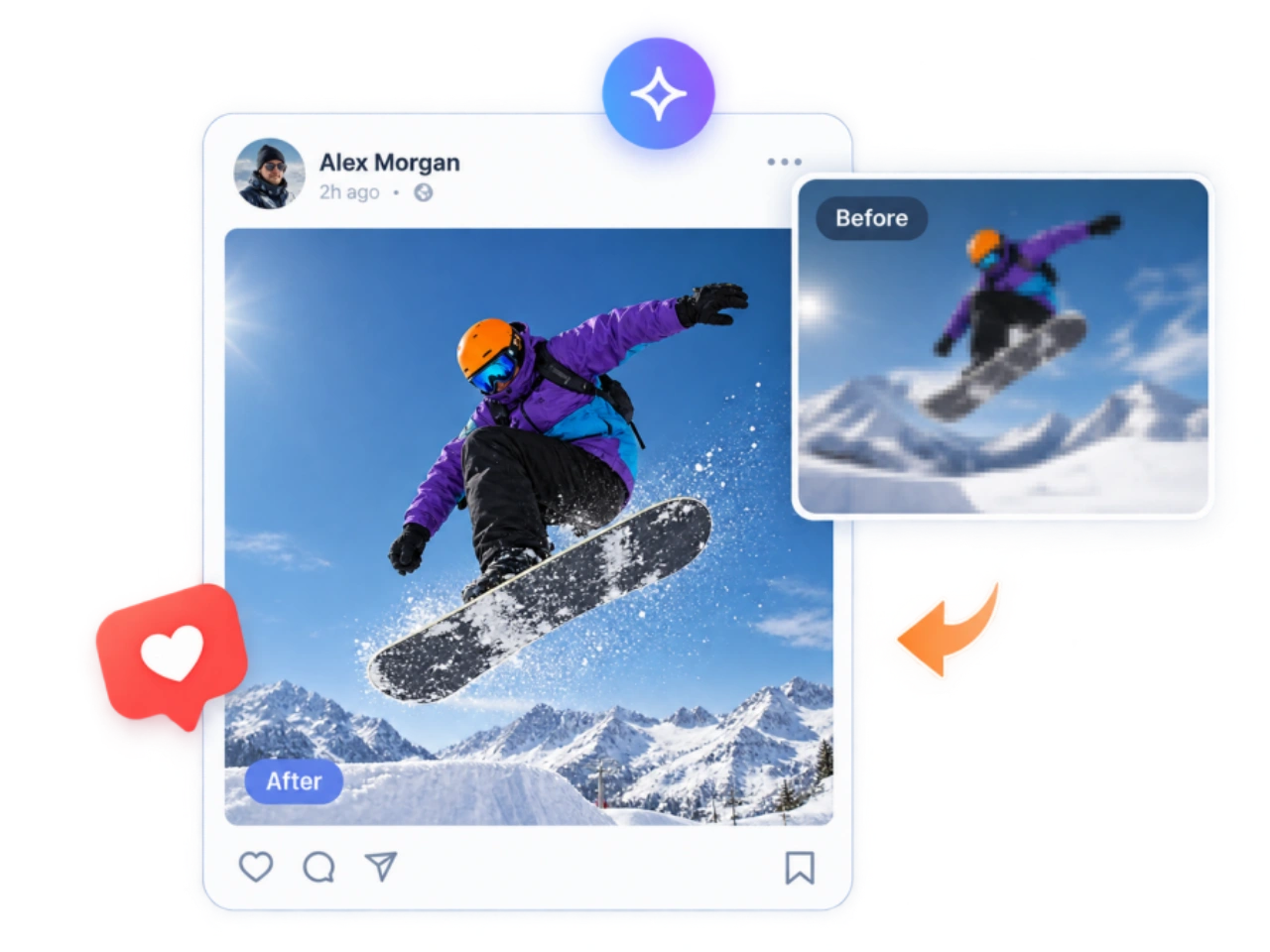
Make pixelated and low-resolution images clearer with PicLumen. The unpixelate image tool reduces visible pixelation, improves edges and detail, and creates a cleaner-looking result without simply enlarging or sharpening the original pixels.
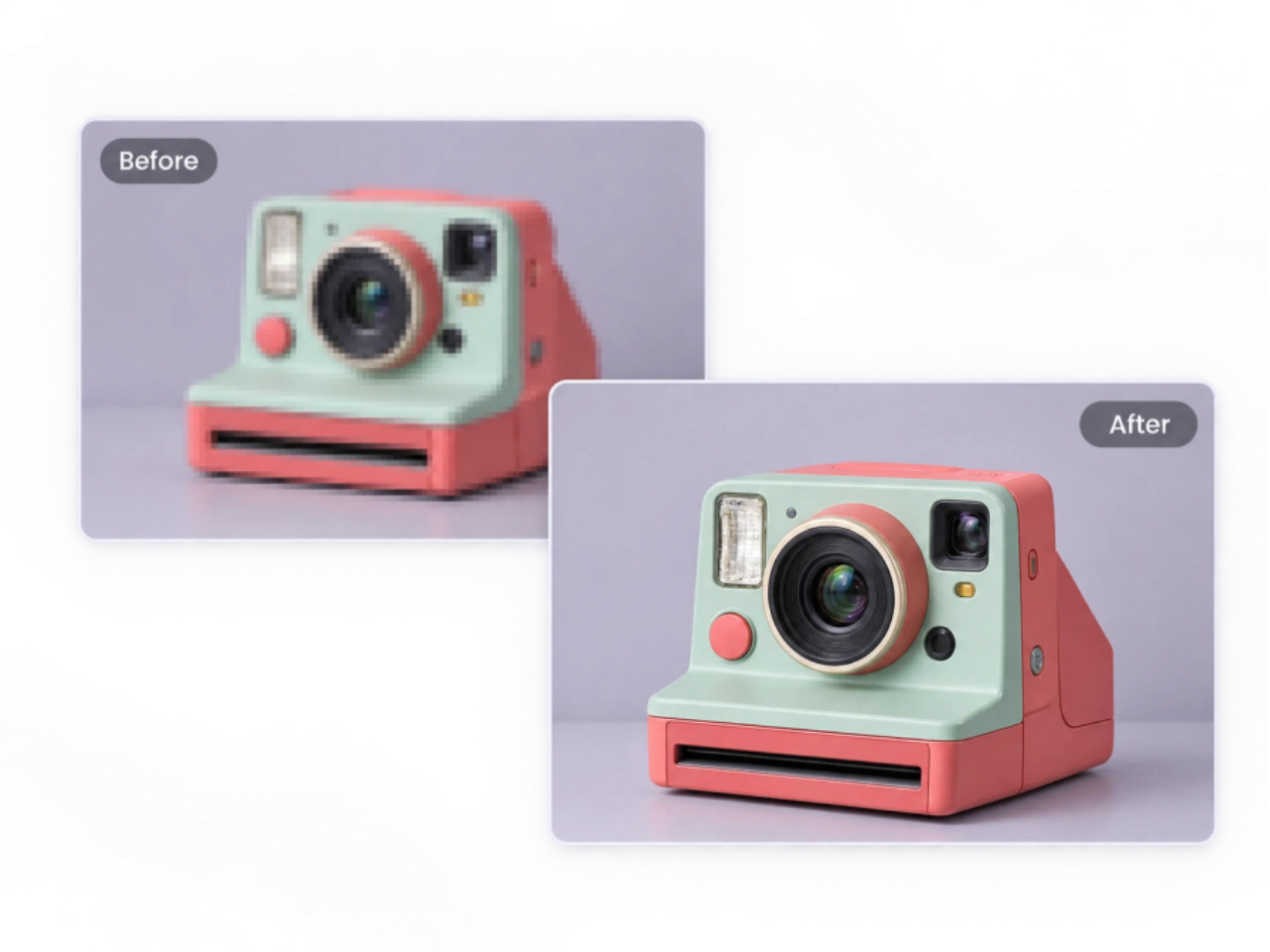
Remove Pixel Blocks and Clean Up Rough Edges
A good unpixelate image tool should do more than enlarge a small picture. PicLumen uses an image-to-image workflow to process the source image and reduce the square blocks, jagged outlines, and rough transitions that appear after resizing, compression, or repeated saving. By working from the original image, it helps clean up visible pixel artifacts around objects, faces, and backgrounds without simply making the existing pixels larger.
Rebuild Fine Details From the Information That Remains
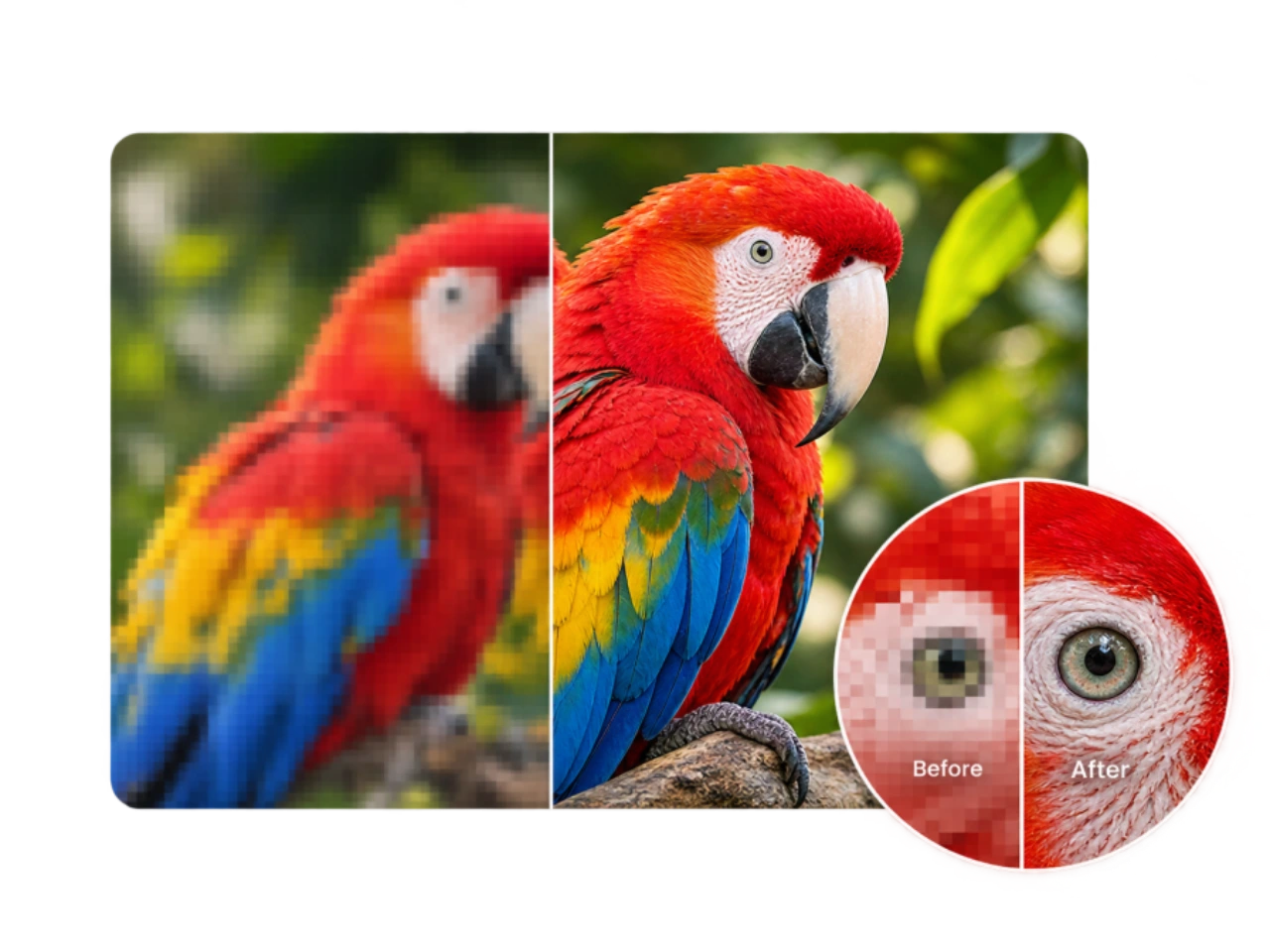
Pixelation can hide textures, contours, patterns, and other small visual details that were visible at a higher resolution. PicLumen's AI image unpixelation process analyzes the structure and visual information that remains in the source, then generates clearer-looking details where appropriate. This can help restore definition to surfaces, hair, clothing, objects, and other areas without depending on a basic sharpening filter.
Unpixelate Photos While Keeping Them Natural
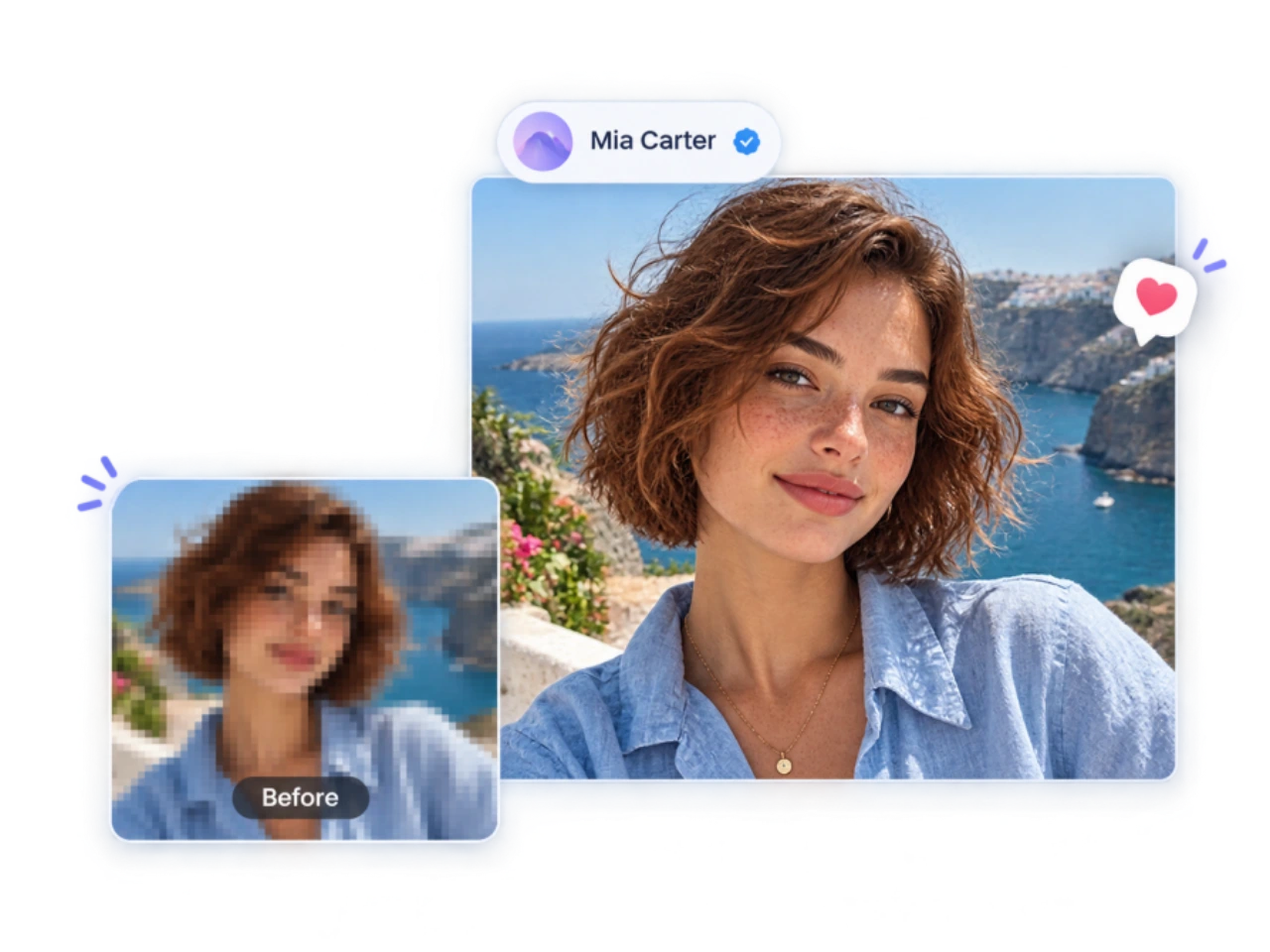
When you unpixelate a photo, adding too much sharpness can make the result look processed rather than clearer. PicLumen focuses on improving visible definition while keeping the source image's overall composition and recognizable features intact. Faces, objects, textures, and color transitions are treated as part of the original image rather than being unnecessarily altered to create an exaggerated sharpness effect.
Improve Pixelated Images Beyond Basic Upscaling
Image upscaling increases the dimensions of a file, but simply making an image larger does not remove the blocky appearance caused by low resolution or compression. PicLumen combines enlargement with image unpixelation to address visible pixel artifacts and generate clearer-looking detail. This makes the unpixelate image workflow useful when you need a larger, cleaner image rather than a stretched version of the original pixels.
What Can You Use an Unpixelate Image Tool For?
Restore Older Photos for Sharing and Display
Older photos from phones, digital cameras, or archived folders are often available only as small, compressed copies. When you need to unpixelate an image before sharing, printing, or displaying it at a larger size, PicLumen can help improve the appearance of photos that have become difficult to view after years of resizing and file compression.
Clean Up Images Damaged by Repeated Compression
A photo can lose clarity every time it is resized, exported, uploaded, or downloaded. Repeated JPEG compression can leave visible blocks, rough edges, and muddy textures across the image. Use an AI unpixelate image workflow when a compressed copy is still usable but no longer looks as clean as the original.
Prepare Pixelated Product Photos for Online Use
Product images are frequently resized for ecommerce listings, marketplaces, advertisements, and social posts. If the available copy is too small or has become pixelated, an unpixelate image tool can help prepare it for reuse. Clean up the image before publishing so product shapes, surfaces, packaging, and other visible elements remain easier to distinguish.
Make Small Screenshots and Graphics Easier to View
Screenshots, UI captures, icons, diagrams, and other digital graphics can become difficult to read after being resized or saved in a lower-quality format. PicLumen can unpixelate a picture to improve the appearance of small edges, interface elements, and graphic details when the original high-resolution file is no longer available.
How to Unpixelate an Image Online
1 Upload a Pixelated Image
1Upload the image you want to unpixelate. Use the original or highest-quality version available whenever possible, since a larger, less-compressed source gives the AI more visual information to work with.
2 Let PicLumen Process the Image
2PicLumen analyzes the source image and generates an unpixelated version with reduced blocky artifacts and clearer-looking detail. Instead of simply sharpening enlarged pixels, the process examines edges, shapes, textures, and other visible information in the image.
3 Compare, Then Download
3Compare the original with the processed image to check faces, edges, textures, text, and other important details. If the result meets your needs, download the unpixelated image for sharing, publishing, or further editing.


Loved by Creators Worldwide
Real feedback from designers, marketers, and hobbyists sharing their PicLumen experience on Trustpilot.
jordi AlcarazI have really enjoyed using this site…
I've had a really positive experience with Piclumen. The platform offers excellent features for creating AI images and videos, with impressive quality and a wide range of creative possibilities. It's very easy to use, even when experimenting with more complex ideas, and the whole process is both intuitive and enjoyable. excellent customer service. The team replies very quickly, is always friendly, and genuinely tries to solve any issues you may encounter they care about their users. Overall, Piclumen is an innovative, user-friendly, and exciting AI platform. I highly recommend it to anyone interested in AI image and video creation.
A New TV Episodes Of Ninja Sweetie On…
A New TV Episodes Of Ninja Sweetie On Paramount+
Sara FrandsenExcellent customer service
Excellent customer service! The support team was incredibly fast, polite, and helpful. They handled my request quickly and professionally without any hassle. It is rare to see such great and honest support these days. Highly recommended!
Kura AdityaThe best experience ever w
The best experience ever w
It’s been great so far
It’s been great so far, I think the limitations are me not the app.
Really good app and generates good…
Really good app and generates good images!
 Fatjon Xhoka
Super app for photo and video
Super app for photo and video
In terms of the customer service
In terms of the customer service, is outstanding, I will say if you had any doubts they clarified it, and the next day you have an answer. When it comes to the APP it is friendly to use, however there is not any box to tick ☑️ to allow the machine to stick to your character constantly.This allow that sometimes you upload your image and your prompt but the machine generates something completely different and you lost your credit 🙁 I think that this needs to be fixed this happens in a few PicLumen models.
 Aleks Visha
Great kompany in the world
Great kompany in the world
 Eman Rizwan
Great job u should try it in order to…
Great job u should try it in order to Create images
amazing image creation app for me-5*…
amazing image creation app for me-5* rating...
Ts is so skibbidy dop dop yes yes
Ts is so skibbidy dop dop yes yes
Frequently Asked Questions About Unpixelating Images
Can AI really unpixelate an image?
Yes. An AI unpixelate image tool can reduce visible pixelation, clean up blocky edges, and generate clearer-looking textures and details from the information still present in the source. However, unpixelating an image is not the same as recovering the original file. If important visual information has been completely lost through severe pixelation, resizing, or compression, AI cannot know exactly what was there. Results are generally more reliable when the source image is larger and less degraded.
How does an AI unpixelate image tool work?
AI image unpixelation analyzes patterns such as edges, shapes, textures, and color transitions in the source image. It then generates a clearer version by reducing visible pixel blocks and reconstructing detail that is difficult to see at the original resolution. This is different from simply applying a sharpening filter, which can make existing pixels more pronounced without actually addressing the underlying pixelation.
Can I use an unpixelate image tool to fix a pixelated photo?
Yes. You can use PicLumen to unpixelate a photo that has become blocky or difficult to view after resizing, compression, or repeated sharing. The result depends on how much visual information remains in the photo. Starting with the original or highest-resolution copy gives the image unpixelation process more information to work with.
Does unpixelation work on faces?
An AI unpixelate image tool can improve the visible definition of faces in pixelated portraits, including facial contours, hair, and other features that remain partially visible. However, severely pixelated faces require more reconstruction, which means the generated features may differ from the original. For this reason, an unpixelated face should be treated as an enhanced reconstruction rather than a guaranteed recovery of the person's exact appearance.
Can PicLumen unpixelate text, numbers, or screenshots?
PicLumen can make some pixelated text clearer when enough of the original character shapes remain visible. However, small text, numbers, symbols, and heavily pixelated characters are difficult to reconstruct reliably because several different characters can produce similar pixel patterns. If you unpixelate an image containing prices, addresses, account information, measurements, or other important text, verify the result against the original source instead of treating AI-generated characters as definitive.
What should I do if my image is heavily pixelated?
Use the largest and least-compressed version available before trying to unpixelate an image. Avoid repeatedly resizing or recompressing the file, since each step can remove additional visual information. PicLumen can reduce the visible blockiness of a heavily pixelated image, but when only a few pixels remain, some reconstructed details may be an approximation rather than information recovered from the original.
Will unpixelating an image replace or overwrite my original?
No. PicLumen creates a processed version of the image rather than replacing the source file. This lets you compare the original with the unpixelated result and decide whether the changes are suitable for your intended use. Because AI image unpixelation can generate details that are not clearly present in the source, keeping the original is important when accuracy matters.
Is PicLumen's AI unpixelate image tool free?
PicLumen allows users to try its AI unpixelate image tool with available free credits. Additional generations may require credits depending on the user's plan and current usage limits. Check the editor for the current credit requirement before processing an image.
Unpixelate an Image and See the Difference
Upload your pixelated image to PicLumen's unpixelate image tool and get a clearer-looking version in just a few steps.
- AI Image Generator Online
- AI Game Assets Generator
- AI Cartoon Generator
- AI Wallpaper Generator
- FLUX AI Image Generator
- AI Animal Generator
- AI Background Generator
- AI Cat Image Generator
- AI Embroidery Generator
- AI Fashion Model Generator
- AI Food Image Generator
- AI Headshot Generator Online
- AI Jewelry Photography
- AI Product Photo Generator
- AI Social Media Post Generator
- AI Celebrity Look Alike Finder
- AI Virtual Try On
- White Background Generator
- AI Cat Dance Video Generator
- AI Cinematic Video Generator
- Realistic AI Video Generator
- AI Video to Video Generator