
AI Video Face Swap – Put Any Face in the Scene
Put yourself in a whole new scene with PicLumen's AI video face swap. Upload your own video and a clear face photo to replace a face while preserving the original movements, expressions, and setting. From movie moments and dance trends to personalized social media clips, create realistic face swap videos online without complicated editing.
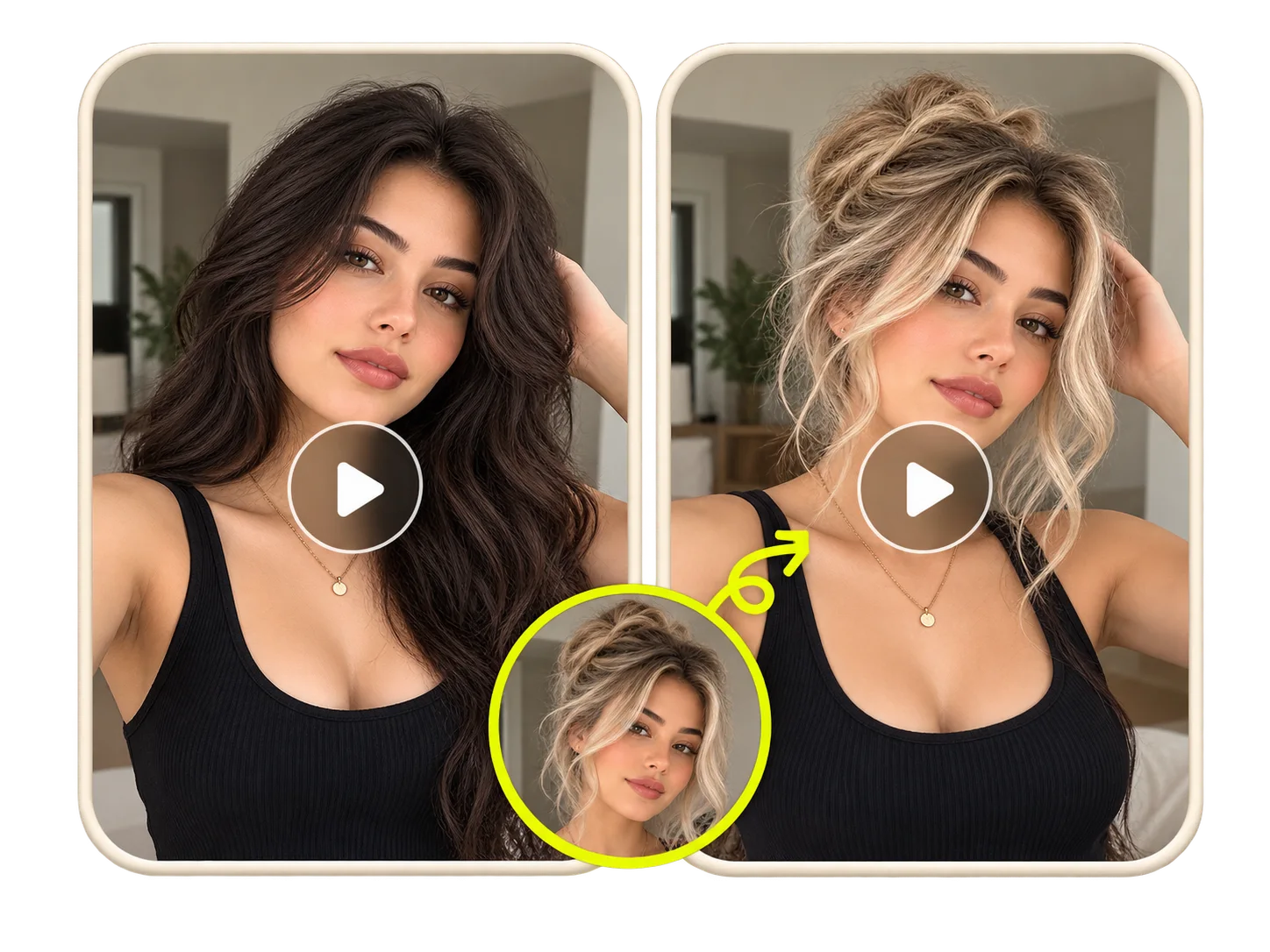
Make the New Face Belong in the Scene
A convincing video face swap should look like the replacement face belongs in the original footage, not like a photo placed over someone's head. PicLumen's AI video face swap workflow is designed to blend the new face with the scene while preserving recognizable facial features, natural proportions, and skin details. Camera angles, shadows, and lighting can all affect the final appearance. A face that looks natural in a bright close-up may need different adjustments in a dimly lit movie scene. For better results, start with a sharp reference photo that clearly shows the person's eyes, nose, mouth, and facial contours. This gives the AI more useful information to work with and helps reduce visible mismatches.
Keep Up with Every Turn, Smile, and Expression
Replacing a face in one image is different from making it work across hundreds of video frames. With AI video face swap, the replacement needs to follow the original performance as the subject smiles, blinks, speaks, or turns their head. PicLumen helps maintain facial alignment and expression changes throughout the clip, so the swapped face moves with the original subject rather than remaining fixed in place. This is particularly important for talking-head videos, dance performances, and movie scenes with close-up expressions. For more consistent results, choose footage where the face remains reasonably visible. Extreme side profiles, rapid head movements, motion blur, and objects passing in front of the face can make accurate video face swapping more difficult.
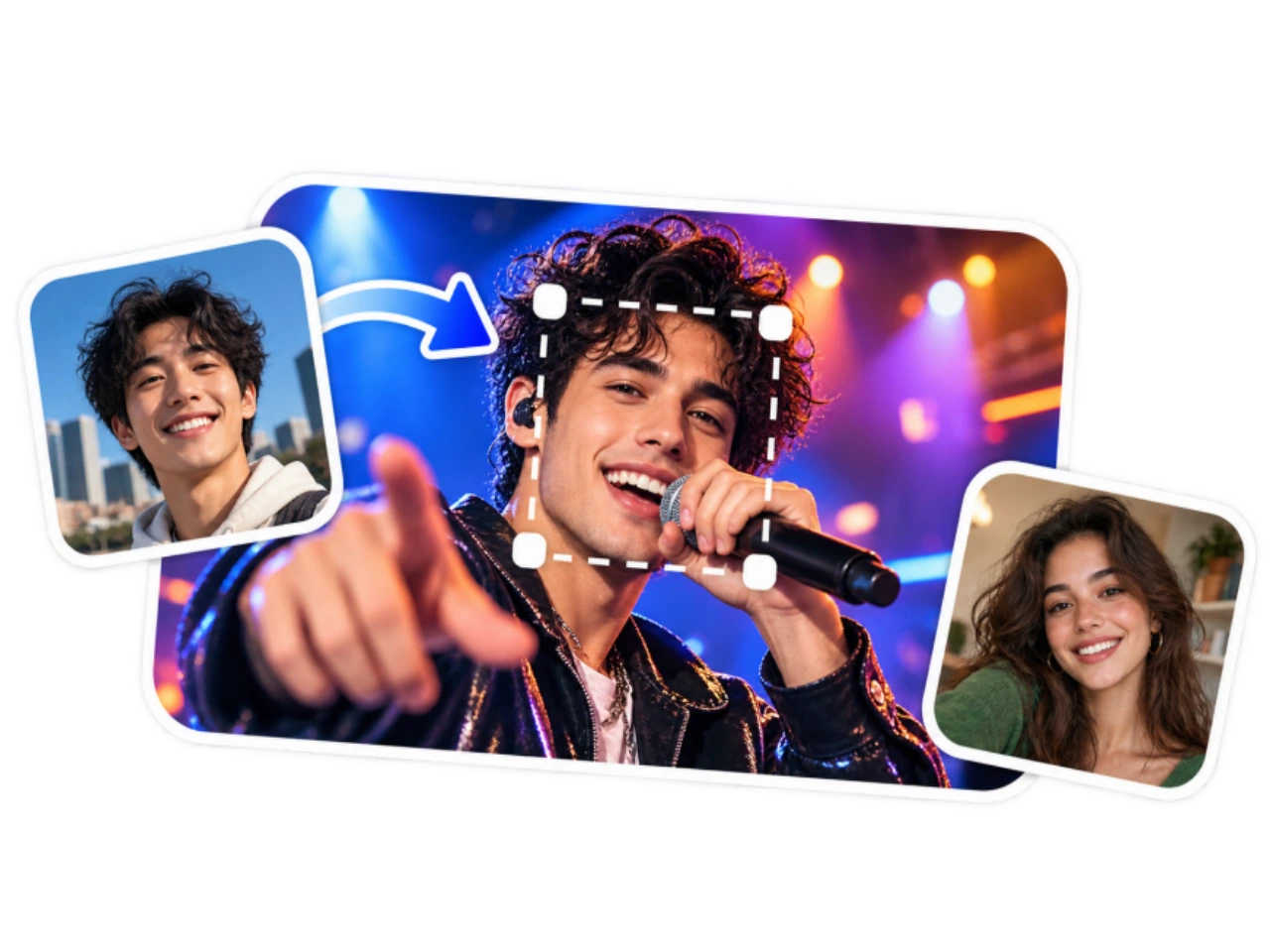
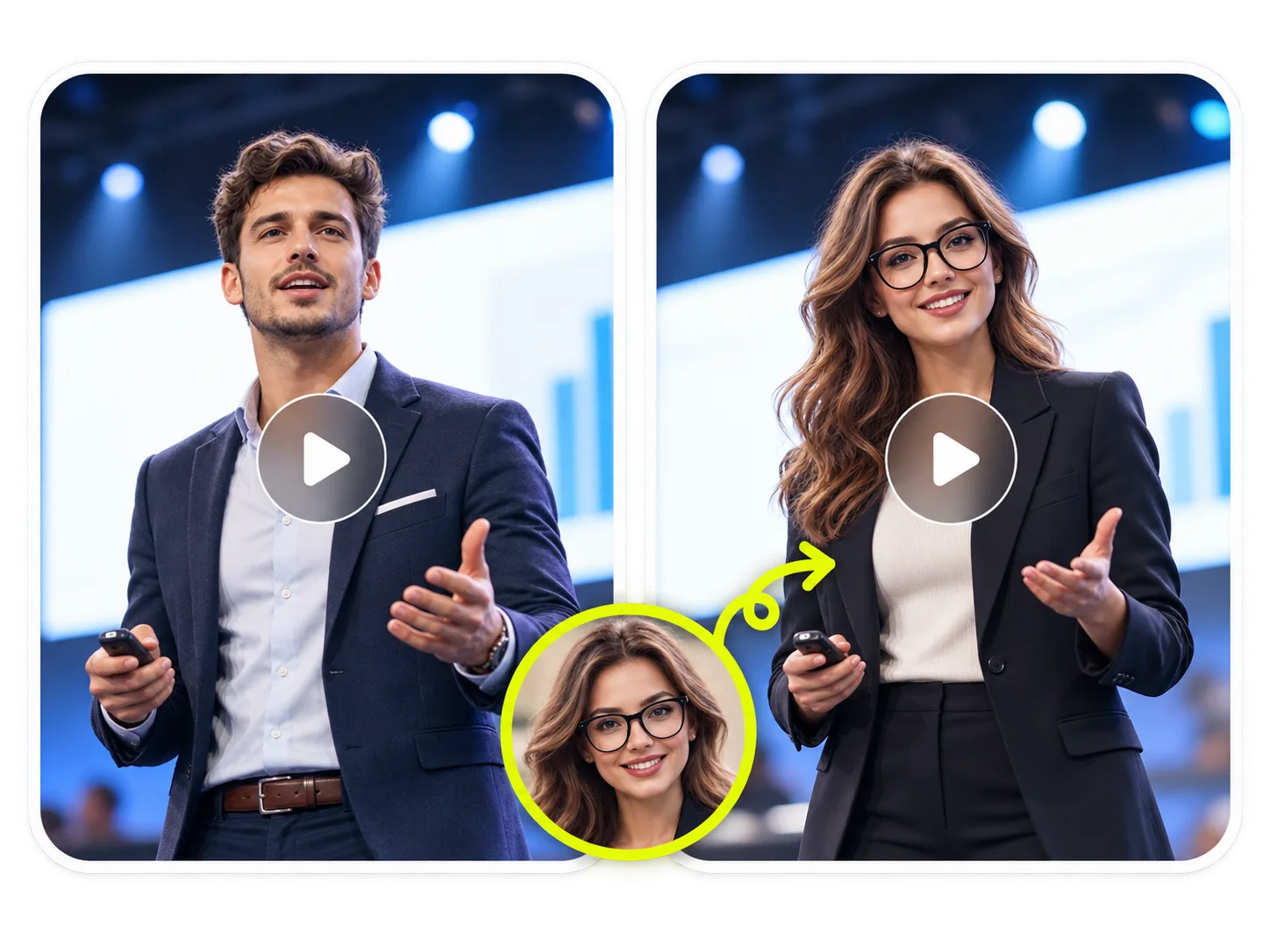
One Face or a Whole Cast—You Decide
A multiple face swap video opens up possibilities beyond changing a single character. Imagine two friends stepping into a famous dance routine, a comedy duo taking over a reaction video, or several familiar faces appearing in the same fictional scene. For workflows that support multiple subjects, separate reference photos can be used to assign different identities to the people in a clip. This makes two-person video face swaps and group performances more customizable while keeping the original scene and interactions intact. When choosing footage with several people, look for clearly visible faces and minimal overlap between subjects. Videos with frequent crossings, crowded scenes, or heavy facial obstruction may require additional attention to avoid identity mismatches.
Bring Your Own Footage, Not Just a Template
With a custom AI face swap video workflow, you're not limited to a fixed collection of scenes. Start with footage you've recorded yourself or have permission to edit, whether it's a selfie clip, a short performance, a reaction video, or a carefully planned creative project. Using your own video lets you choose the setting, camera angle, timing, and performance before changing the face. You can work with the motion already captured on camera instead of trying to reproduce the entire scene from a text prompt. This makes face swap video online tools useful for creators who want to personalize existing footage while retaining its original composition and pacing.
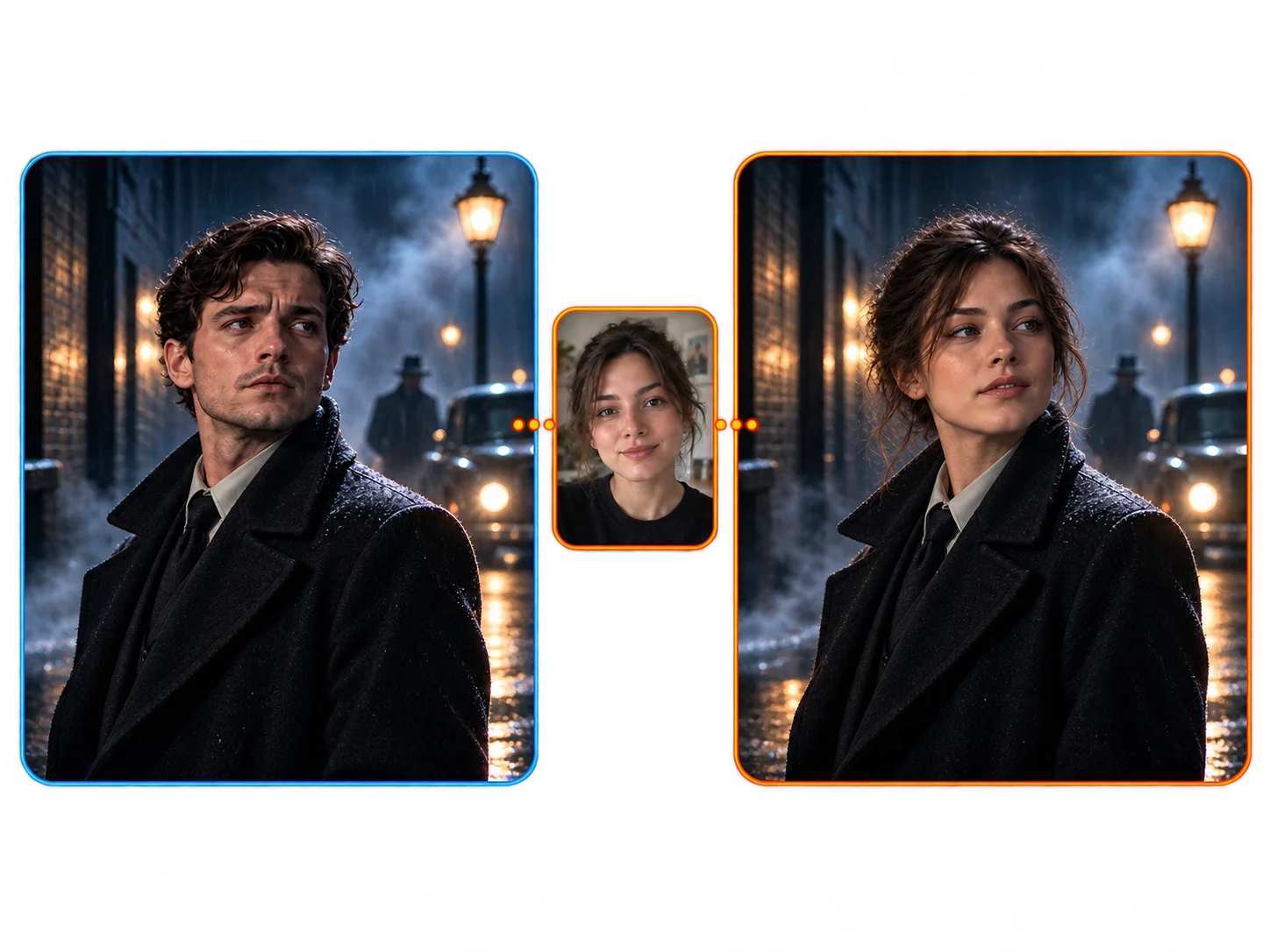
Your Face, a Different Story: Creative AI Video Face Swap Ideas
Become the Punchline of a Meme
Turn a familiar reaction into something unexpectedly personal with an AI video face swap. Put yourself into a funny meme clip, replace a character in a dramatic reaction, or give a friend a starring role in an inside joke. Create short face swap videos for TikTok, Instagram Reels, group chats, and social posts. From exaggerated expressions to recognizable internet moments, a simple change of face can give an existing clip an entirely different meaning.
Step Into a Movie Moment
Ever imagined yourself delivering a dramatic line or appearing in a cinematic close-up? With AI face swap video editing, you can experiment with becoming the main character in a movie-style scene. Try action sequences, emotional conversations, suspenseful moments, or playful recreations of familiar film scenes. Keep the original framing and performance while changing who's in front of the camera. Use footage you own or are authorized to edit, especially when sharing your creation publicly.
Join the Dance Without Learning the Moves
Get in on a dance trend without having to record every move. Use an AI video face swap to personalize a dance performance, music clip, or synchronized duo routine with your own face. Experiment with TikTok dance challenges, AI rap duo videos, K-pop-inspired performances, and short-form entertainment. Whether you're creating a solo performance or a two-person face swap video, the original choreography provides the foundation for your new version.
Turn Familiar Faces Into Unexpected Surprises
Make an ordinary greeting or celebration a little more entertaining with a personalized face swap video. Create playful birthday messages, friendship videos, family jokes, and surprise clips featuring people you know. You can reimagine a familiar scene with different characters or bring friends into a shared video moment. These personal creations work especially well when the humor comes from recognizing the people involved. Always use photos and footage with the appropriate permission.
How to Make an AI Video Face Swap with PicLumen
Upload the Video You Want to Edit
1Open PicLumen's AI video face swap online tool and upload your source video. Choose a clip with visible facial features, sufficient lighting, and minimal motion blur. Clear footage gives the system a better starting point for identifying the face throughout the video.
Add Your Face Photo
2Upload a portrait or selfie showing the face you want to swap into the video. For a more realistic video face swap, use an image with even lighting, sharp facial details, and no heavy filters or obstructions. If the selected workflow supports multiple people, assign a different reference photo to each intended subject.
Generate and Download Your Video
3Start the AI face swap video generation and review the finished clip. Watch for facial alignment, expression changes, and visual consistency during movement. If the result needs improvement, try a clearer reference image or source video. Download your face swap creation using the available export options.


Loved by Creators Worldwide
Real feedback from designers, marketers, and hobbyists sharing their PicLumen experience on Trustpilot.
J. BlaineRegular PicLumen user experience
I've been using PicLumen since late summer 2024 and I've generated several thousand images, mostly image-to-image. There were 2 minor technical glitches in that period of time. In the first one, my library didn't load but after logging out and logging in again later that day I found my library back. The second glitch- the remixing and outpainting stopped working. I contacted the support team and the issue was fixed the next day. I also requested PicLumen to provide a PayPal payment method when they switched to subscription - and they listened and responded to my request. I appreciate their responsiveness and customer service. In my communication with their support team, I found them professional and polite. My general impression is that this is a dynamic and collaborative team that is worth supporting!
Just amazing website a must try.
Just amazing website a must try.
I recently had some technical issues…
I recently had some technical issues that I was trying to work through, so I reached out to the team at PicLumen for support. They were incredibly open, responsive, and willing to discuss the challenges I was experiencing. I even sent them a video demonstrating some of the issues I came across, and they took the time to review everything carefully and work toward finding solutions. What really stood out to me was how friendly, approachable, and collaborative they were throughout the process. I never felt like I was just submitting a problem ticket — it felt like they genuinely cared about improving the experience and helping users succeed. I truly enjoy using the platform and appreciate the level of support and dedication behind it. I would absolutely recommend PicLumen to anyone interested in this type of creative work.
 Rishiprasanth BR
This is a great site to create images…
This is a great site to create images as per our mind's wish. Such a great site, loved its response
 Menu Lawrence
Very fantastic app
Very fantastic app. I love it. I will like everyone to use this App
ZaraPiclumen still remains the best…
Piclumen still remains the best with image references. I don't have any complains using Piclumen. It makes my work easier
 Aleks Visha
Great kompany in the world
Great kompany in the world
Nikki Camou Timber and TorchLove them
Love them! I’ve love working with the app so far!
 Yll
YllIs very good program for ai
Is very good program for ai
 Aslam Khan
good have a nice day.meet
good have a nice day.meet
 Its aarohi
This is a great app for creating images…
This is a great app for creating images and ai videos i just love this app
 basem trials
Works like charm .
Works like charm .. I love this app
Frequently Asked Questions About AI Video Face Swap
What is AI video face swap, and how does it work?
AI video face swap uses artificial intelligence to replace a person's face in an existing video with a face from another image. The technology analyzes facial regions, identifies important features, and adapts the replacement face to the original video's changing head positions, expressions, and lighting. Unlike photo face swapping, which only needs to process one still image, video face swap AI must maintain visual consistency across a sequence of frames. This means a result needs to look natural not only when the subject faces the camera, but also during movement, speech, and changes in expression. The final quality depends on the tool's capabilities and the clarity of both the video and reference photo.
Can I use PicLumen's AI video face swap for free?
PicLumen offers free credits for eligible AI creation tools, allowing users to explore supported features before committing to additional credits or a subscription. The availability of free AI video face swap generation depends on the selected workflow and its current credit requirements. Video duration, output settings, and other generation options may affect the number of credits needed. Review the displayed credit cost before generating your video. Free access does not necessarily include unlimited generations, every advanced feature, or unrestricted exports.
How can I make my AI face swap video look more realistic?
A realistic video face swap starts with suitable source material. Choose a video where the subject's face is visible and relatively sharp, then upload a clear reference image with natural lighting and minimal obstruction. For better results:Use a detailed face photo: Avoid blurry selfies, strong beauty filters, sunglasses, and hair covering the eyes. Or consider the camera angle: A reference photo with a similar perspective to the original subject can help produce a more convincing match. If the face looks distorted or inconsistent, try a different reference photo or a source clip with less motion blur.
Can I swap multiple faces in the same video?
A multiple face swap video involves replacing two or more people in the same clip using different reference faces. It is useful for comedy duos, group dances, movie-style scenes, and videos featuring several characters. Some AI face swap tools allow users to select individual subjects and assign a separate face to each person. Others support only one replacement at a time. Multiple-face capabilities depend on the specific PicLumen workflow. Check whether subject selection and multiple reference images are available before creating a group video. Clear facial visibility and limited overlap between people can improve the accuracy of subject identification.
What video formats, lengths, and resolutions are supported?
Supported video formats, upload limits, and export resolutions depend on the AI video face swap tool you're using. MP4 is a common video format, but not every platform accepts the same files or supports the same video lengths. For a better source video, prioritize clear facial details over unnecessarily large file sizes. Highly compressed videos may contain blurred features or artifacts that make face detection and replacement less reliable. Check the current PicLumen upload and export settings for supported file formats, maximum duration, file size, resolution, and any applicable plan restrictions.
Does an AI video face swap keep the original audio?
An AI face swap video generally focuses on changing facial appearance rather than replacing the original dialogue, music, or background sound. However, whether the original audio is retained depends on the video processing workflow. Some tools preserve the source soundtrack automatically, while others may produce silent clips or require audio to be added afterward. If you're editing a dance trend, music performance, or dialogue scene, check the audio settings before generation and play back the exported file to confirm that the sound is included and synchronized.
Are my uploaded videos and face photos private?
Using an AI video face swap online tool involves submitting facial images and video files, so it's important to understand how those materials are handled. Before uploading, review PicLumen's current privacy policy and terms for information about file processing, storage, retention, deletion, and other applicable data practices. Avoid uploading sensitive material unless you're comfortable with the stated policies. Only use facial images you own or have permission to process. This is especially important when working with clients, colleagues, family members, or anyone who has not agreed to appear in an AI-edited video.
Can I share or monetize AI face swap videos?
You can share appropriately authorized AI face swap videos on social platforms, provided the content follows the platform's rules and respects the rights of the people and materials involved. For commercial projects, consider whether you have permission to use the original video, recognizable faces, music, and other copyrighted elements. A face swap does not automatically grant commercial rights to the underlying footage or someone's likeness. Avoid misleading impersonations, false endorsements, or videos that could reasonably be mistaken for authentic recordings of events that never happened. Review PicLumen's commercial-use terms and any applicable AI-content labeling requirements before publishing or monetizing your work.
Your Next Video Has a New Main Character
Put a new face on a familiar scene, turn an ordinary clip into a personal joke, or join a creative trend with PicLumen's AI video face swap. Your next favorite video might already be on your camera roll.
- AI Video Generator
- AI Ad Video Generator
- AI Cartoon Video Generator
- celebrity-style talking videos
- AI Dance Video Generator
- AI Faceless Video Generator
- AI Lip Sync Video Generator
- AI Product Video Generator
- AI TikTok Video Generator
- AI Facebook Ad Video Maker
- Realistic AI Video Generator
- Video Background Remover
- Video to Video Generator
- AI YouTube Outros
- Photo to Oil Painting
- AI Photo to Watercolor
- AI Marketing Video Maker
- AI UGC Video Generator